A few other reasons your Spotify for Windows or macOS app displays the above error are that your computer’s firewall has blocked the app’s internet access, your login session in the app has a problem, your app files are corrupted, and more.
1. Update the Spotify App on Your Windows or Mac Computer
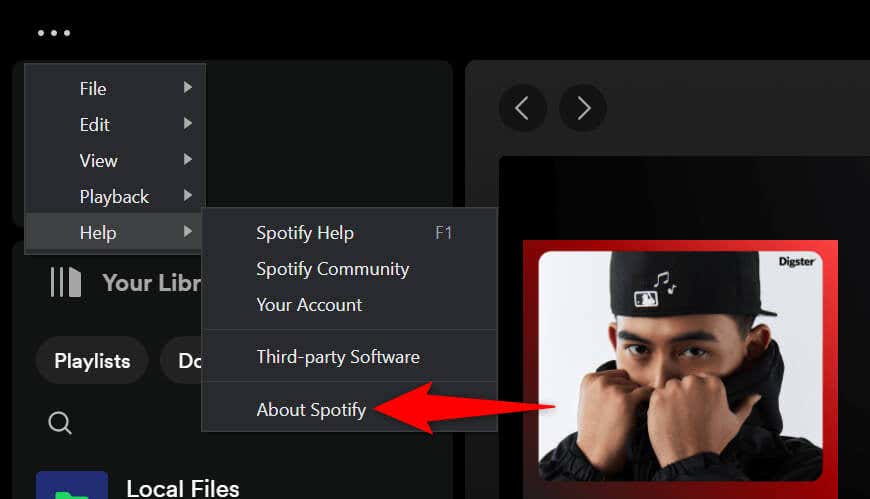
When you encounter an access point 22 error, the first thing to do is update your app to the latest version of Spotify. An outdated app version is often the reason you get the above error, and updating the app should fix that. You can update Spotify on both Windows and Mac operating systems with ease, as the update option is built right into the app. Updating the app fixes your app issues and may also provide new features.
On Windows 11 and 10
On macOS
2. Turn Off Your Firewall to Fix a Spotify Error Code Access Point 22
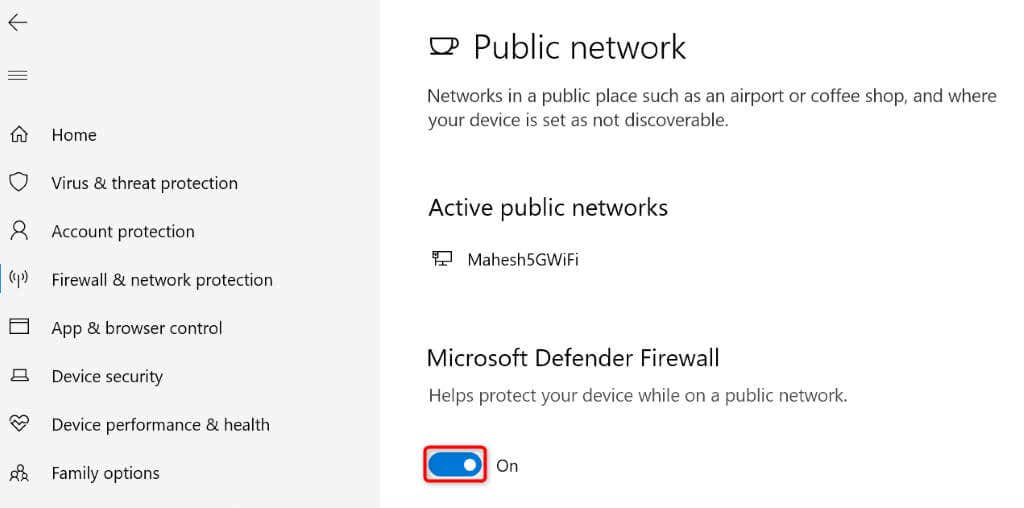
If your Spotify error 22 persists, and you can’t access your music, your Windows or Mac machine’s firewall may have blocked the app’s access to the internet. Your firewall usually does this for suspicious connections, but it’s possible the firewall has produced a false-positive report this time. In this case, temporarily turn off your computer’s firewall and see if that lets Spotify work.
On Windows 11 and 10
On macOS
3. Clear Your Spotify App Cache
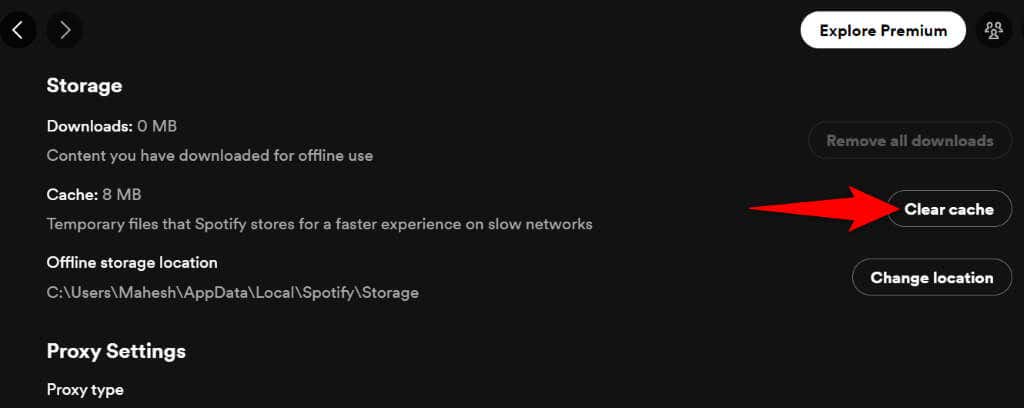
Spotify creates and stores various temporary files on your computer to speed up your app experience. Sometimes, this cached data becomes corrupted, making the app malfunction in many ways. Your access point error 22 may be the result of a bad Spotify cache. In this case, clear your app’s cache files to resolve your issue. Deleting the cache doesn’t delete your account data in the app.
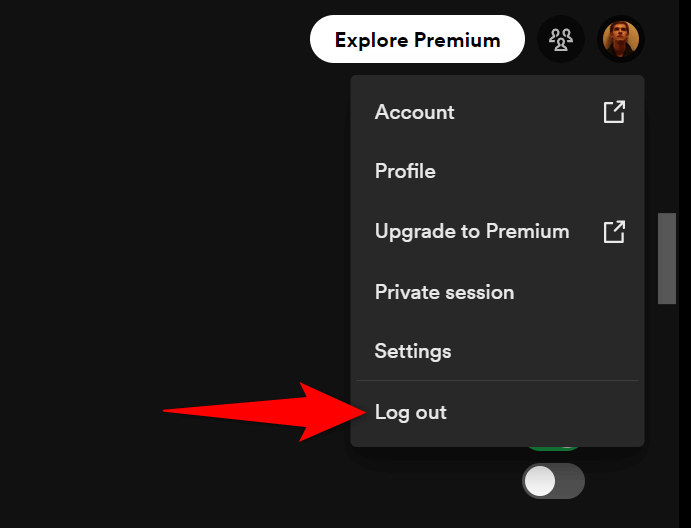
4. Log Out and Back Into Your Account in Spotify
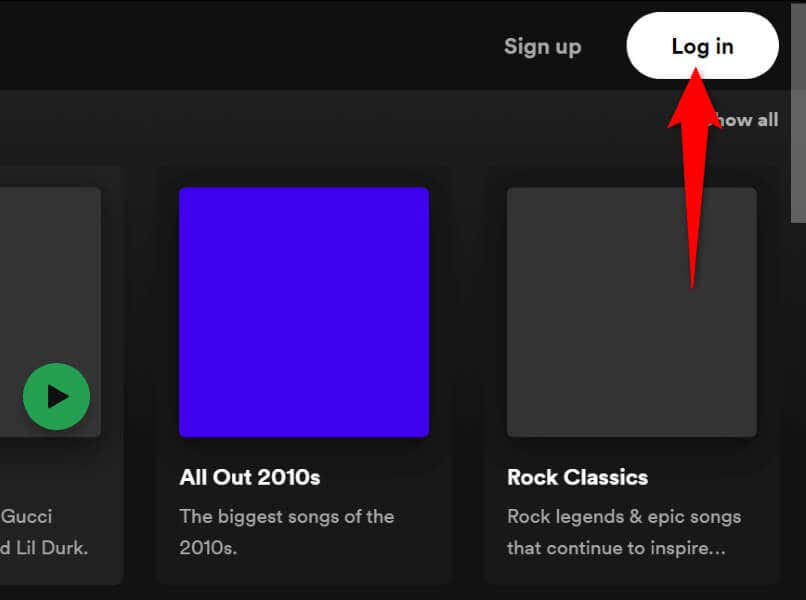
If Spotify still doesn’t work and displays an access point error 22, your login session in the app may have a problem. The app may be facing issues authenticating your account details with the platform’s servers, resulting in an error message. In this case, sign out and back into your account to possibly fix your issue. You’ll have to enter your Spotify username and password to log back in, so keep those details handy.
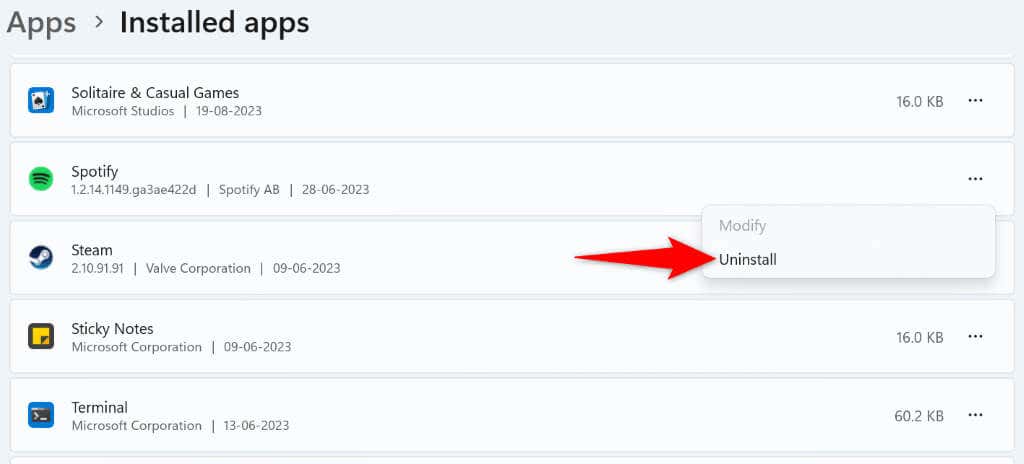
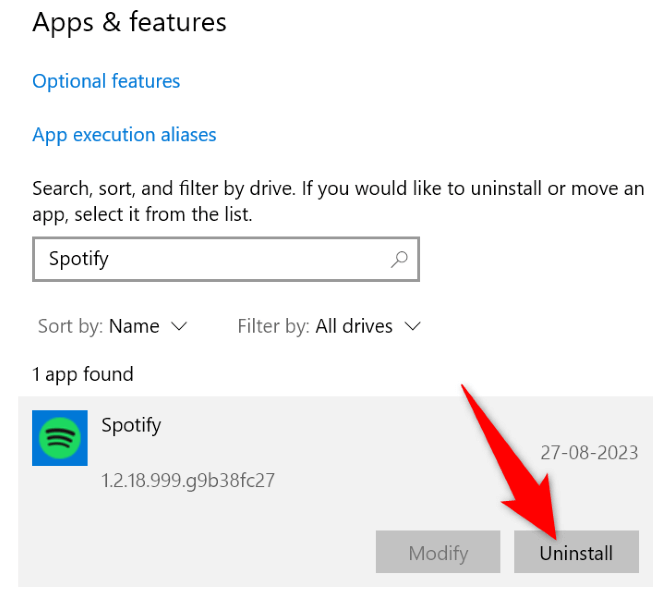
5. Uninstall and Reinstall Spotify
If you still can’t get Spotify to work, your app’s core files might be corrupted. Such corruption makes the app’s many features unusable, as those features rely on the files that are now corrupted. If this is the case with your app, remove and reinstall your app on your Windows or Mac computer to resolve your issue. Doing this deletes the app’s faulty files and adds working files to your computer, resolving your issue.
On Windows 11
On Windows 10
On macOS
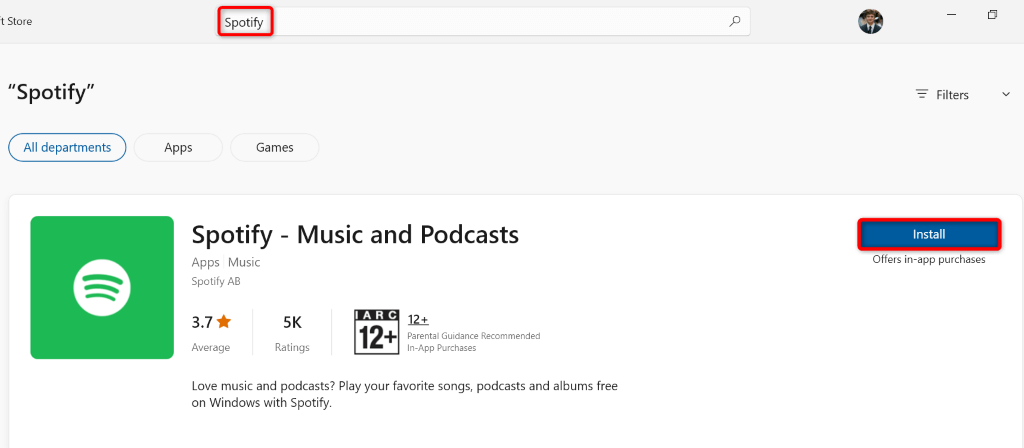
6. Download Spotify From the Microsoft Store
If you’re a Windows user and your downloaded Spotify app doesn’t work, use the Spotify app available in the official Microsoft Store. It’s worth trying this app version when the one obtained from the platform’s official website doesn’t work.
7. Use Spotify in Your Desktop Web Browser
If your Spotify app refuses to work, and you want to listen to your music, use the platform’s web player in your web browser. Spotify has a website where you can find and play your music, much like how you do in the desktop app.
Troubleshooting Spotify Error Code 22 on Windows and Mac
Spotify’s access point 22 error usually appears when your app version is outdated. You can fix the issue by updating the app, disabling your firewall, and making a few other changes to your system. Once you’ve resolved the issue, Spotify will let you access all your playlists and music tracks, allowing you to resume your music sessions. Happy listening!