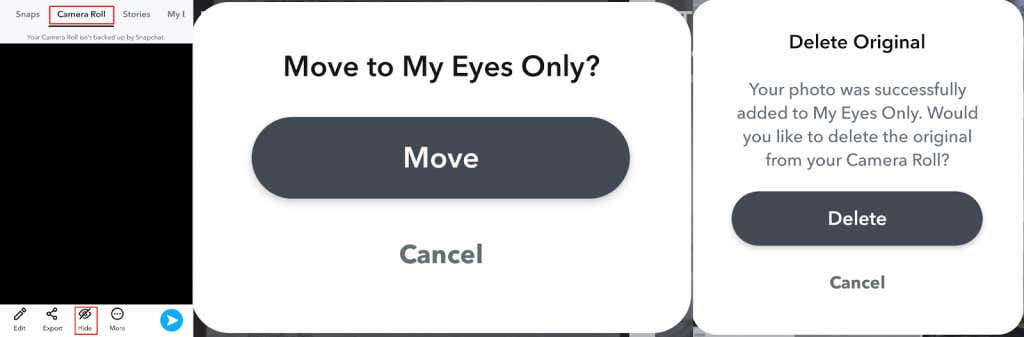
We’ll show you how to set up My Eyes Only and how to add or remove Snaps to keep your most private Snaps safe from prying eyes.
How to Set Up My Eyes Only
It takes just a few seconds to set up My Eyes Only. You’ll need to have one Story or Snap saved to Memories or share content from your Camera Roll to Snapchat. Here’s how to set up My Eyes Only:
How to Add Snaps to My Eyes Only
Now that you’ve set up the My Eyes Only Snapchat feature, it’s easy to move saved Stories or Snaps from Memories to My Eyes Only — or move videos or photos from your Camera Roll to My Eyes Only. Here’s how to add snaps to my Eyes Only:
How to Remove Snaps From My Eyes Only
Just as it’s easy to move Snaps to My Eyes Only, removing them takes just a few seconds. Here’s how to do that:
How to Recover Deleted Snaps From My Eyes Only
If you accidentally delete snaps from My Eyes Only or forget your My Eyes Only passcode, you’ll be unable to access any of the Snaps saved to My Eyes Only. It’s not as simple as forgetting your Snapchat password or email — Snapchat support can’t help you recover your passcode or Snaps. You can reset your passcode, but you’ll lose access to any Snaps previously saved to My Eyes Only. Resetting the passcode creates a new My Eyes Only — so this time, make sure you choose a memorable passcode. The My Eyes Only Snapchat feature is a great way to protect your special and private Snaps from anybody looking through your phone or accessing your Snapchat account without your permission. It’s quick and easy to set up and add and remove Snaps from My Eyes Only in just a few taps. Just don’t forget to choose an easy-to-remember passcode, as if you forget your passcode, you’ll lose access to your My Eyes Only Snaps forever!