Below, we’ll explain what to do if Roblox VC stops working, including the fixes that will most likely get voice chat working again.
1. Check These Quick Fixes
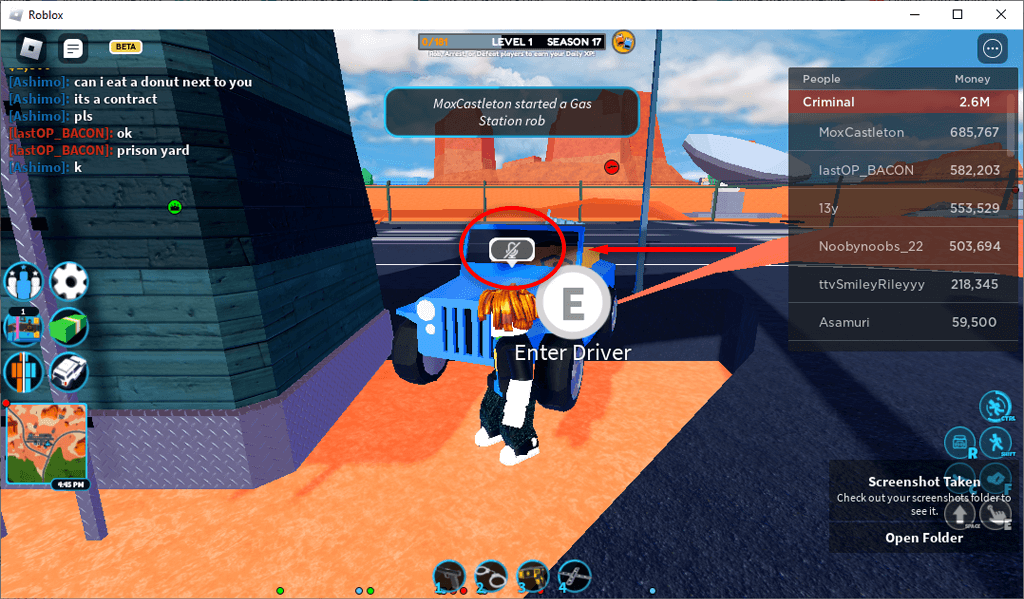
Usually, the spatial voice chat feature stops working for a straightforward reason. Before we get to the in-depth troubleshooting tips, check these quick fixes:
2. Make Sure Your Audio Device Works
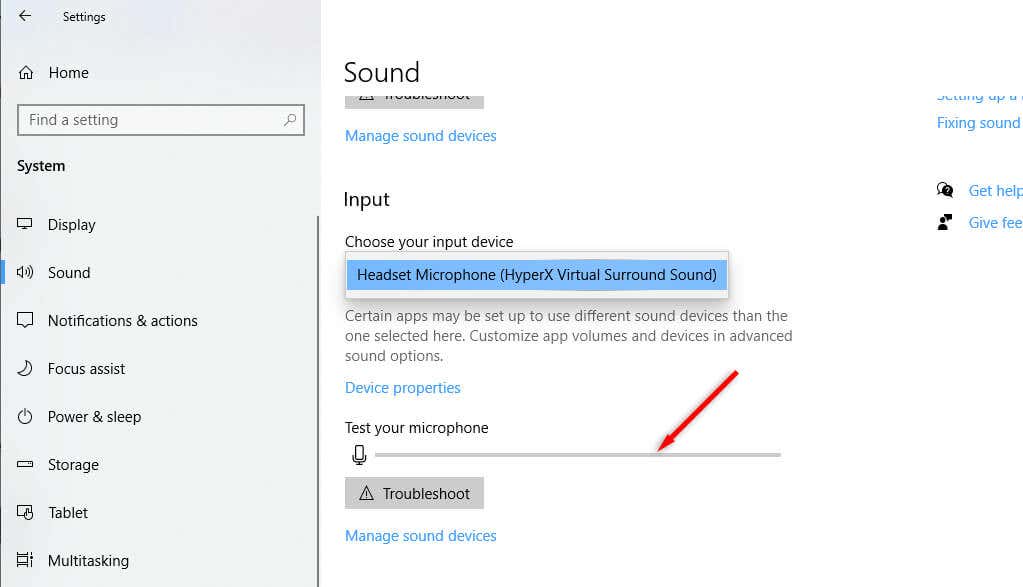
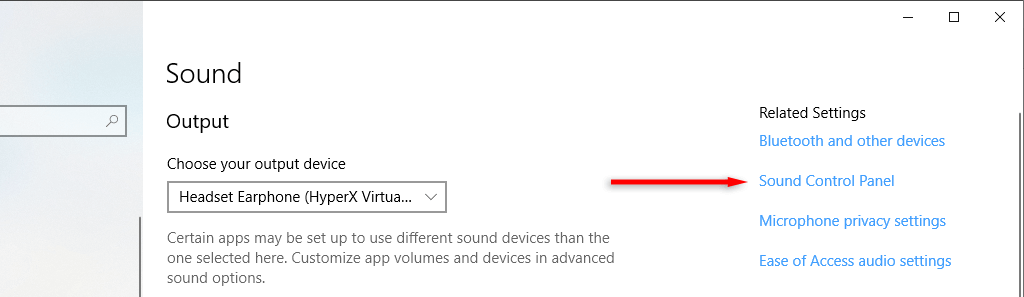
If the voice chat suddenly stops working, it may be an issue with your audio device. To check whether or not this is the case on a Windows PC, do the following: If you see recorded volume, your microphone is working correctly. If not, there might be something wrong. You can troubleshoot device issues further by using it with another device, like your phone or laptop. If it also doesn’t work on those devices, you might need a new microphone. To check on Xbox, load up a different game or start a Party. Try to use your mic. If no one can hear you or your profile icon doesn’t light up when you speak, something’s up with your microphone. To check on Android, try recording yourself using the camera app. If you can’t hear any sound, your microphone may be disabled or broken.
3. Set Audio Device As Default Input Device
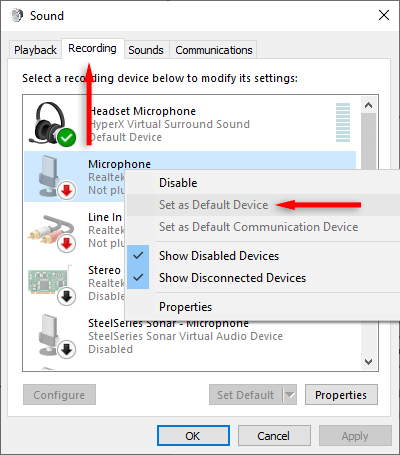
Occasionally, Windows sets a different device as your default input, meaning it’s trying to capture audio in the wrong place. To fix this, you can set your device as the default input device in Windows audio settings:
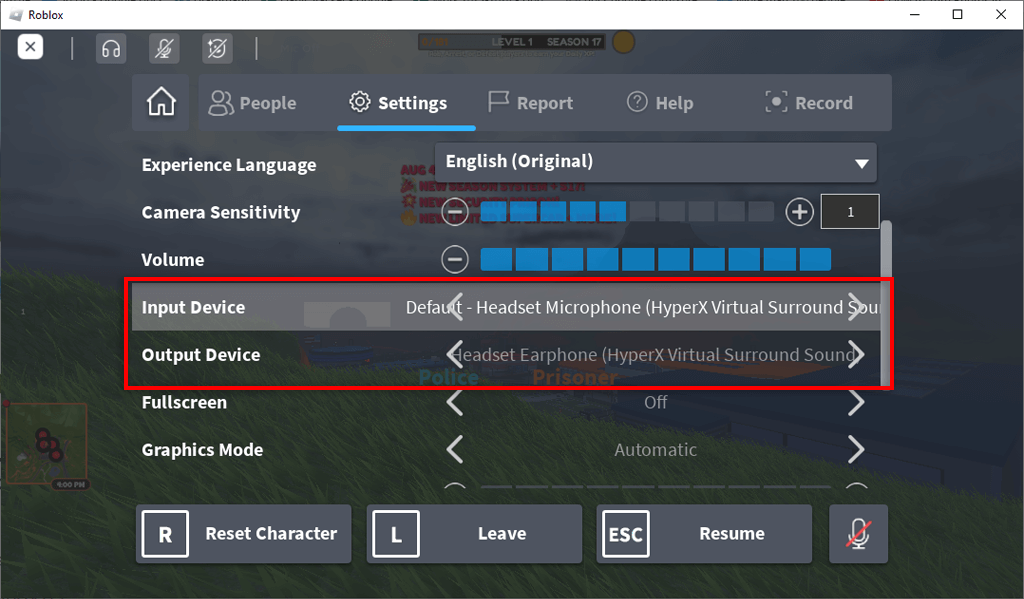
4. Check the Roblox Settings
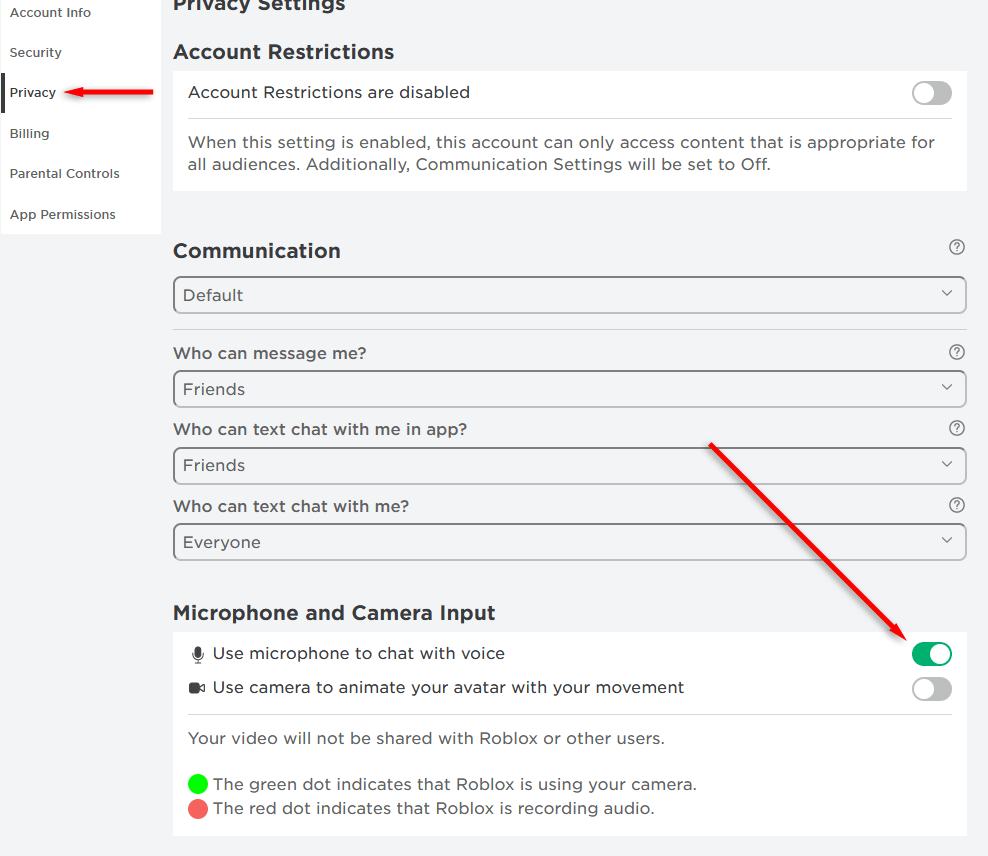
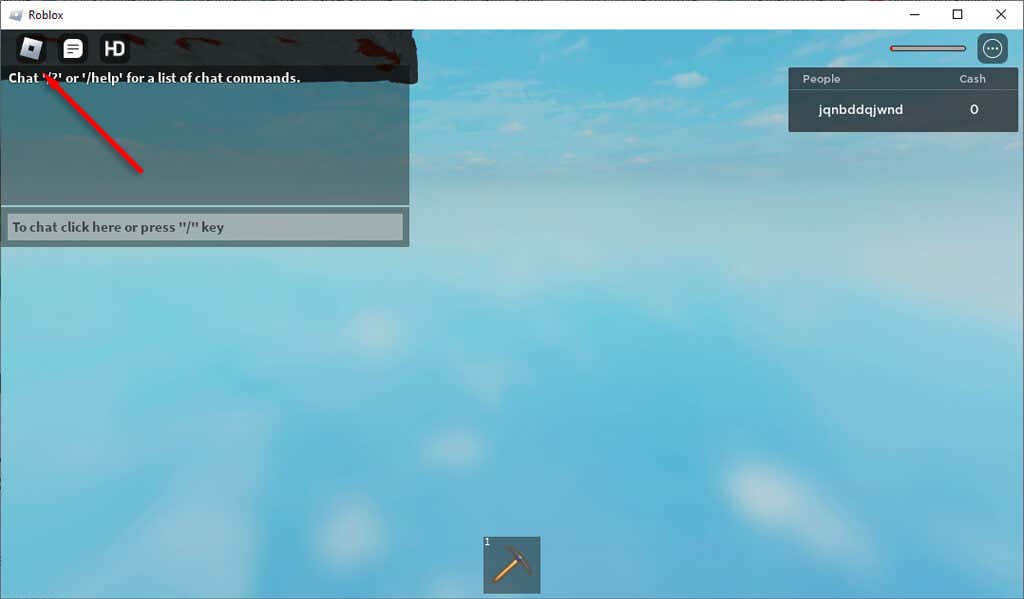
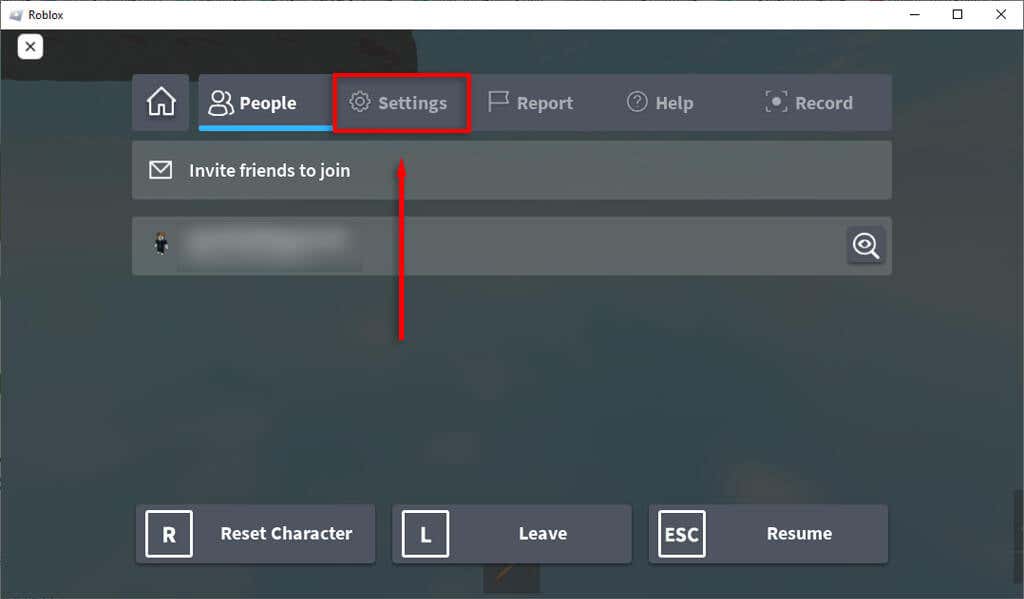
Another potential reason your microphone isn’t working is that you have incorrect game settings in Roblox itself. To check this:
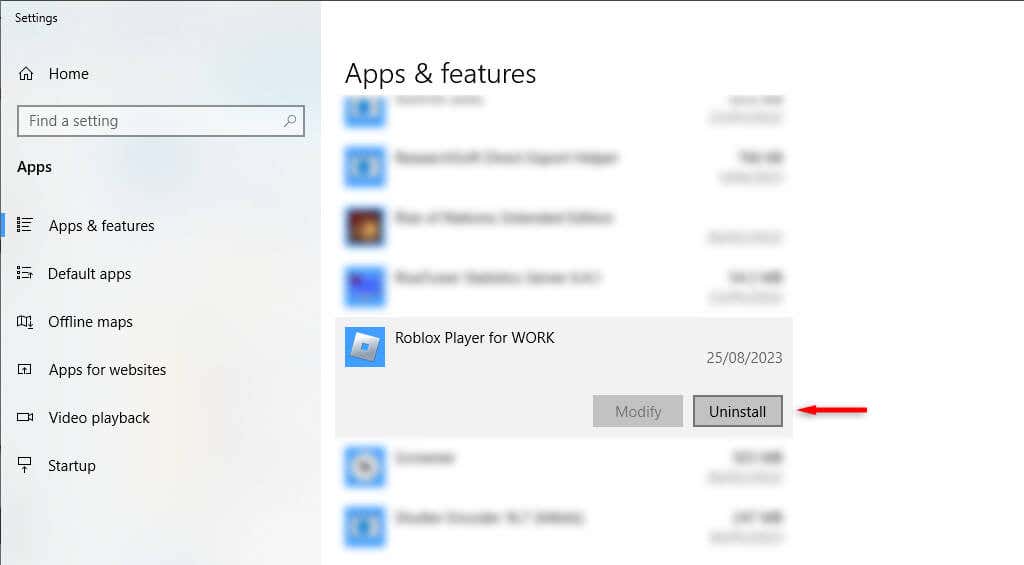
5. Reinstall Roblox
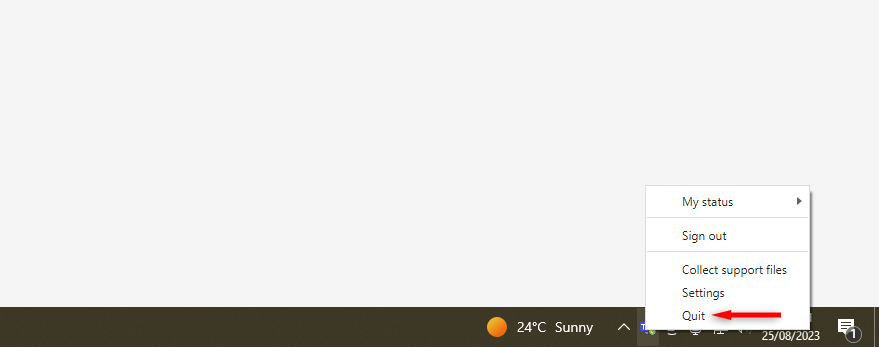
If nothing else works, try reinstalling the Roblox client. This might remove whatever bug is causing your microphone to not work in online games. To reinstall Roblox on Windows: To reinstall Roblox on a mobile device: Note: The final resort is to contact the Roblox support team and see if they can help fix your issue. To report the problem to Roblox, head to their customer support page.
Get Back to Real Time Game Chats
One of the main things that draws gamers to Roblox is the social aspect. If your microphone suddenly stops working, you’ll need to type everything you say — and that takes all the fun out of real-time gameplay. Hopefully, this article has helped you fix Roblox voice chat so you can chat freely again.