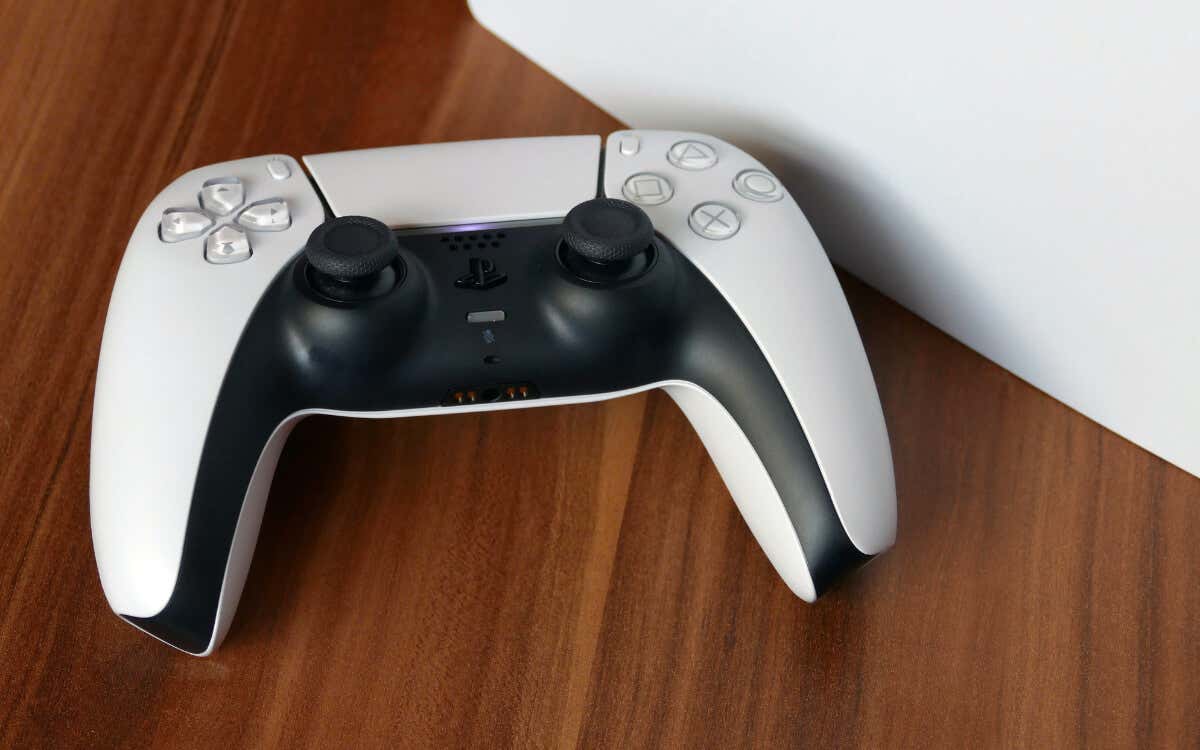
This troubleshooting guide will walk you through multiple suggestions and solutions for a PS5 console that keeps automatically shutting down.
1. Disable PS5’s Sleep Mode
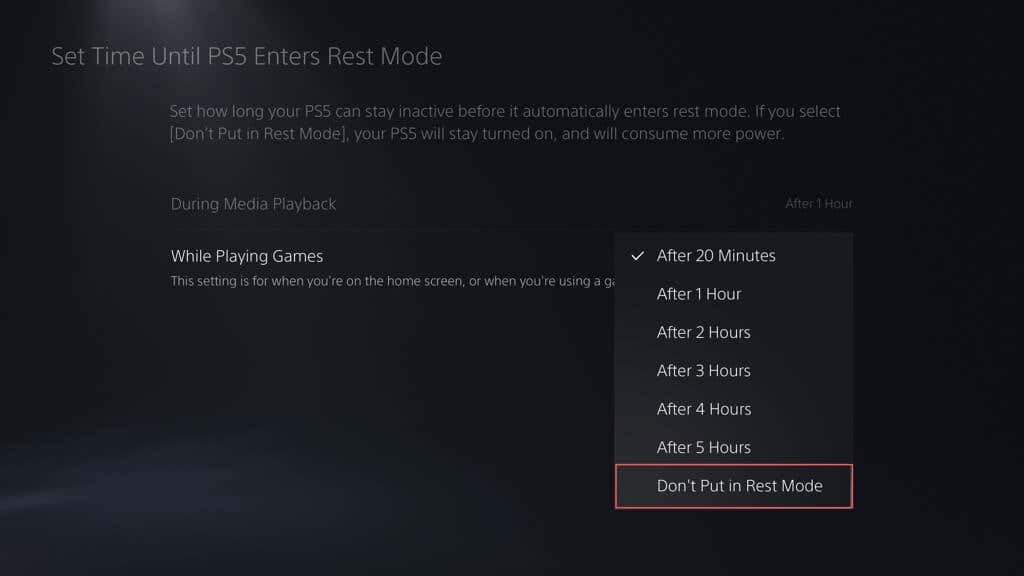
If you’re new to the PS5, it’s easy to confuse Rest Mode with unexpected shutdowns. Rest Mode is a low-power state that suspends the console, allowing you to boot it up and resume games faster. By default, the PS5 automatically enters Rest Mode after 20 minutes of inactivity—the casing’s light turns amber when that happens. If you’d like to disable Rest Mode or lengthen the duration before it kicks in:
2. Check the HDMI Link
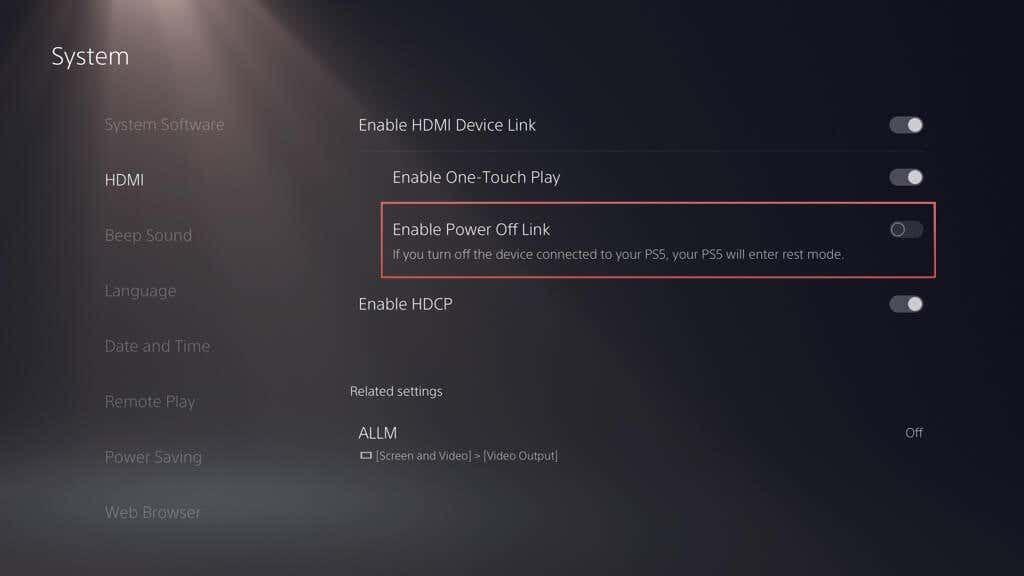
HDMI Device Link on the PS5 allows the console to power on when you switch on your TV. However, a particular sub-setting within this feature also forces the console into Rest Mode when you turn off the TV. If that seems to be the issue you’re facing:
3. Check the Power Cables
If the PS5’s shutdowns aren’t related to Rest Mode, it’s best to confirm there’s nothing wrong with the power strip or extension cord supplying power to the console.
Just connect the PS5 directly to a wall outlet and check if it continues to turn off randomly. If it doesn’t, consider replacing the power strip or extension cord to ensure stable power delivery.
While at it, check the power cable leading into the console’s casing for signs of fraying or damage and replace it if needed.
4. Rebuild the PS5 Database
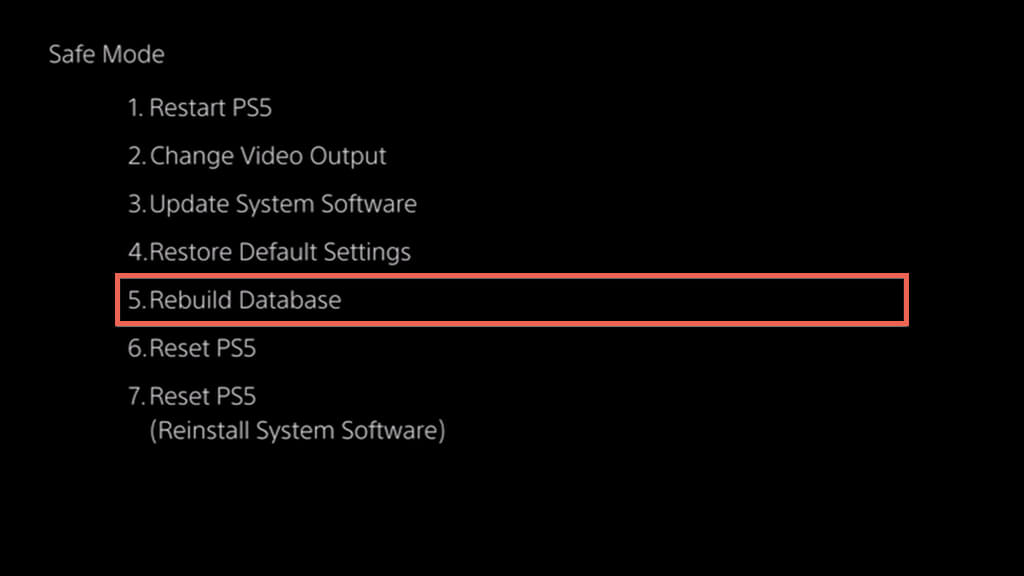
A corrupted PS5 database can lead to system failures and unexpected shutdowns, so the next logical fix is to rebuild it in Safe Mode. The procedure takes several minutes to complete and depends on the amount of data within the SSD and any extended storage drives you’ve connected to the console. If you’d like to go ahead:
5. Power Cycle Your PS5
Power-cycling a PS5 is an effective way to deal with random firmware-related issues that crop up with the hardware components inside the console. Unlike a standard shutdown and reboot, a power cycle requires you to:
6. Install the Latest Firmware Updates
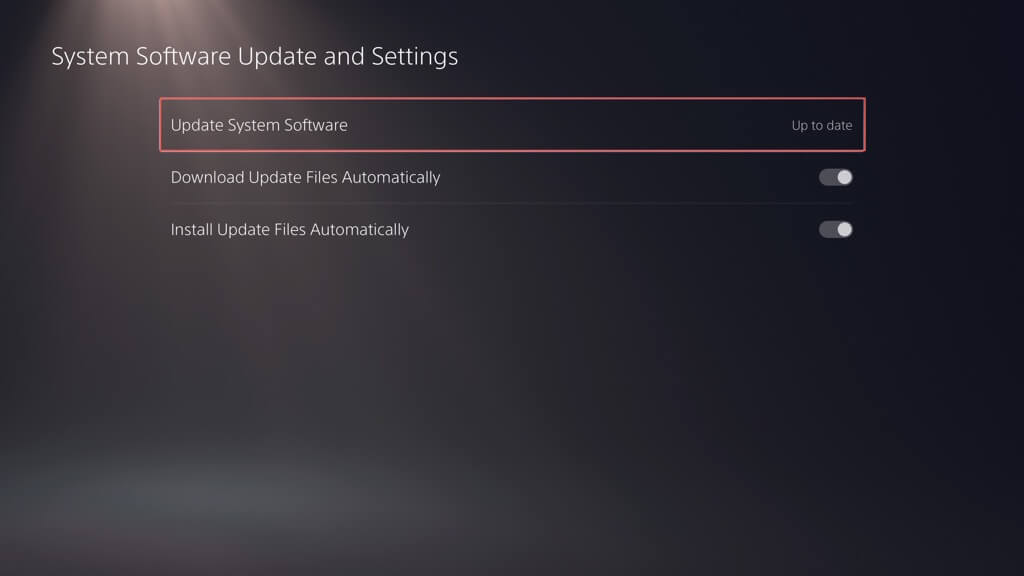
Up-to-date system software and firmware play an essential role in ensuring the stability of the PS5. The standard method to update the console is to: If your PS5 keeps shutting down repeatedly before it can download and install newer updates, try updating the console in Safe Mode.
7. Check for Video Game Updates
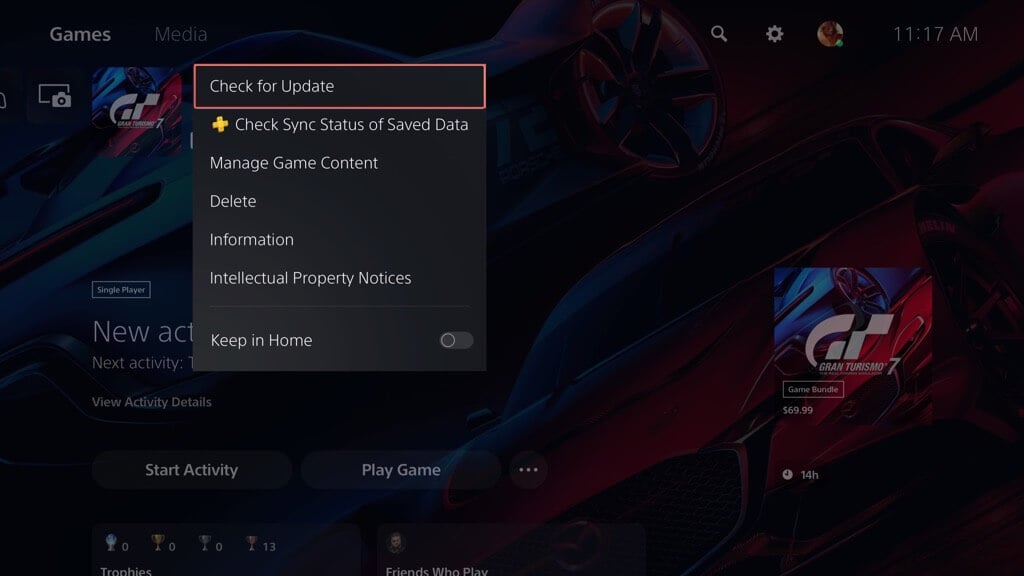
If the PS5 shuts down only while playing a specific video game, it’s worth checking if any updates from the developer could rectify the issue. To do that, highlight the game’s Home Screen thumbnail and select Check for Update. If there are no new updates, you must wait until the next update hits the PlayStation Network. Unfortunately, older games typically don’t receive updates—e.g., that can be problematic when running PS4 games via backward compatibility.
8. Reset the PS5’s Settings
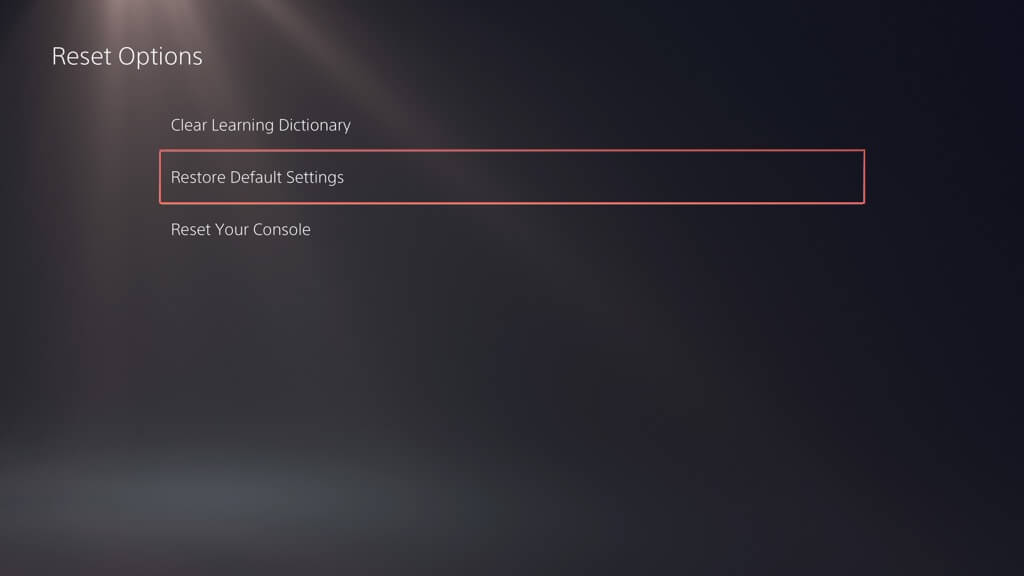
Resetting your PS5 preferences to factory defaults addresses shutdowns caused by corrupt, broken, or misconfigured settings. The process doesn’t result in data loss, so here’s what you must do:
9. Stop Console From Overheating
Over time, dust and debris build up on your PS5, blocking its vents and causing the internal components to overheat. Since that can lead to protective shutdowns, clean the console to airflow and check if that makes a difference. Here’s how: Check our guide to resolving overheating issues on the PS5 for additional tips and tricks.
10. Factory Reset Your PS5
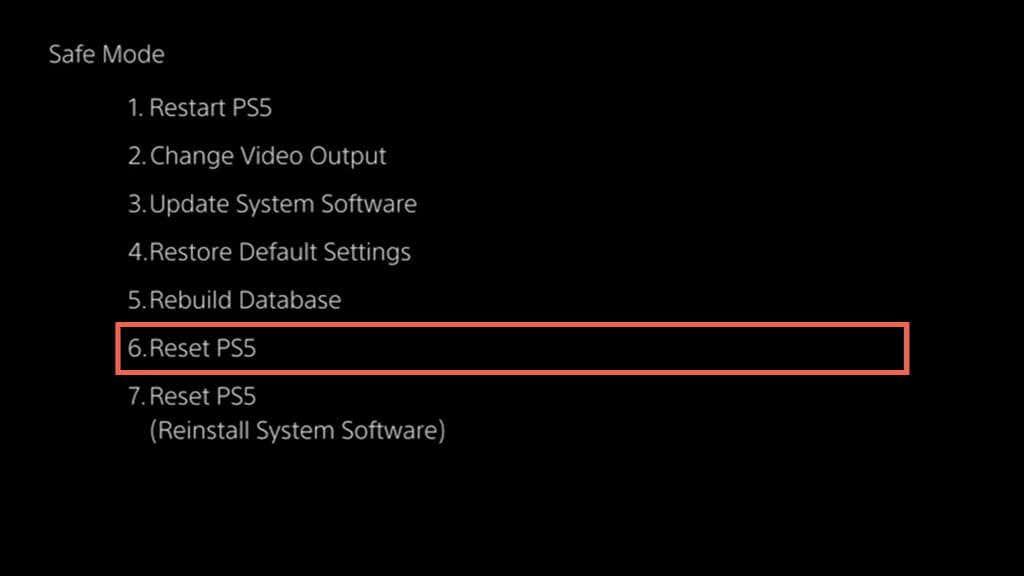
Factory resetting your PS5 is a last-resort measure to resolve random shutdowns. However, unlike a standard settings reset, the procedure erases all data, so back up games, apps, and save files before proceeding. Once you’ve done that: If the reset procedure fails, select the Reset PS5 (Reinstall System Software) option, download the PS5’s system software to a USB flash drive via a PC or Mac, and use that to reset and reinstall the PS5’s software. For comprehensive step-by-step instructions, refer to our complete guide to factory resetting the PS5.
Contact Sony Customer Support
If your PS5 continues to shut down despite trying all the above solutions, the problem’s likely due to a severe hardware issue, possibly with the power supply unit inside. In that case, you must reach out to PlayStation Support for further troubleshooting advice. If your game console is within its warranty period, you should qualify for a free repair or replacement.