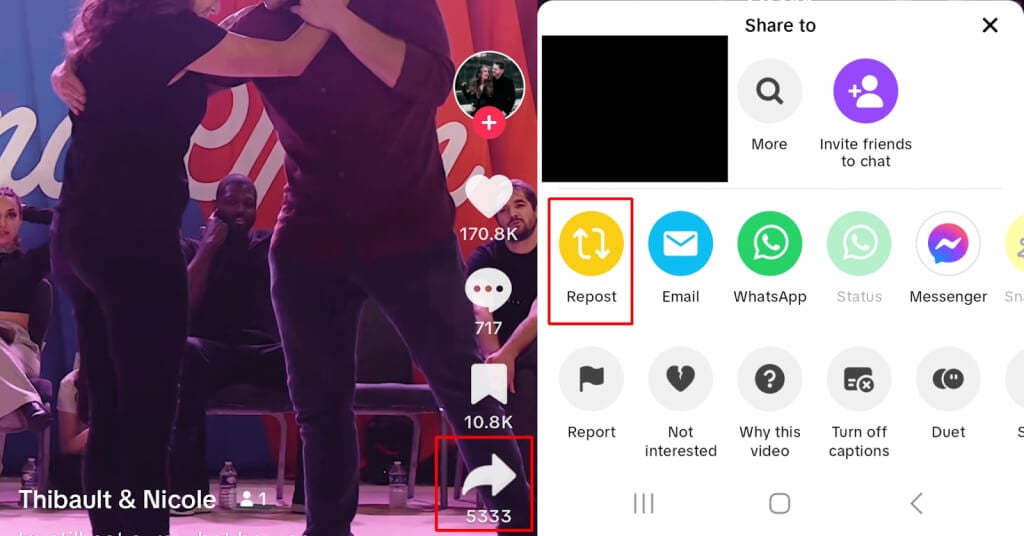
We’ll show you how to delete a repost on TikTok, but first, we’ll look at how to repost content.
How to Repost a Video on TikTok
It’s easy to repost content you want your friends to see on TikTok. Here’s how to do that:
How to Delete a Reposted Video on TikTok
So you’ve reposted a video, and now you want to delete it? It should be as simple as going to your profile and deleting the offending repost, right? Wrong. TikTok doesn’t work like Twitter, so the repost won’t appear on your profile. Instead, it only appears on your friends’ For You pages. So how do you delete a repost on TikTok?
You no longer need to wonder how to delete a reposted video on TikTok. As you can see, it’s straightforward and takes just a few seconds. From now on, you don’t need to worry if you accidentally share a clip you never intended to repost or if you change your mind after reposting another creator’s video.
How about if you want to delete a TikTok video that you uploaded initially? The steps for this are slightly different. While you’re here, you might also want to check out our beginner’s guide to how to make and edit TikTok videos, which contains everything you need to start creating on TikTok.