Can You See Who Viewed Your TikTok Profile?
Yes, you can—but only if you and the people who view your profile turn on the “Profile view history.” TikTok’s profile view history feature lets you see accounts that viewed your profile within 30 days. The feature is available to TikTok users aged 16 (or older) with fewer than 5,000 followers. The number of views you get on your profile is a solid indicator of the kind of social media pull you have. Many views suggest that your TikTok account generates interest or controversy. Only a few views mean you might still have some growing to do.
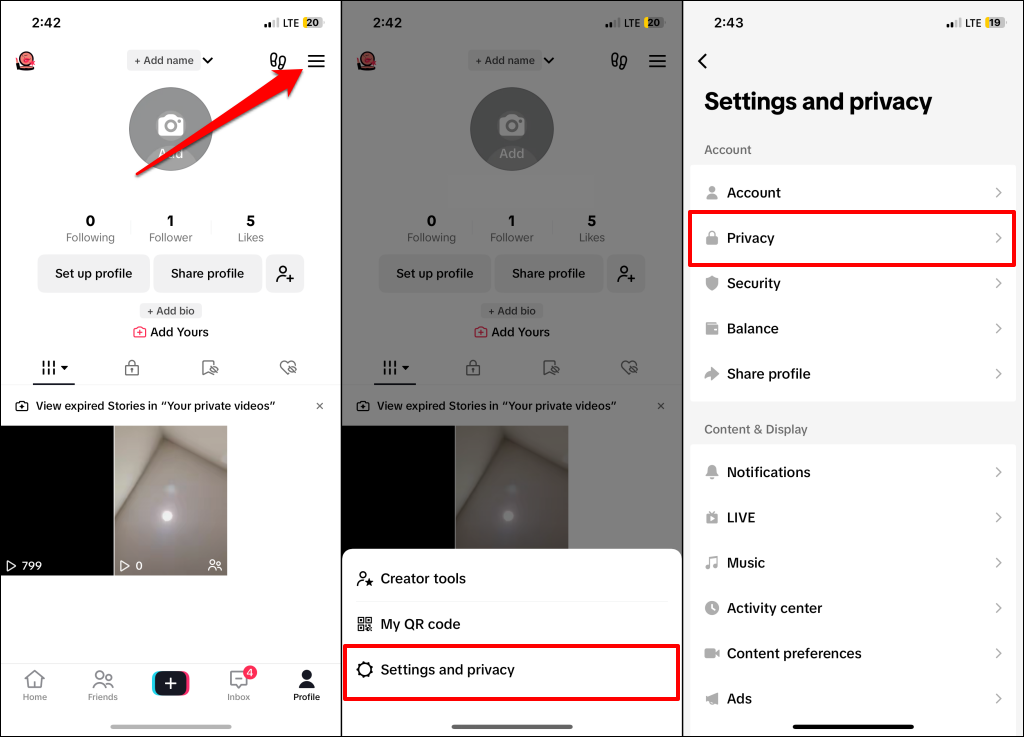
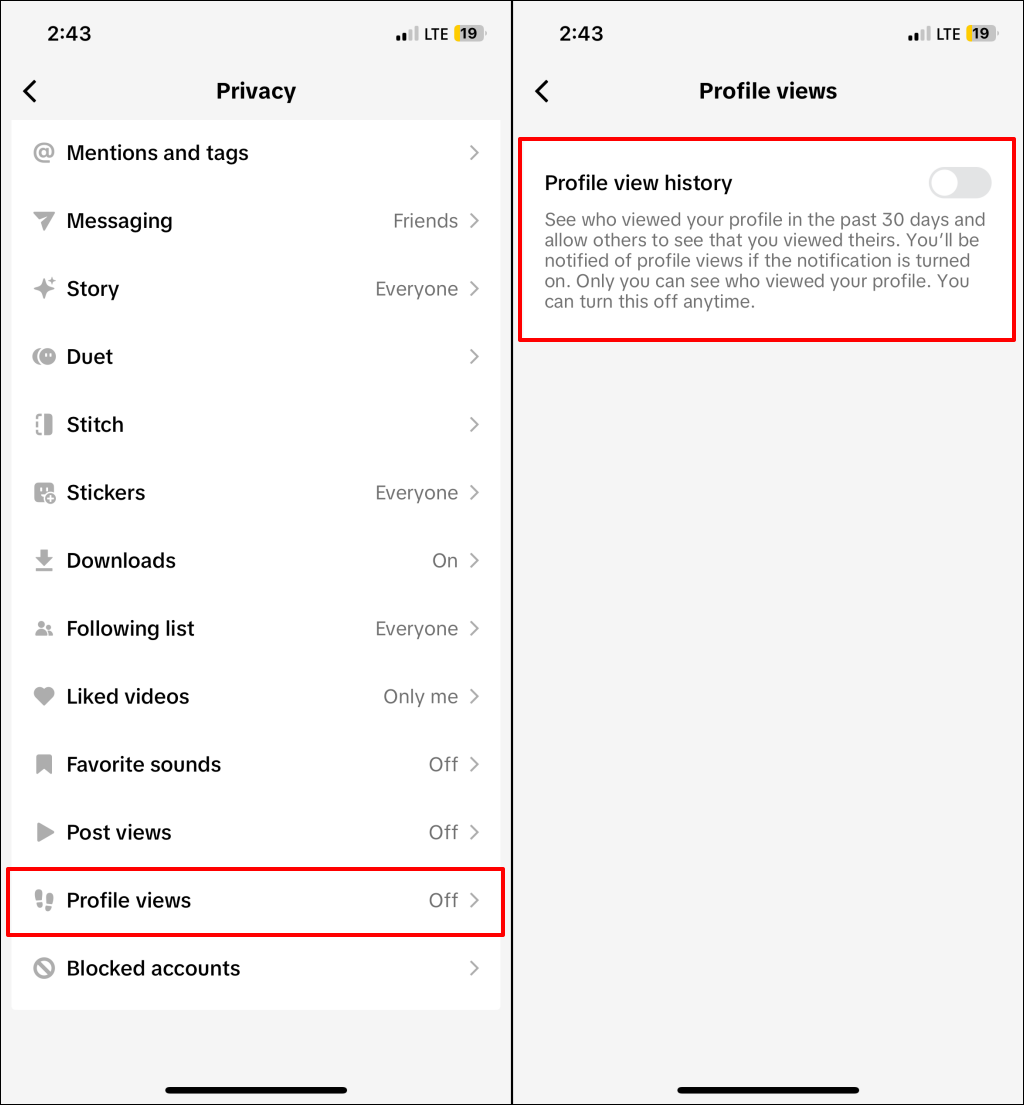
How to Turn On Profile View History on TikTok
Follow the steps below to turn on profile view history in the TikTok app for Android and iOS:
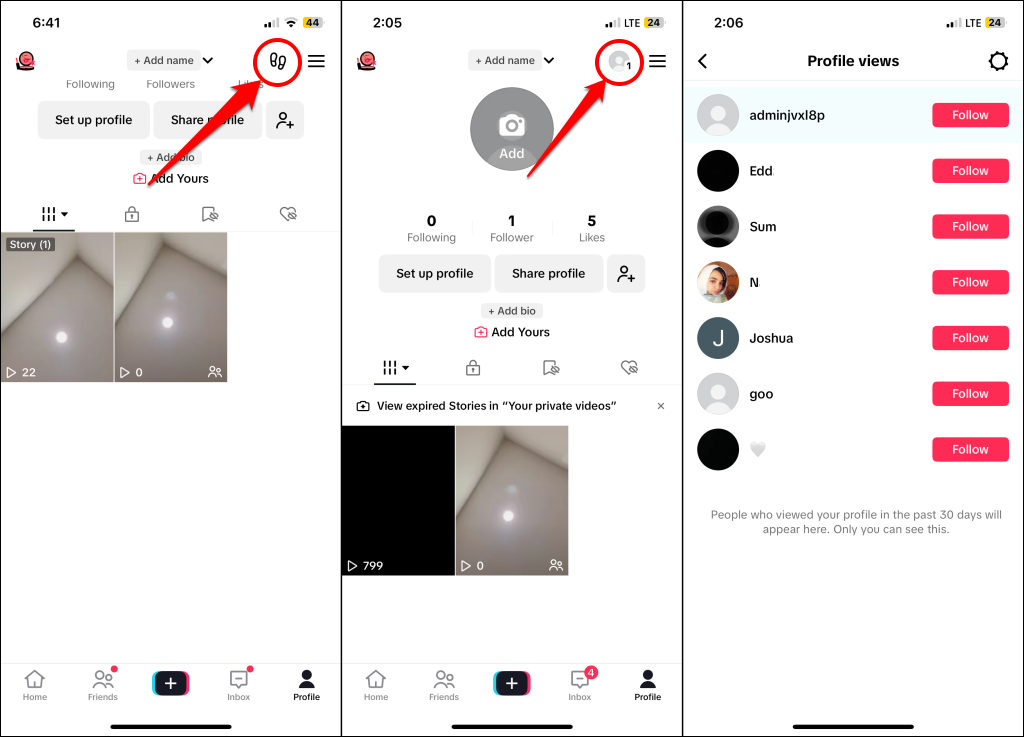
How to See Who Viewed Your TikTok Profile
Now that you’ve turned on profile view history follow the steps below to see users who viewed your TikTok profile in the past 30 days. Think of TikTok’s “Profile view history” feature as a two-way street. Only users with “Profile view history” enabled in their account settings will appear in your profile view history. So, if someone turns off “Profile view history” on their device, TikTok won’t show that they visited your profile. Also, if you visit someone’s profile and you both have “Profile view history” enabled, they’ll see that you viewed their profile. They won’t know when you visit their profile if they don’t have the feature turned on.
Can You See Who Viewed Your TikTok Videos?
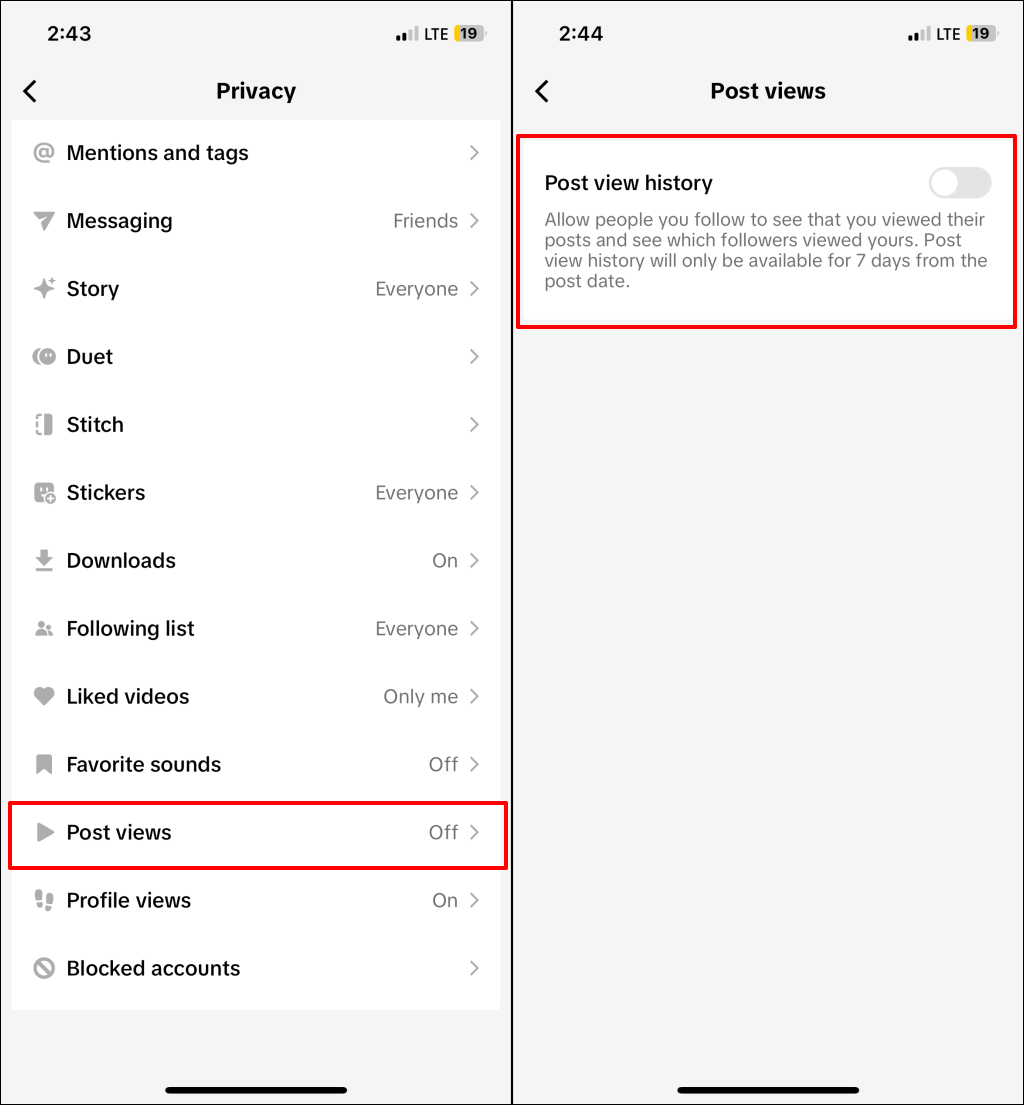
You can see who viewed your TikTok videos by turning on “Post view history” in your account settings. The feature provides information about users who viewed your posts within seven days. With post view history, TikTok will show views from your followers and users who don’t follow you. However, to see views from your followers, they must also have “post view history” turned in their account settings. Otherwise, TikTok won’t let you know that they viewed your post. Additionally, turning on post view history notifies your followers that you viewed their post—if they also turn on post view history. Post view history is turned off by default and only available to users aged 16 with less than 5,000 followers. Follow the steps below to turn on profile view history in the TikTok app for Android and iOS.
How to Turn on Post View History on TikTok
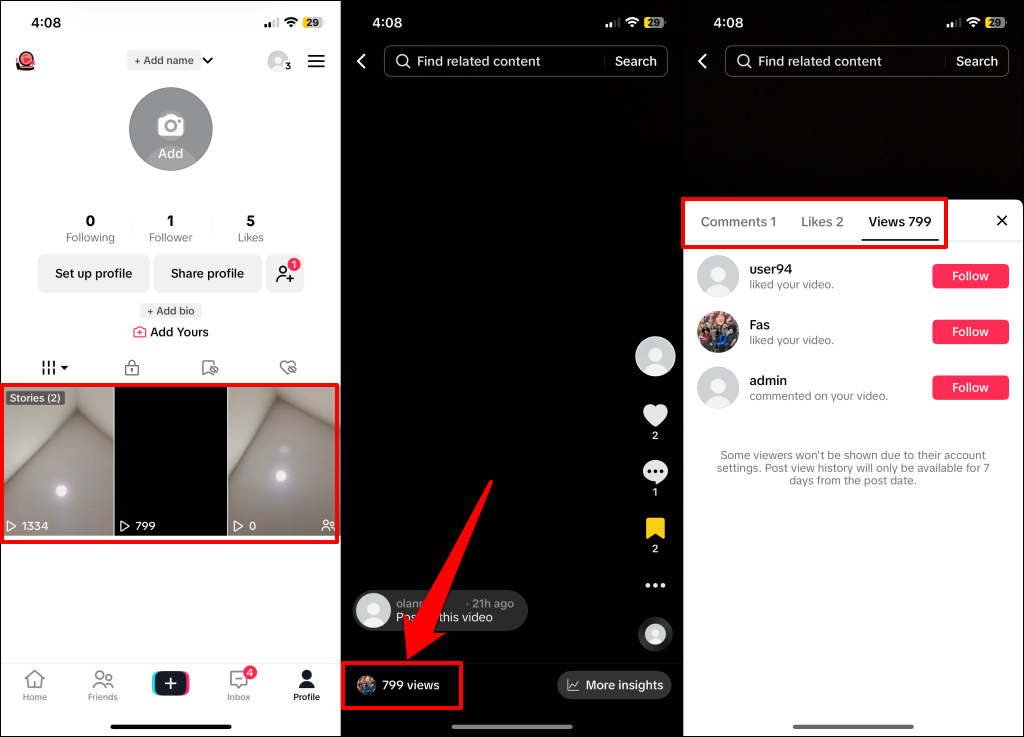
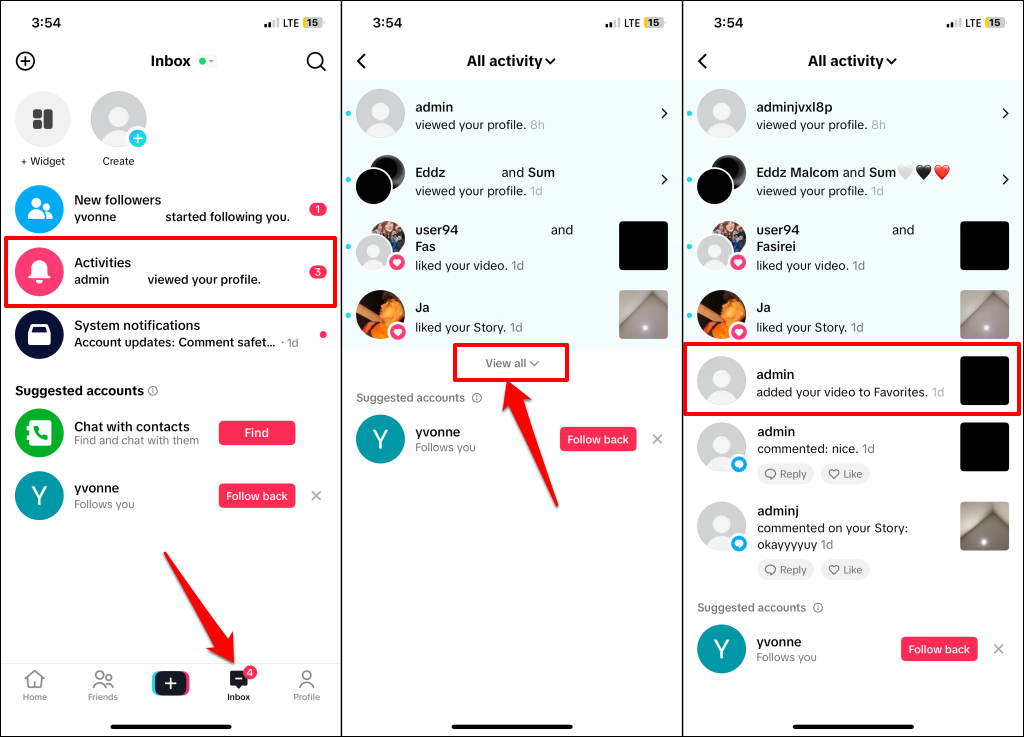
Find Viewers Through Post Engagement (Likes, Comments, or Favorites)
Post view history isn’t available to users below 16 years old or users with over 5,000 followers. There’s a workaround, though—deducing post viewers from likes, shares, comments, and favorites. Whoever liked your video or left a comment must have first viewed the video in question, right? While this is a valid alternative, it’s not the best or most accurate way to determine who viewed your posts. That’s because some users might view your post without liking or commenting. Enabling “Post view history” is the best way to find users in this category. If the feature isn’t available in your app, you’ll find some viewers in the post/video engagement tab.
Choose Who Can View Your TikTok Videos
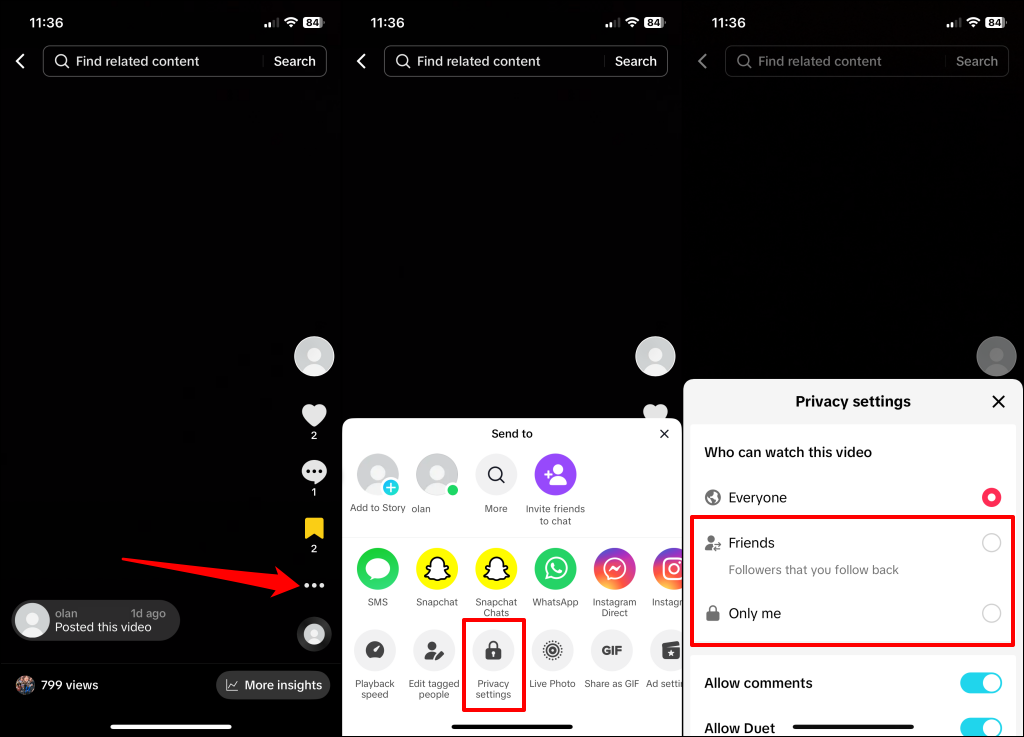
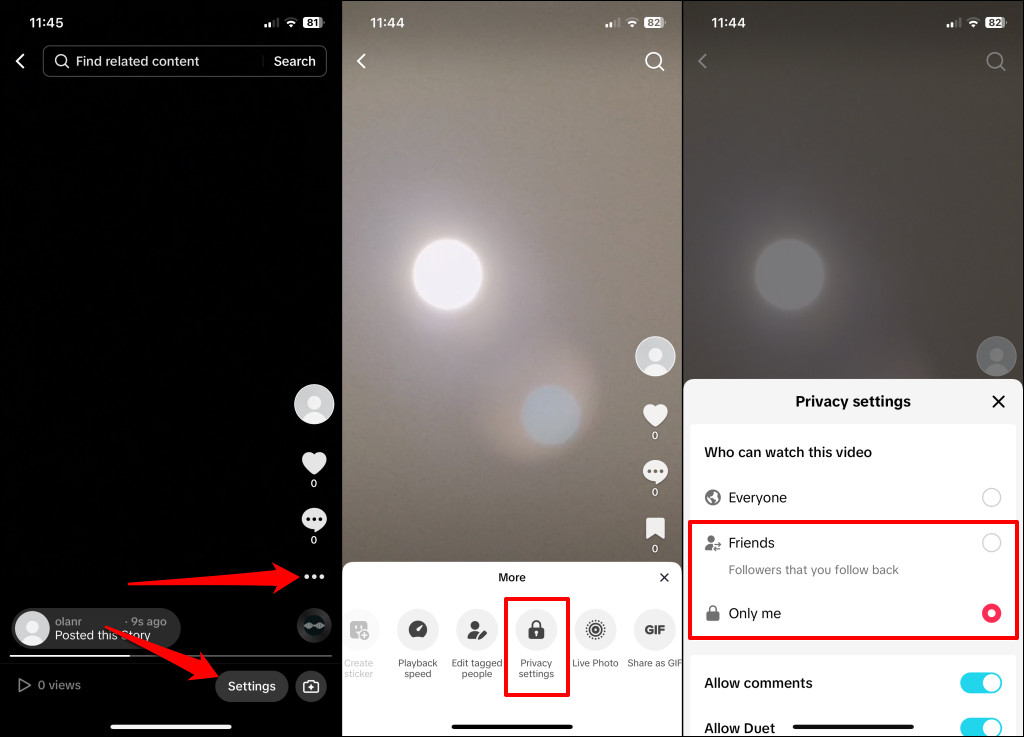
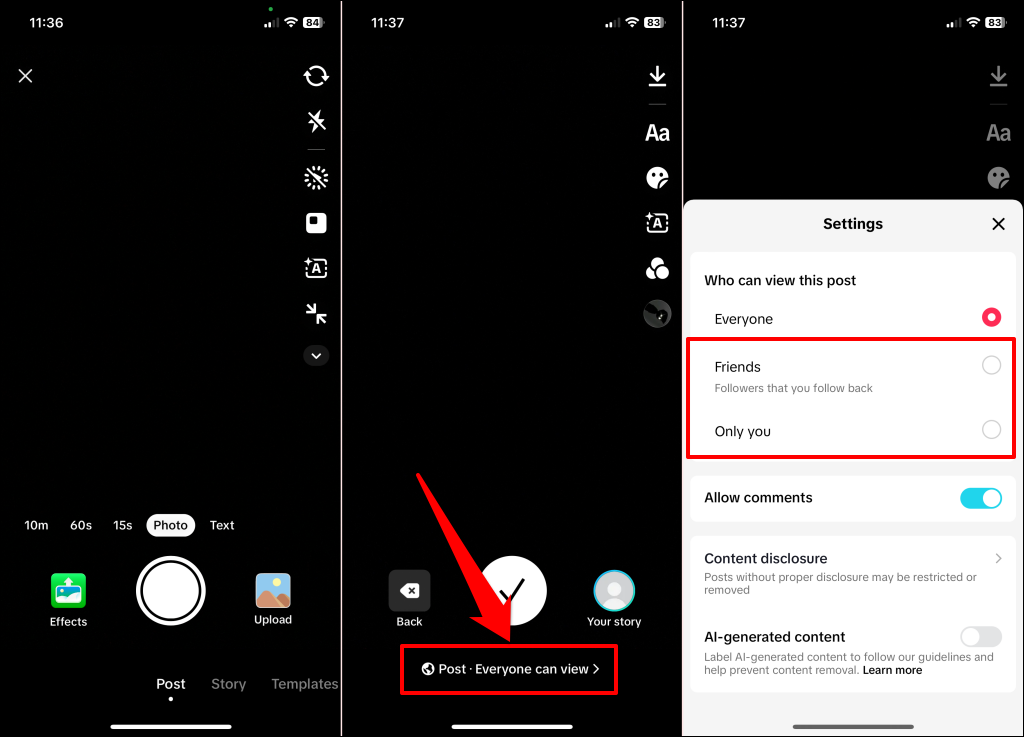
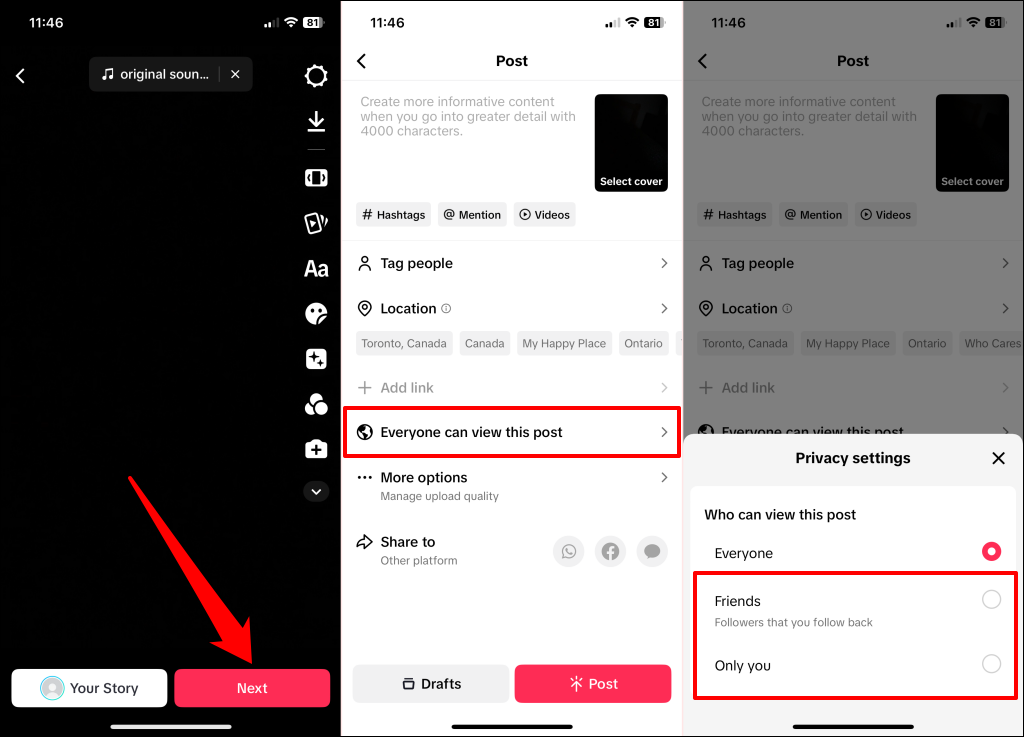
TikTok allows you to change the privacy settings for new and old videos. Make your story or videos private if you want only specific users to view them.
Change Who Can Watch Your Old/Published TikTok Videos
Change Who Can Watch Your Old/Published TikTok Stories
Choose Who Can Watch Unpublished TikTok Videos
Choose Who Can Watch Unpublished TikTok Stories
Summarily, turning on “Profile view history” lets you see who visits your TikTok profile. With the “Post view history” setting, you can see TikTok users and followers who viewed your posts. Remember that profile view history is available for up to 30 days, while TikTok only displays post view history for the previous seven days.
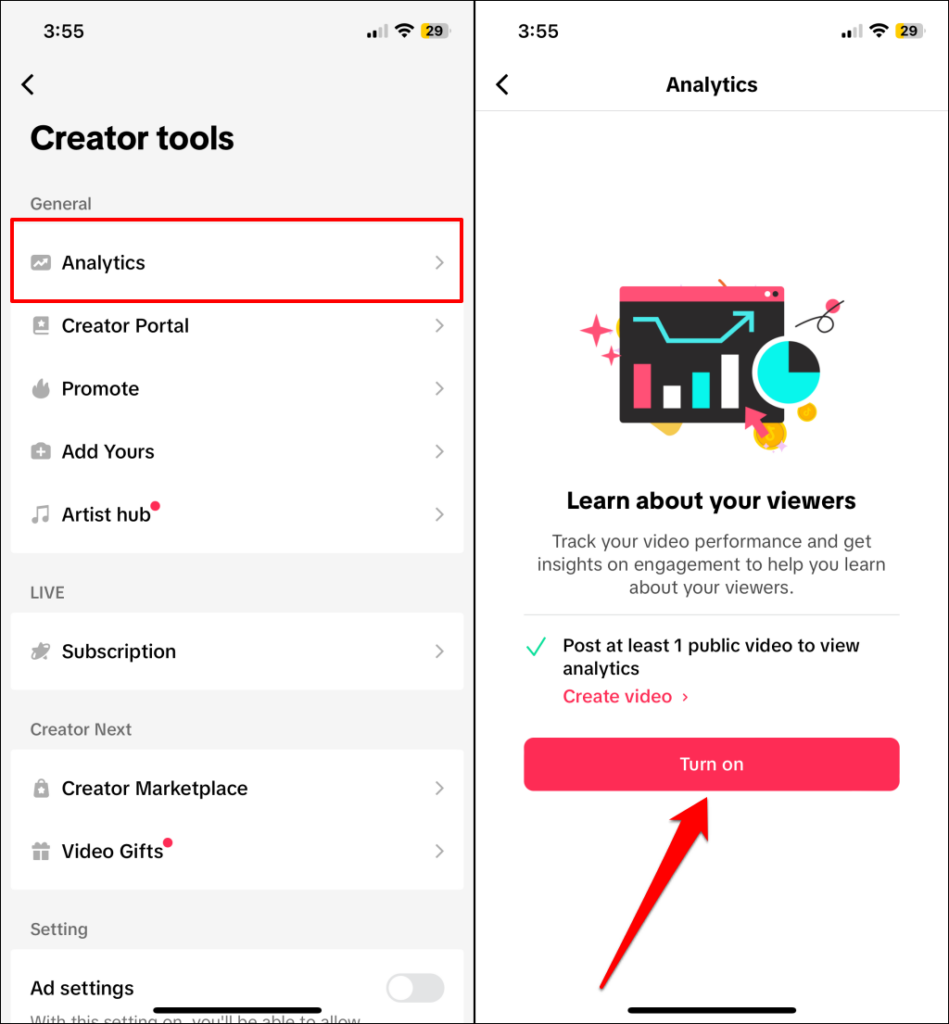
Learn More About Viewers Using Analytics
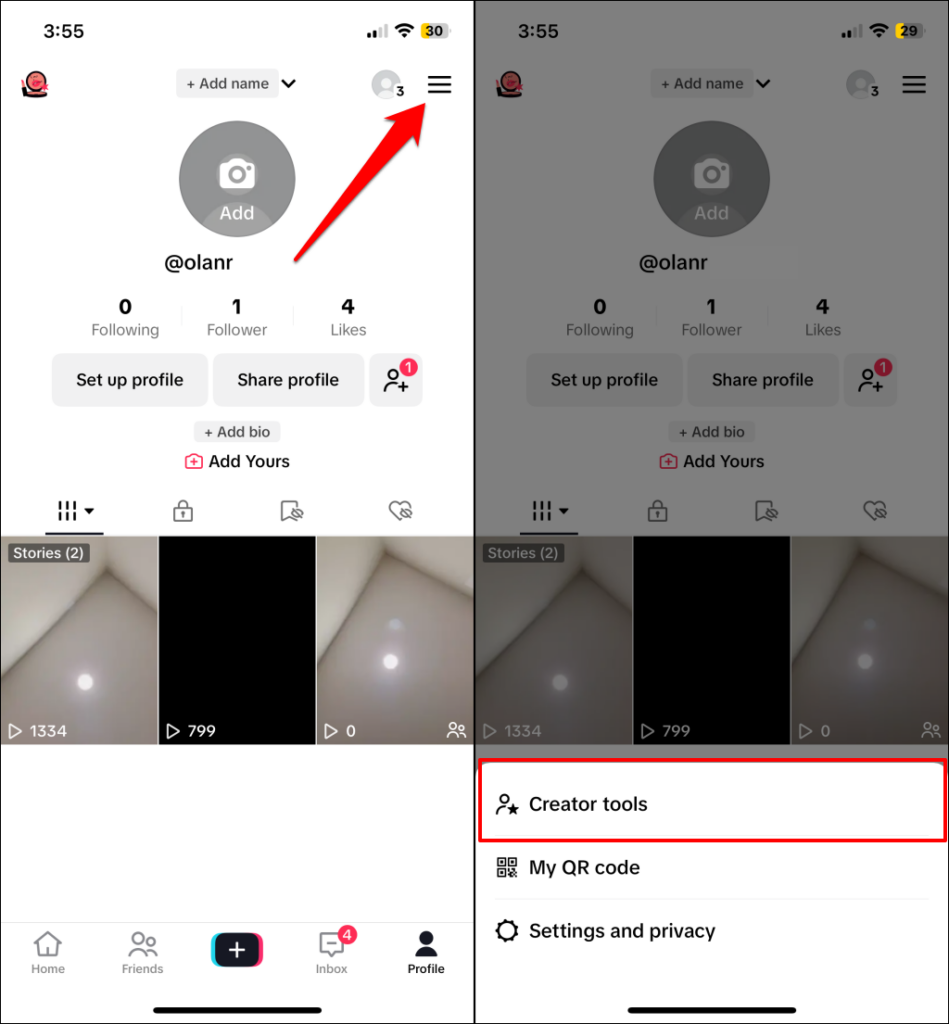
TikTok’s Analytics tool provides detailed insight about your followers and viewers—location/territories, age, gender, etc. With Analytics, you’ll also get insights on your posts—traffic source type, total play times, shares, etc. Analytics is turned off by default, so you must manually activate the tool to access these insights. TikTok takes about 48 hours to populate insights about your content, followers, and viewers after turning on Analytics. Check back in two days to view your TikTok account analytics.