How to Secretly Find Someone’s Location on Facebook
Tracking someone’s location without their knowledge is straightforward when the information is publicly available. It’s easy to secretly track people who share their locations in Facebook posts and stories. You can estimate someone’s whereabouts through location stickers and their check-in location history. However, these methods won’t always provide a user’s accurate, precise, or current location. The best way to track any of your Facebook friends is to ask them to share their location in Messenger. The app’s location-sharing feature provides accurate, real-time location data, even better than any third-party Facebook location tracker app.
Tracking Someone Using Facebook Messenger Location Sharing
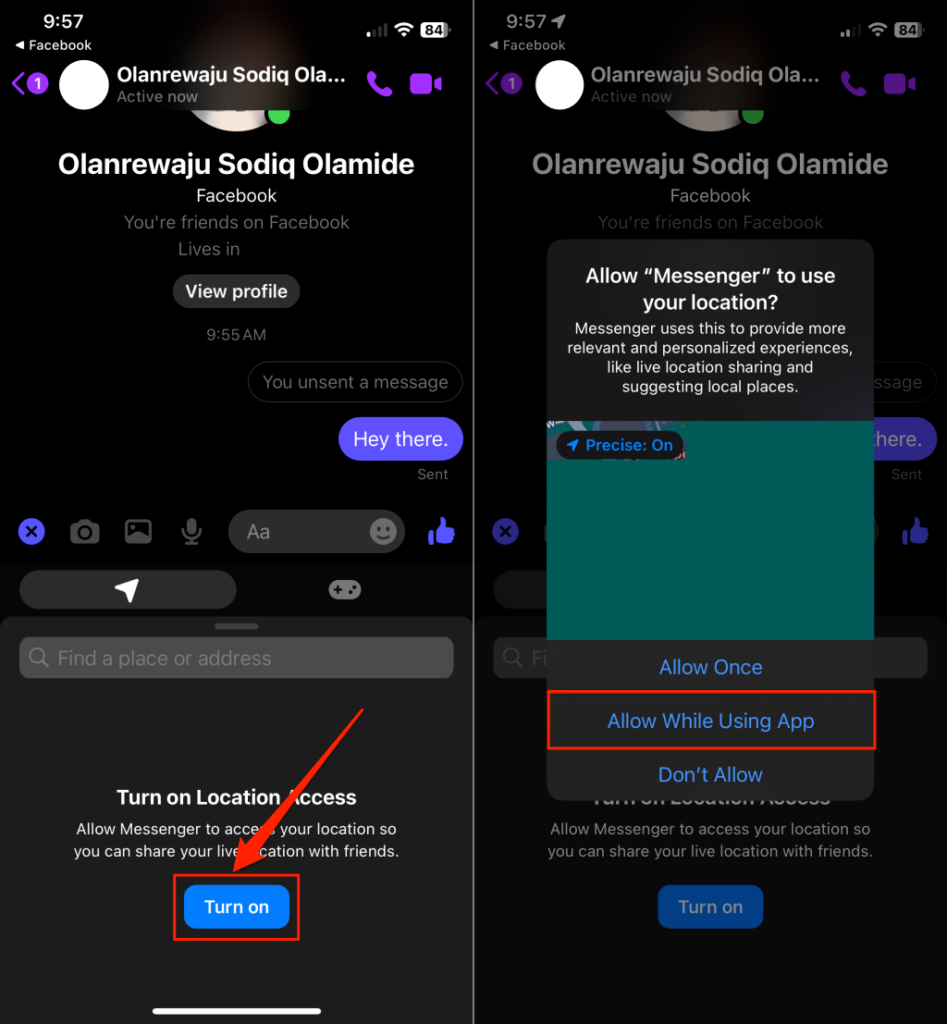
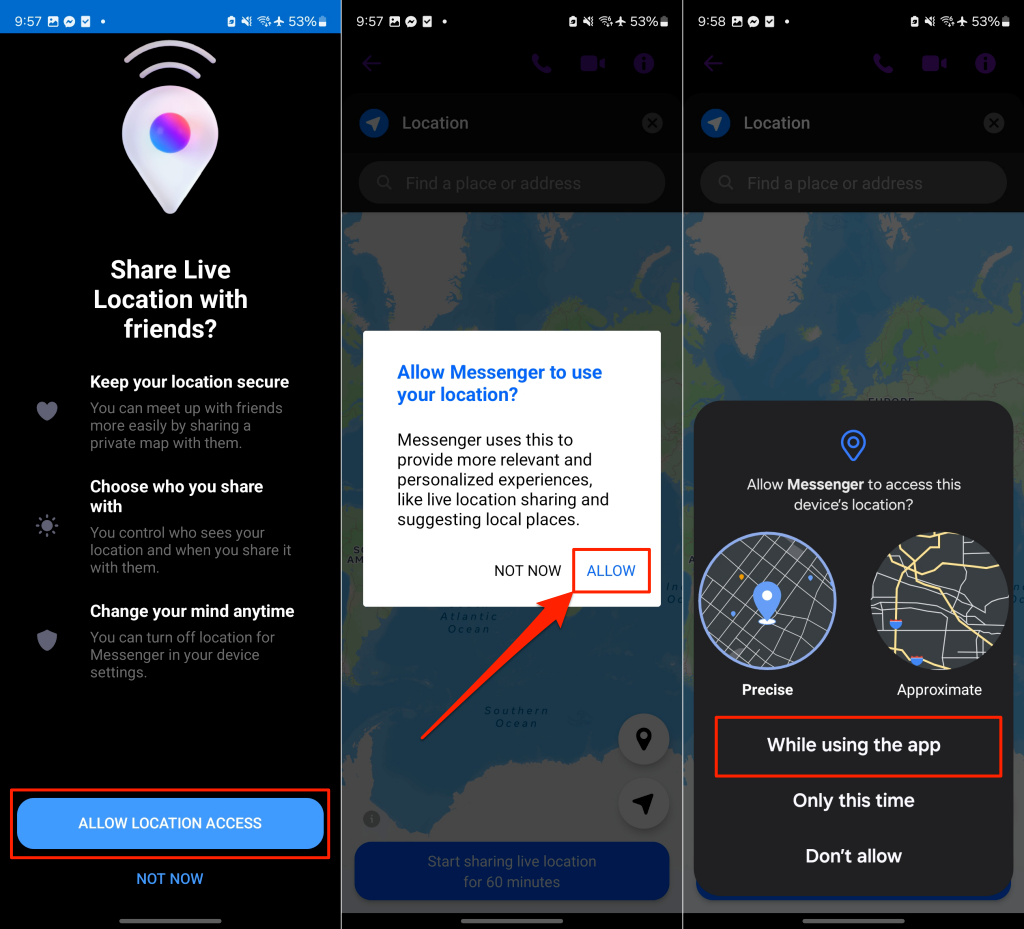
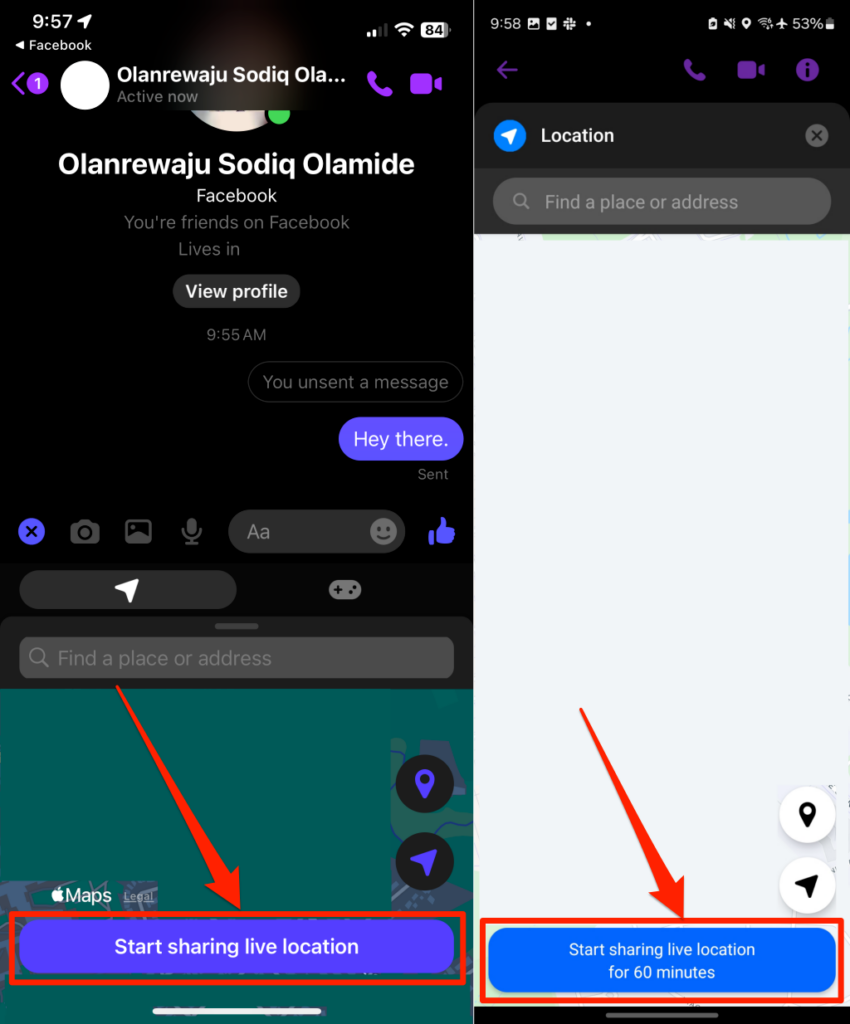
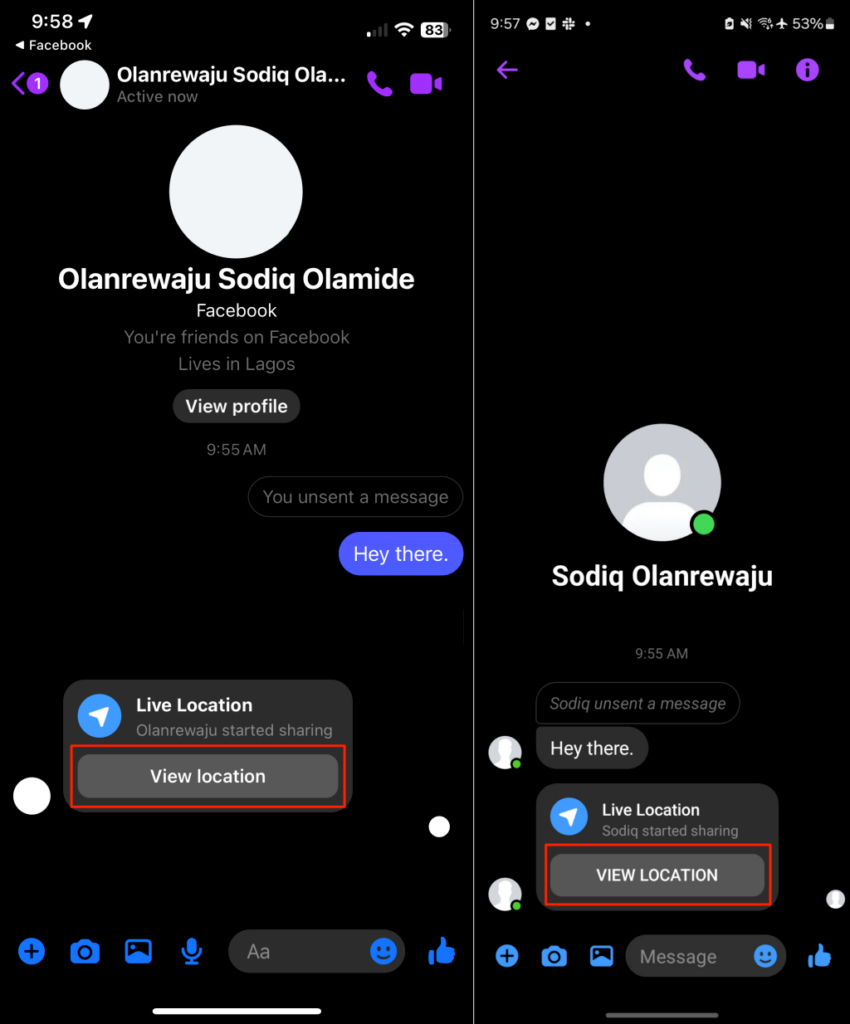
You don’t need to be tech-savvy or an elite-level hacker to track someone using Facebook Messenger. The app has a built-in location-sharing feature, making it the perfect Facebook location tracker. The feature allows for a consensual approach to Facebook location tracking. Your Facebook friends can temporarily share their location for up to 60 minutes, and they can pull the plug anytime. Ask the person you want to track to follow the steps below to share their location. You’ll get a prompt to allow location permission if it’s your first time using Facebook Messenger’s live location feature. On Android, select Allow Location Access > Allow > While using the app to proceed. Remember, Messenger’s location tracking feature lets you track someone’s location on Facebook for up to 60 minutes. When the one-hour timer runs out, they must manually turn on location sharing again.
Track Someone Using Check-In Location History
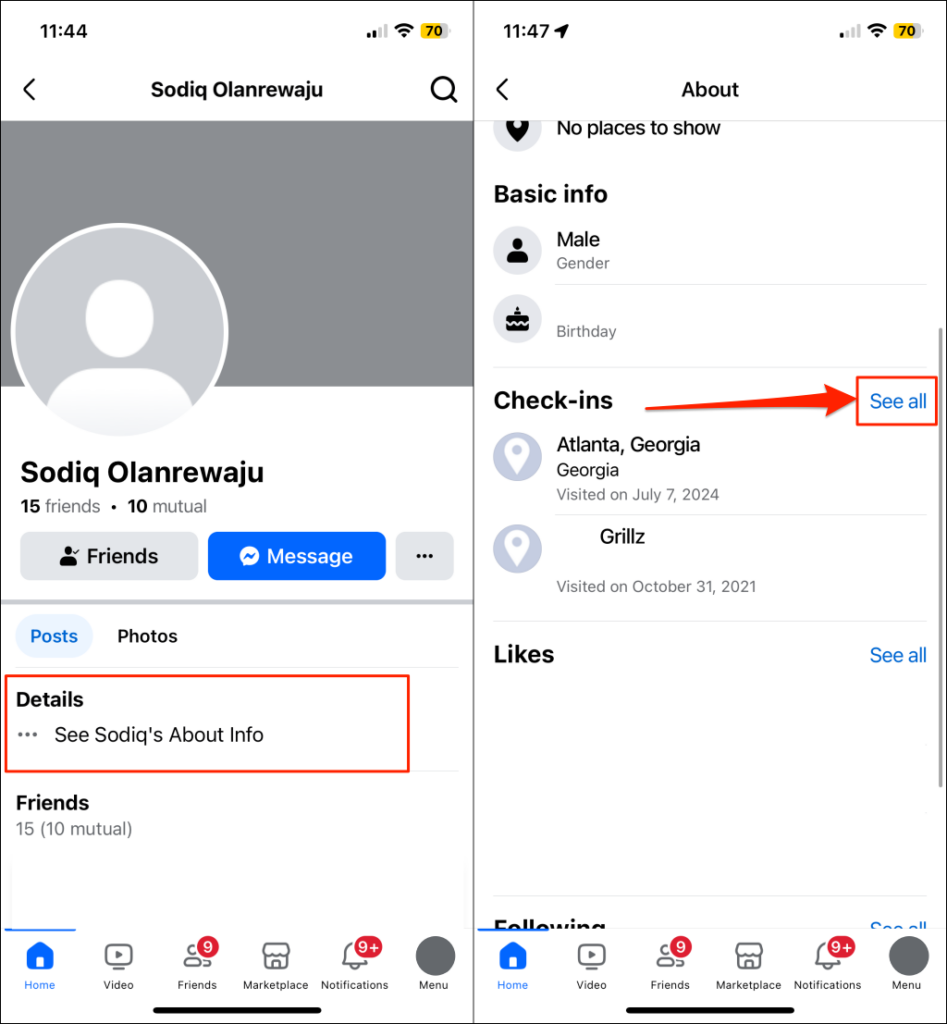
By including location information on a post, Facebook lets users publicly “check in” to places, events, businesses, etc. You can track someone’s location on Facebook by monitoring their check-in history. Scan through their (old) status updates and look for posts with location information, but there’s a faster and better way to see someone’s entire check-in location history. You’ll see where the person checked in and when they visited those locations. You can’t track friends’ precise locations using check-ins, but the data provides insight into the places they’ve been. You could even estimate their next location.
Track Someone Using Facebook Story Location Tags
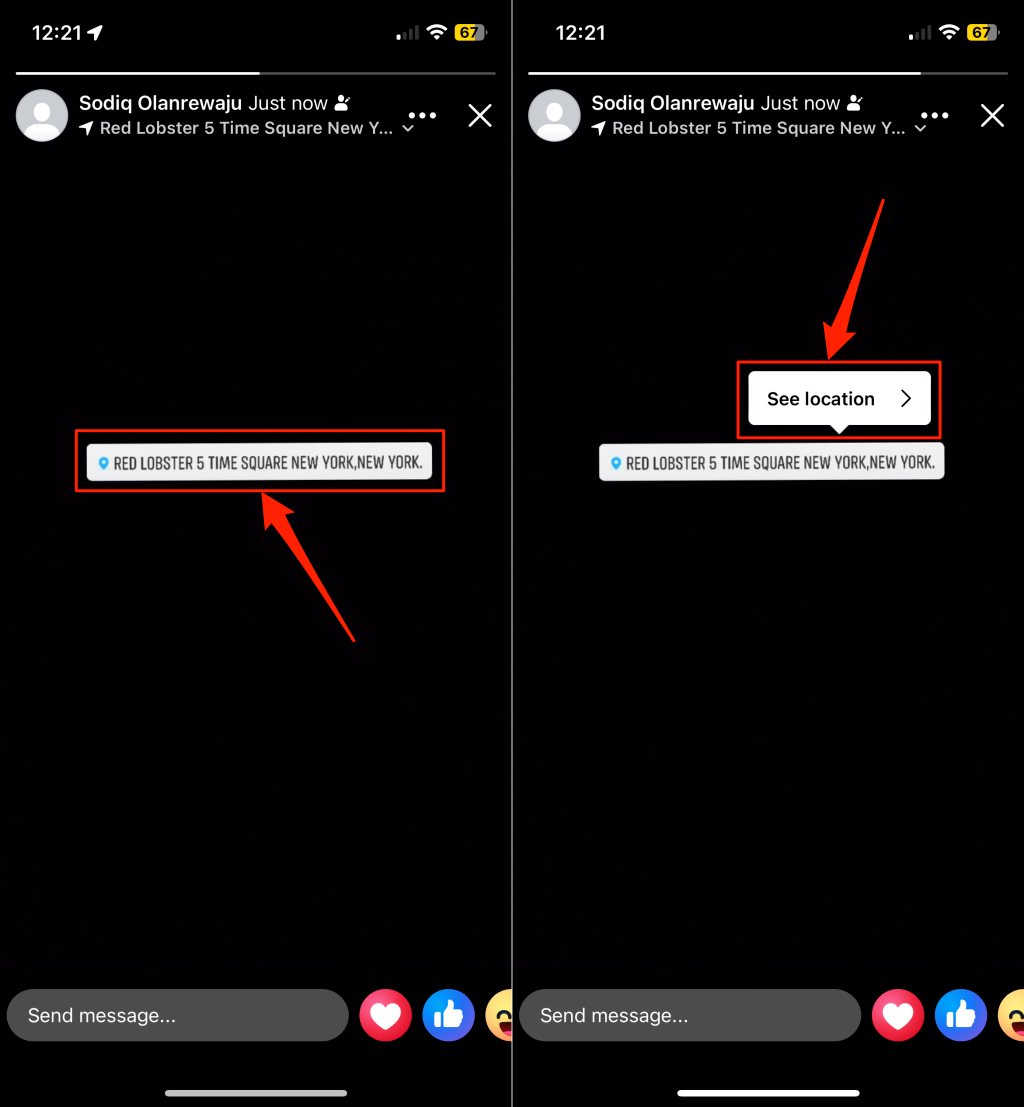
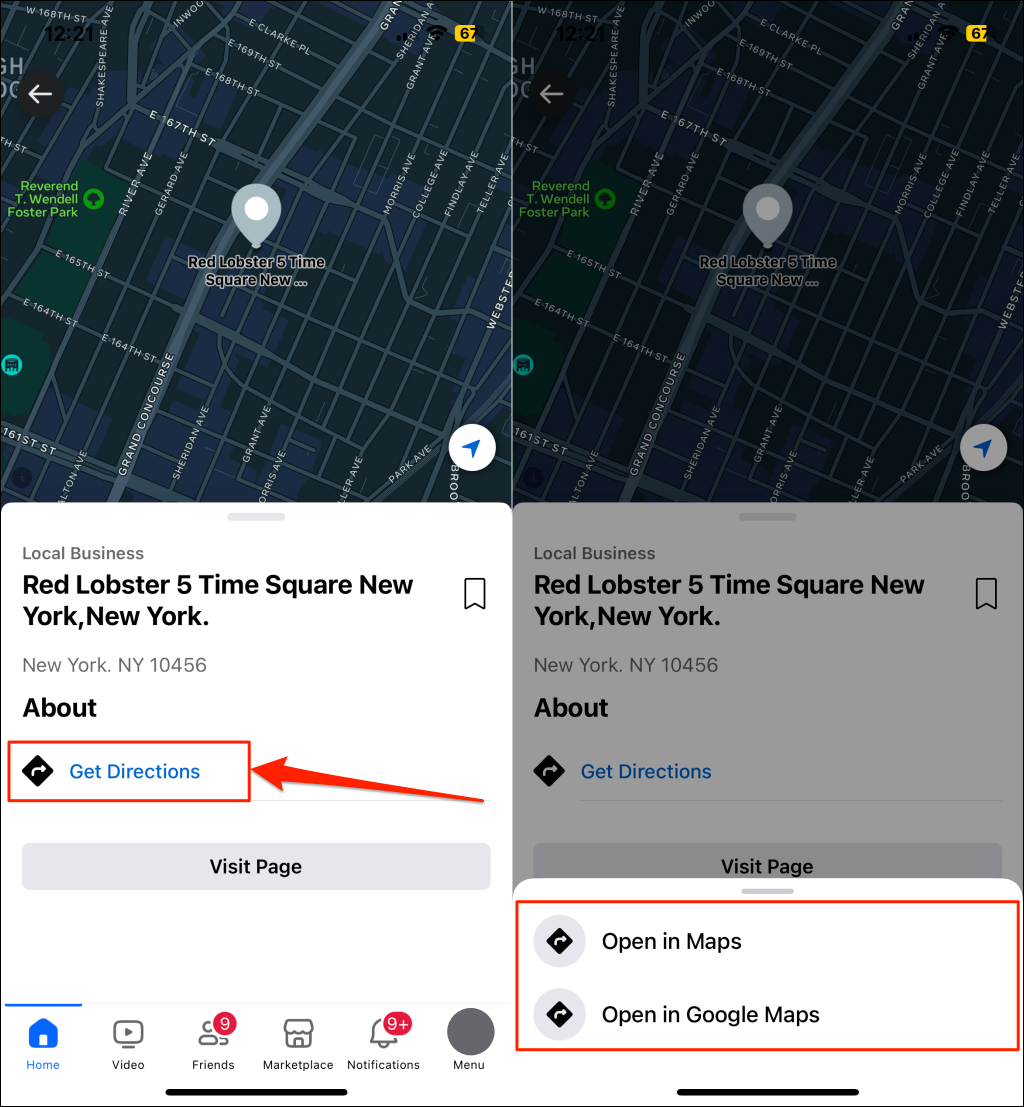
Location tags or stickers on people’s Facebook Stories can tell you where they are or places they visited. To track someone’s location, keep up with their stories, and look out for location stickers. If you find one, tap the tag/sticker and select See location. Tap Get Directions to open up the location in Google Maps or Apple Maps. It’s not the most reliable method since the location in the tag is from when they posted the story, not necessarily their current location. The publisher can post any location they choose, so the location on the tag might be incorrect, outdated, or fake. But it’s still worth a shot. Also, Facebook stories expire in 24 hours. So, you have a limited time to track someone’s Facebook location before their stories disappear.
Track Someone’s Facebook Location Using Hashtags
Some Facebook users add location-related hashtags to their posts and stories. These hashtags (e.g., #miami, #BaliChilling, #MarrakechWasFun, etc.) can hint at a people’s whereabouts. Like check-ins and location tags in Facebook Stories, hashtags don’t accurately tell your friend or contact’s current location. Hashtag locations could be outdated or incorrect, so take it with a pinch of salt.
Track Facebook Users Using Third-Party Apps or Services
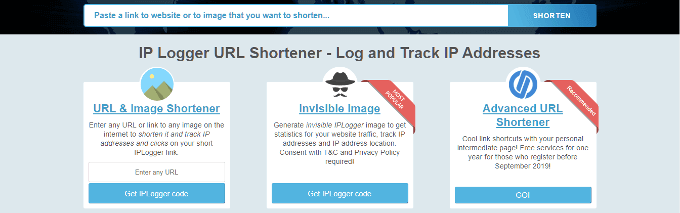
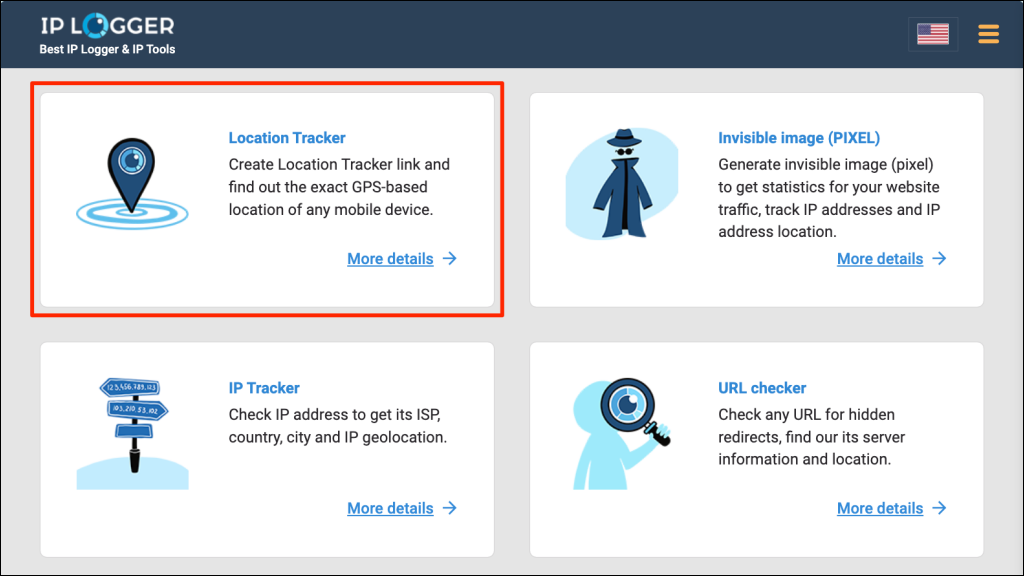
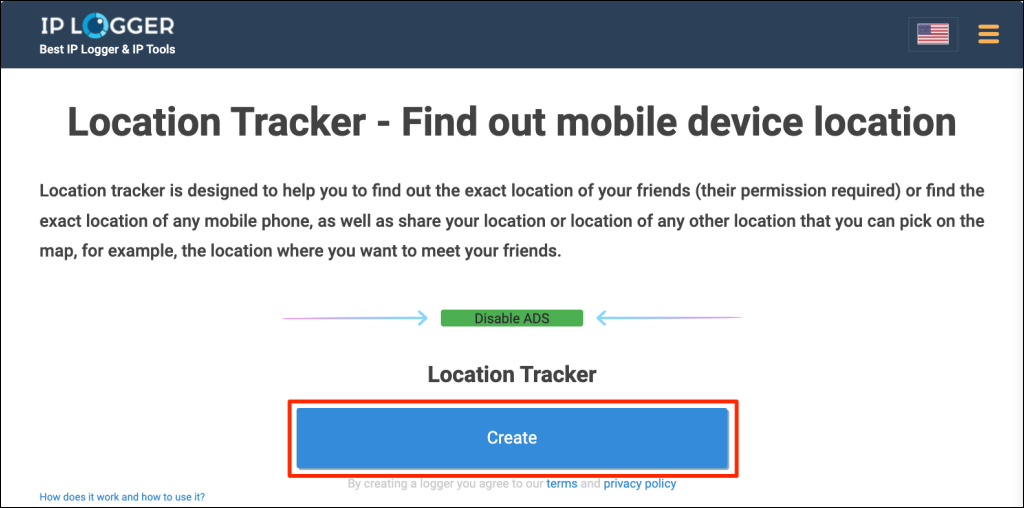
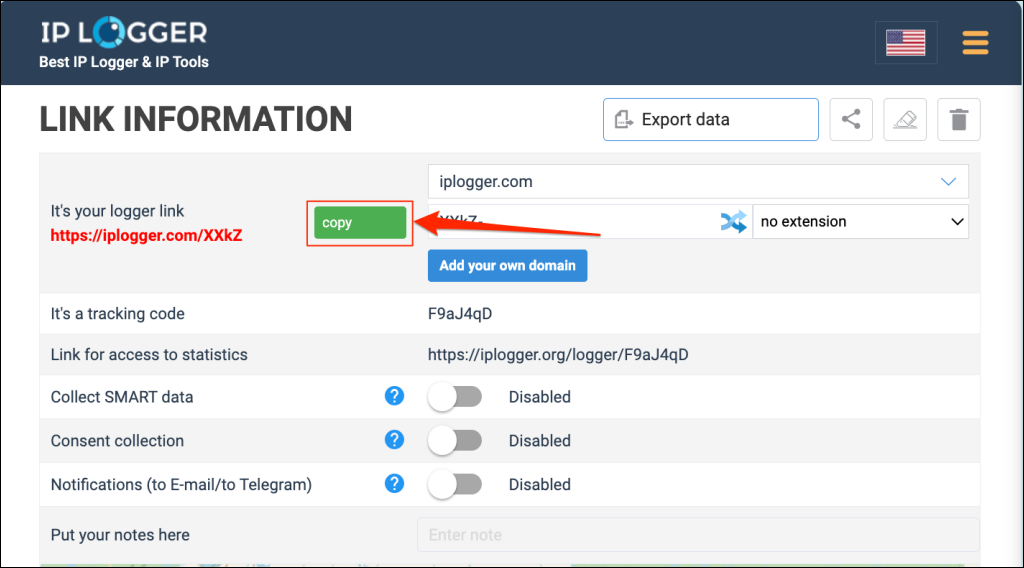
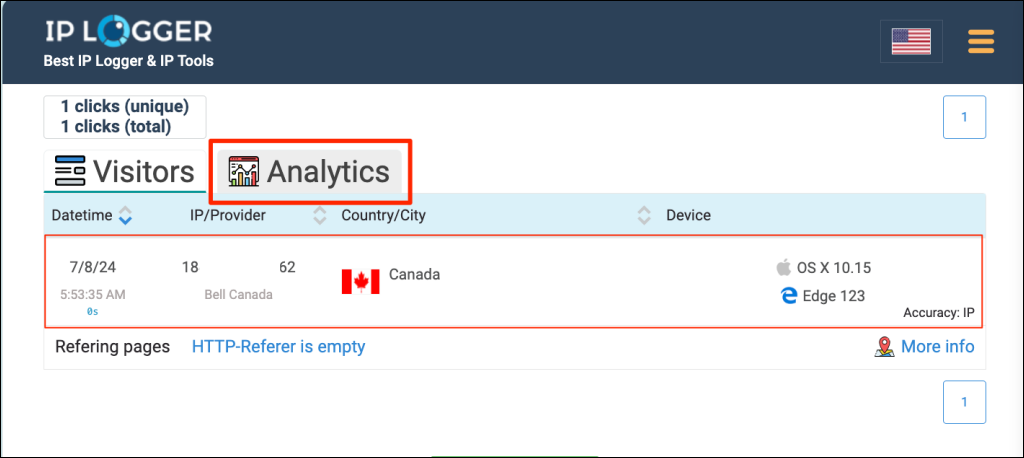
Here’s where location tracking starts to become less consensual and more privacy-invasive. Although Facebook location tracker apps could help find someone’s location, using them is borderline and could be tagged cyberstalking. Free online services like IPLogger can help you track your friend’s exact location. Here’s how to use the tool: IPLogger will generate a location-tracking link that you can use to track someone’s location. The next step is to share this logger link with the person you want to track and get them to open it on their device. Use URL shorteners to mask the location tracking link so they don’t suspect where it points to. You’ll also see the date and time they clicked the link, their IP address, internet service provider (ISP), and device information. If you think someone’s stalking or tracking your Facebook profile, there are several ways to verify your suspicion. Refer to our tutorial on seeing who’s stalking your Facebook for anti-stalking measures.
How to Disable Location Sharing on Facebook?
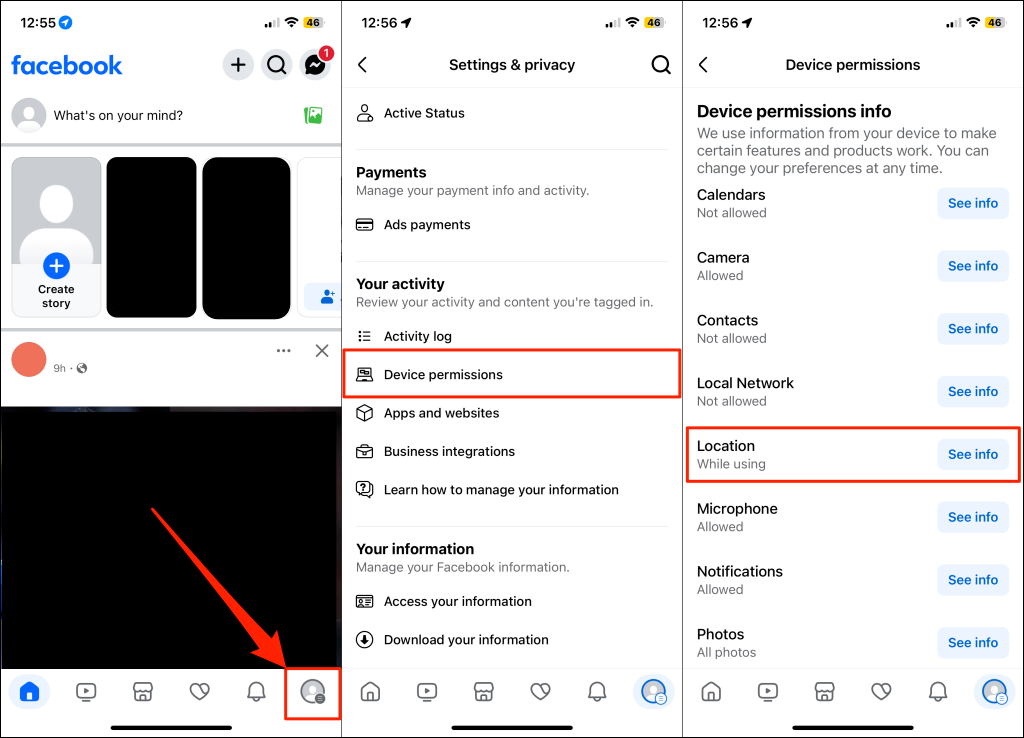
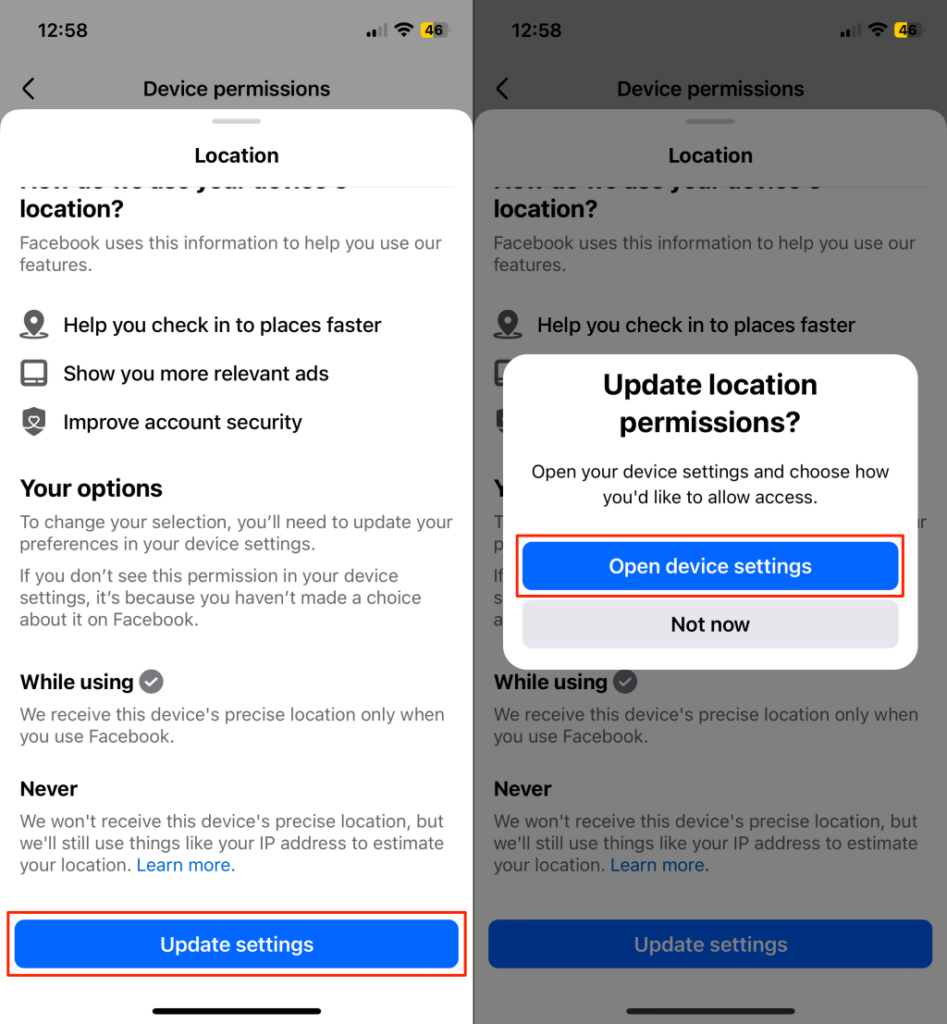
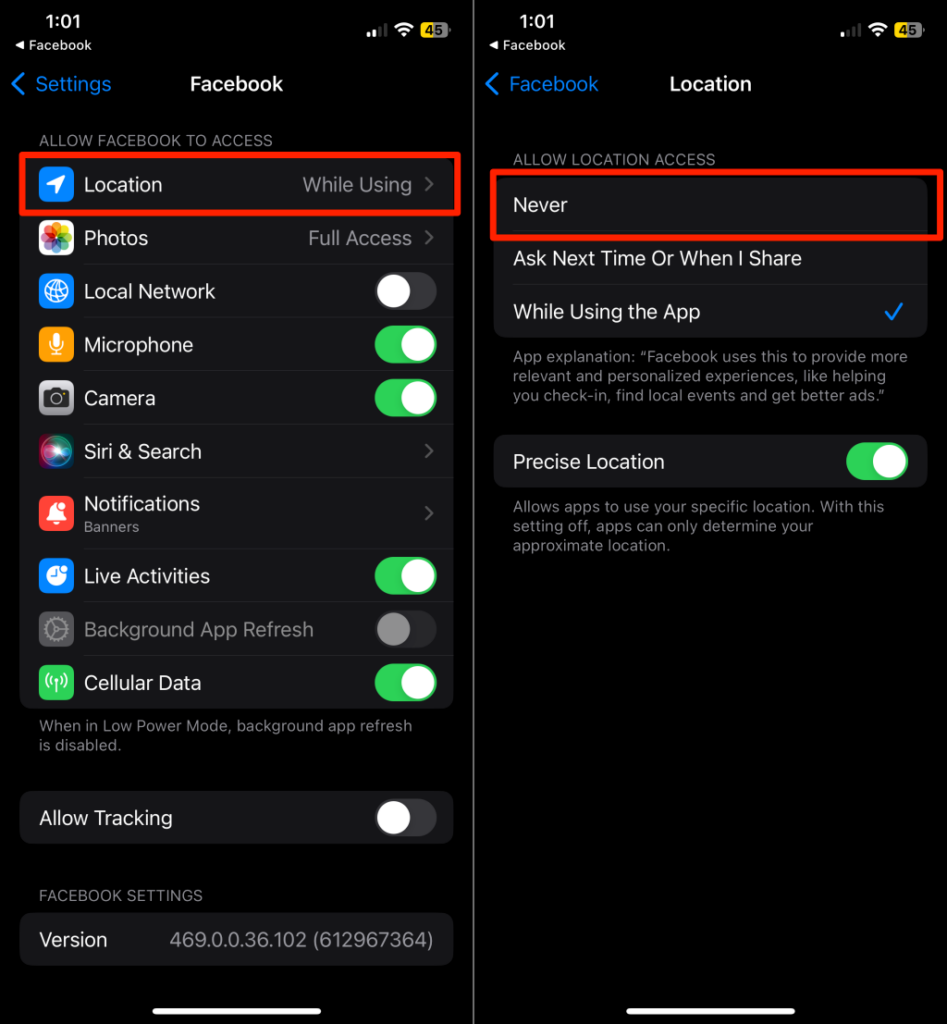
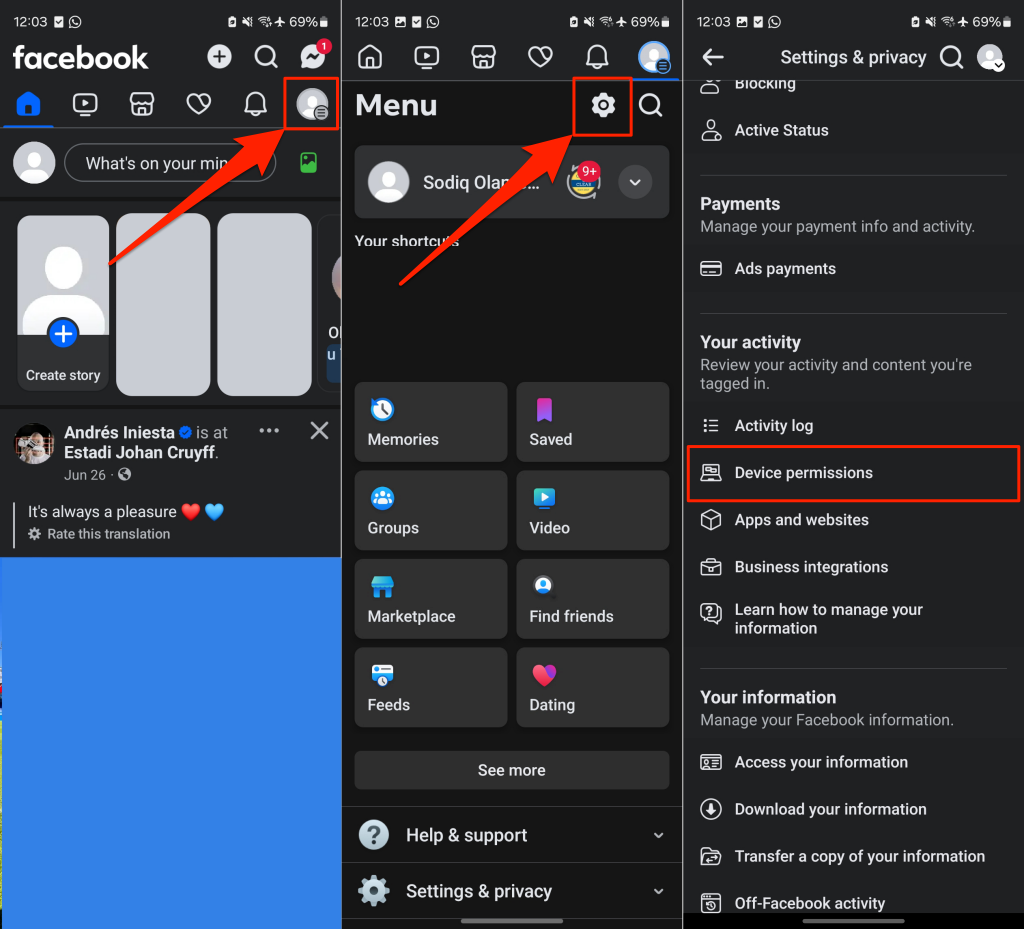
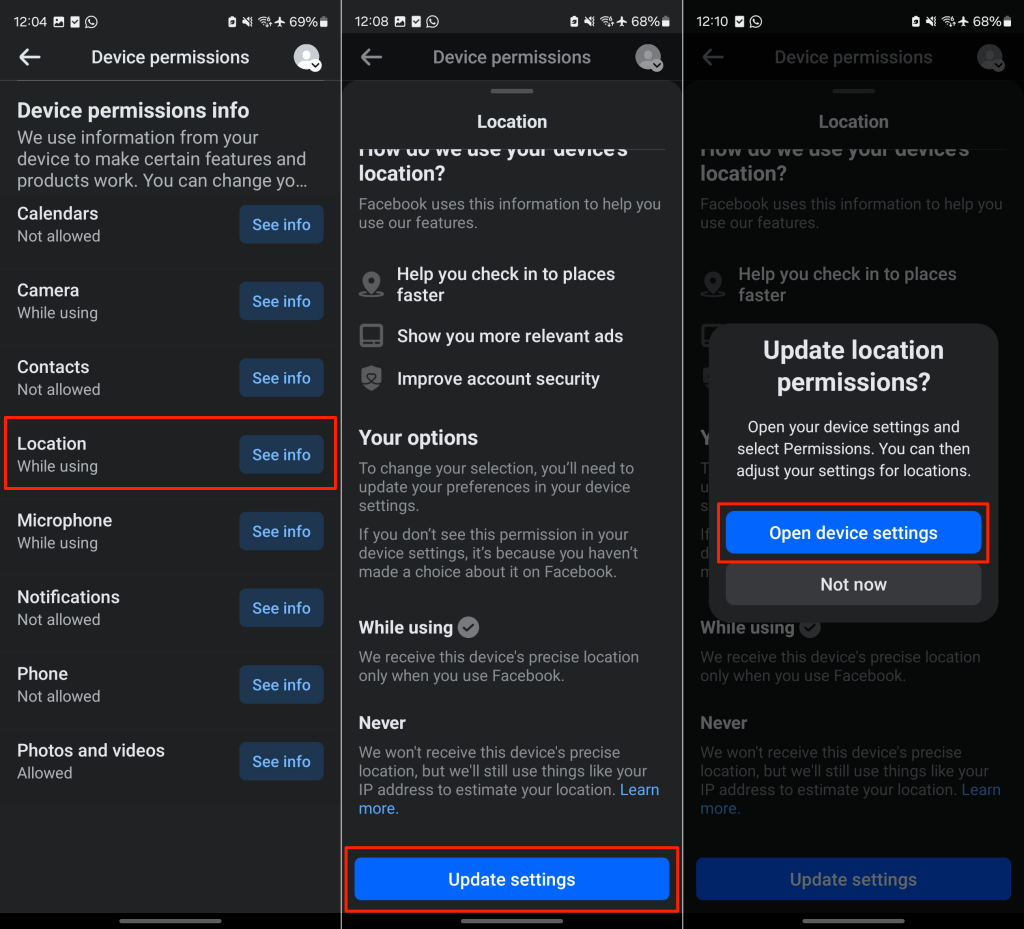
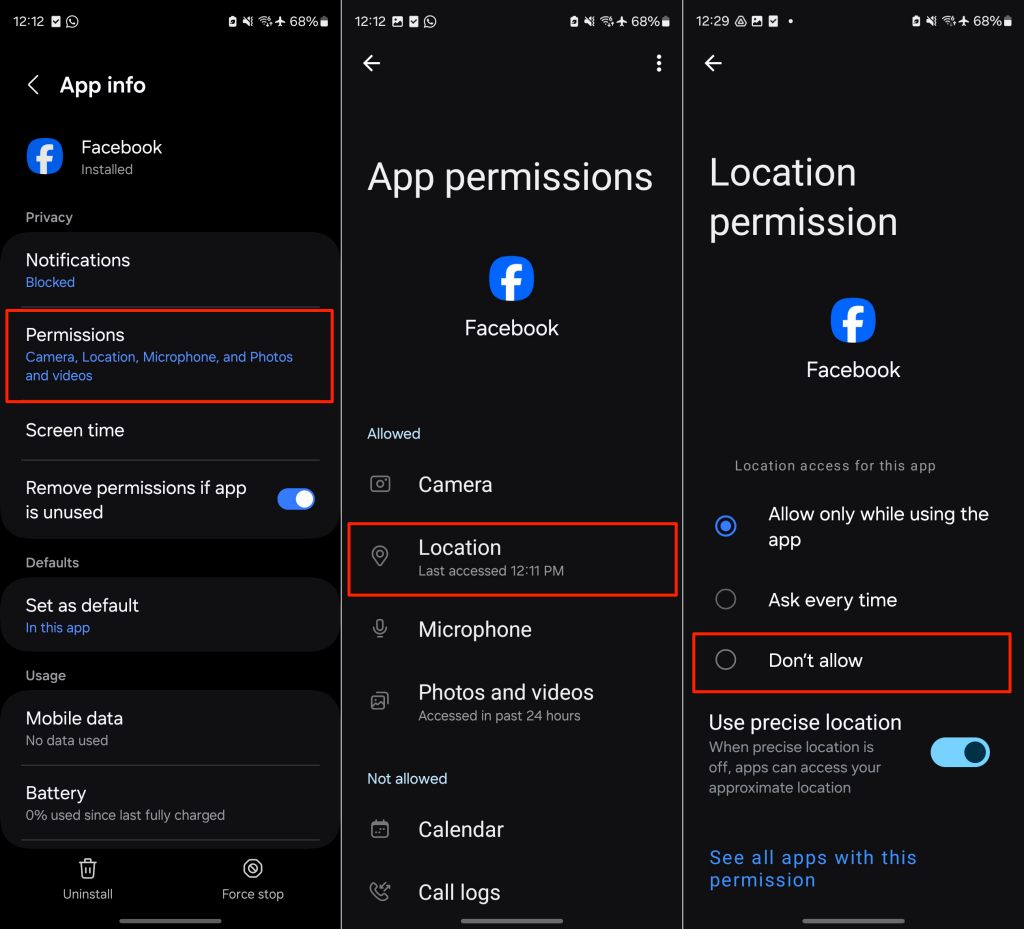
Revoking Facebook’s access to your device’s location is the most effective way to keep your whereabouts private. Below are step-by-step instructions for iOS and Android users to turn off Facebook’s background location permission.
Turn Off Location Services for Facebook on iPhone
Turn Off Location Services for Facebook on Android Devices
Locate Your Facebook Friends
You can track your friends with just a few clicks in the Facebook Messenger app. If they don’t consent to sharing their live location, you can check their posts, stories, or check-ins for clues.
Is Nearby Friends Still on Facebook?
Before May 31, 2022, you could see and track someone’s location on Facebook using “Nearby Friends.” The feature provided the approximate location of Facebook friends a short distance from you. Facebook discontinued the feature due to user privacy and security concerns.
How to Find Friends Near You on Facebook?
Since Facebook scrapped the “Nearby Friends” feature, you can no longer see friends close to your current city or neighborhood.
How to See Your Location Activity on Facebook?
Facebook also stopped collecting users’ location history and background location after May 31, 2022. Likewise, the social media giant deleted all data on these location-based features. Since Facebook no longer tracks your location information, you won’t find options to view or delete location activity on Facebook.