Snapchat adds special Friend Emojis next to your best friends’ names. Follow the steps below to see all your Snapchat best friends.
How Snapchat Categorizes People – Best Friends
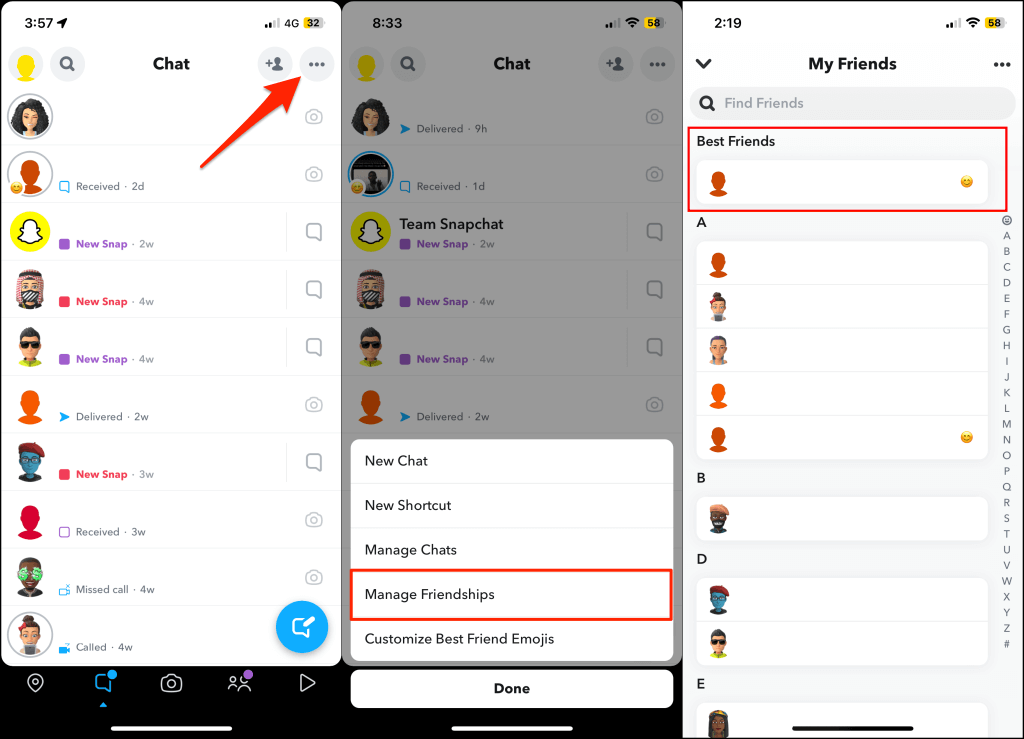
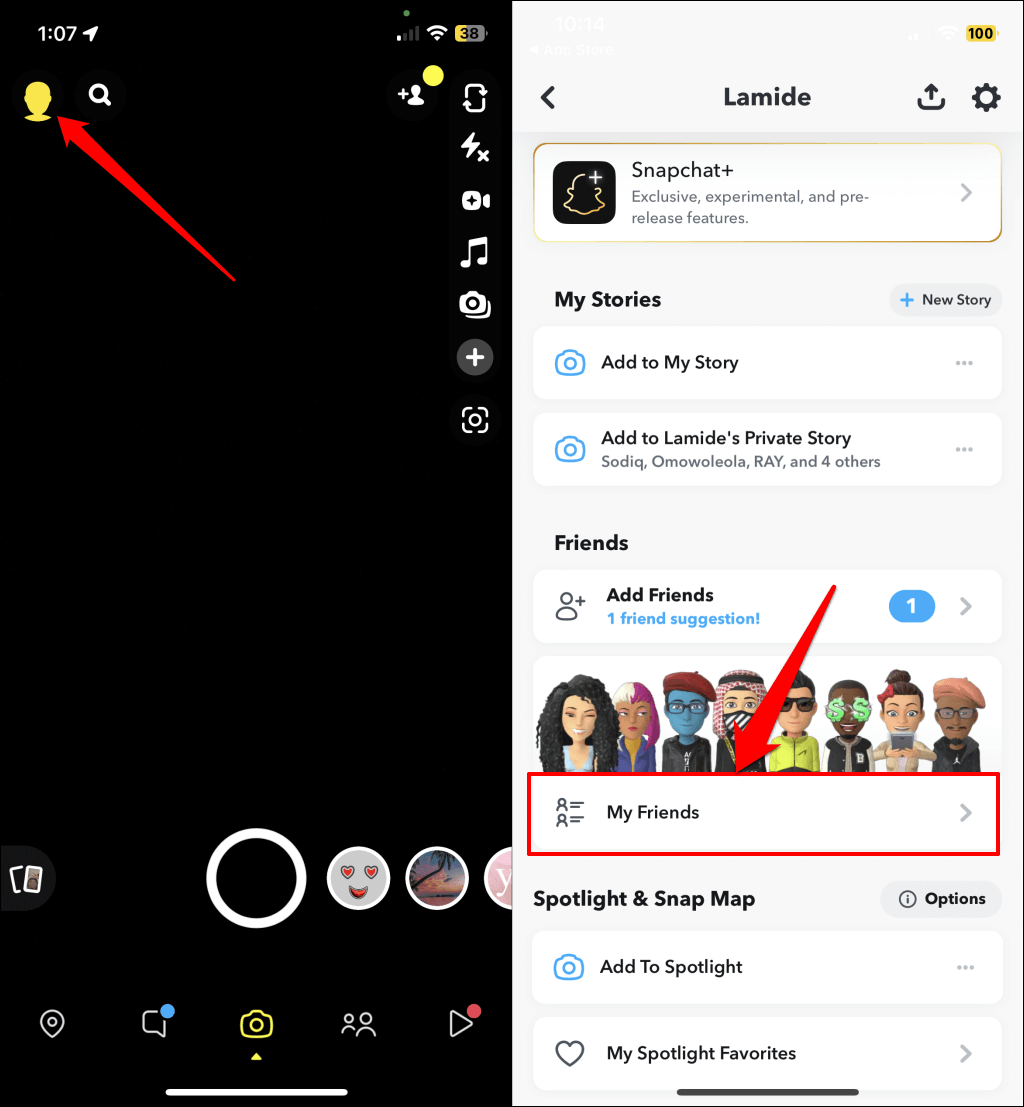
Snapchat categorizes people you often interact with as your Best Friends. You can have as many as eight best friends, all automatically curated by Snapchat. If you have a Snapchat+ subscription, you can manually make one person your best friend. Open your Snapchat Chat screen, tap the three-dot icon in the top-right corner, and select Manage Friendships. Snapchat displays a list of best friends at the top of the “My Friends” page. That’s how you check the number of best friends on Snapchat. Now, let’s talk about removing people from your best friends list.
1. Send Them Fewer Texts and Snaps
The more you interact with someone, the higher the chances of getting them on your best friends list. Conversely, contacting someone less than usual removes them as your best friend with time. So, reduce your interaction with the person and increase your interaction with others. If you can wait one or two weeks, send fewer messages or Snaps to whoever you want off your best friends list and leave the rest to Snapchat. Likewise, you can ignore messages or Snaps they send to you. This is the easiest (but longest) way to delist someone as your best friend. If you can’t wait, removing or blocking someone as your friend is the closest workaround to instantly getting them off your best friend list.
2. Remove and Re-Add the Person
Removing someone as your friend on Snapchat deletes them from your best friends list. Depending on your profile settings, removed friends won’t be able to view your story, send you Snaps and messages, or call you.
How to Remove Someone from Your Snapchat Friends List
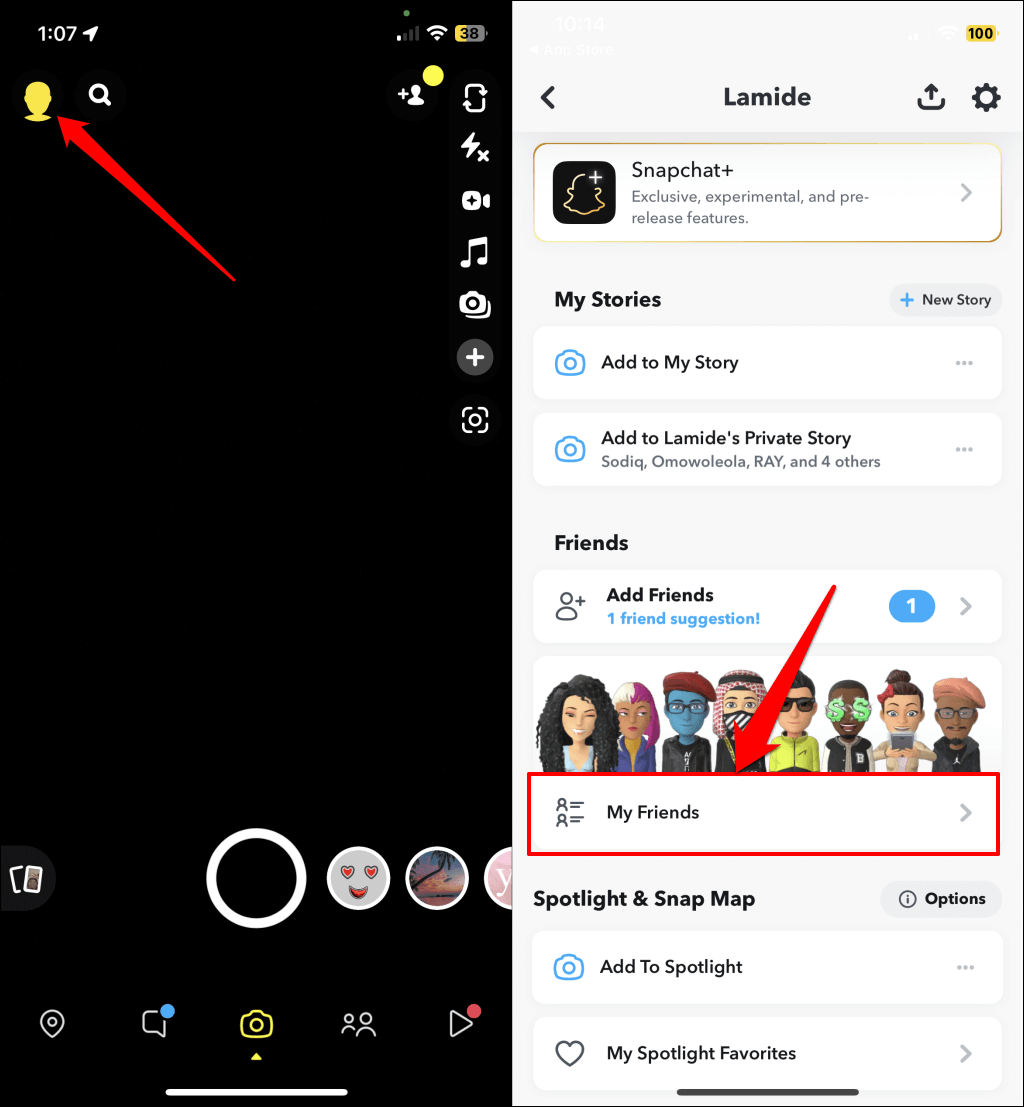
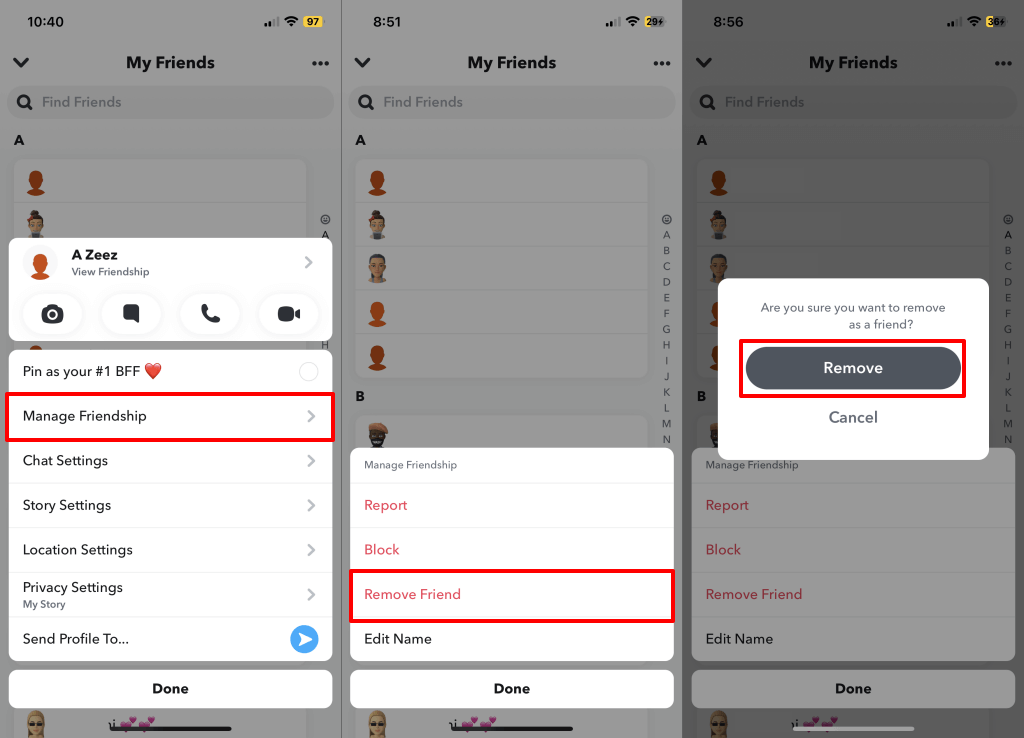
Follow the steps below to remove someone as your friend or best friend on Snapchat. Snapchat removes the person from your friend list and bars them from contacting you.
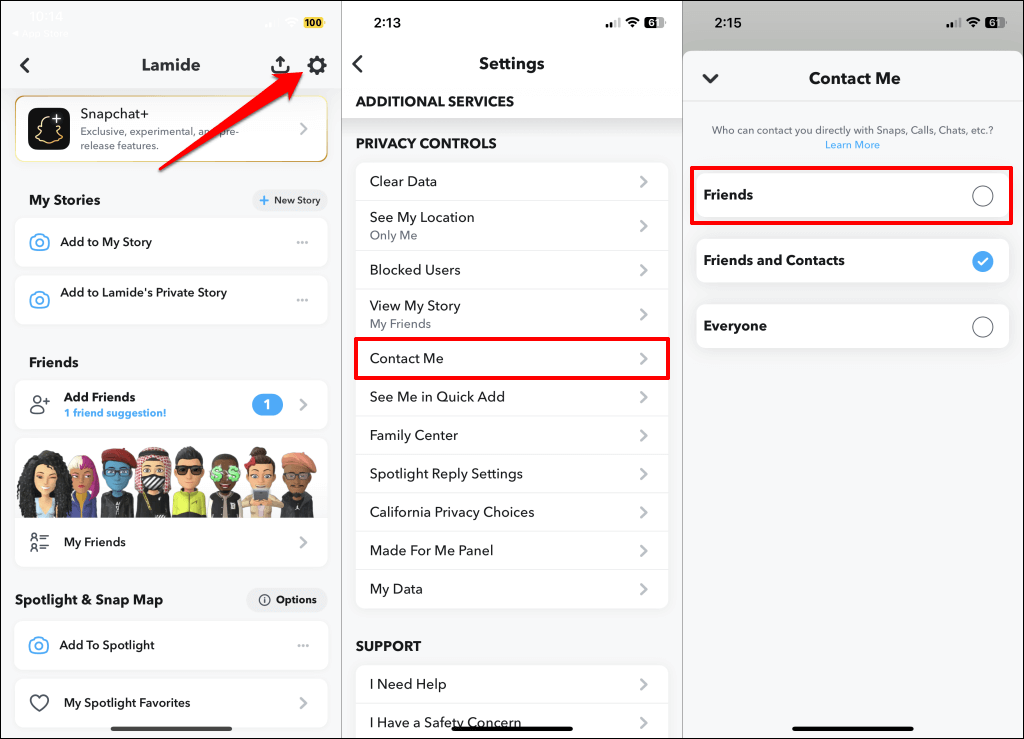
Stop Removed Friends from Contacting You
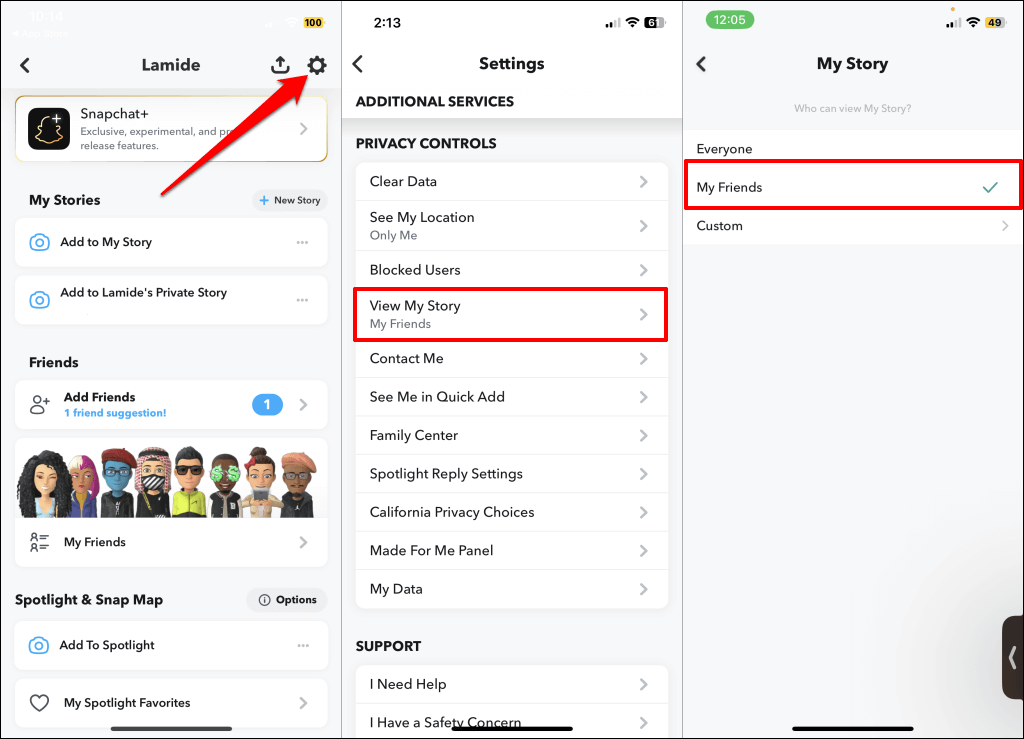
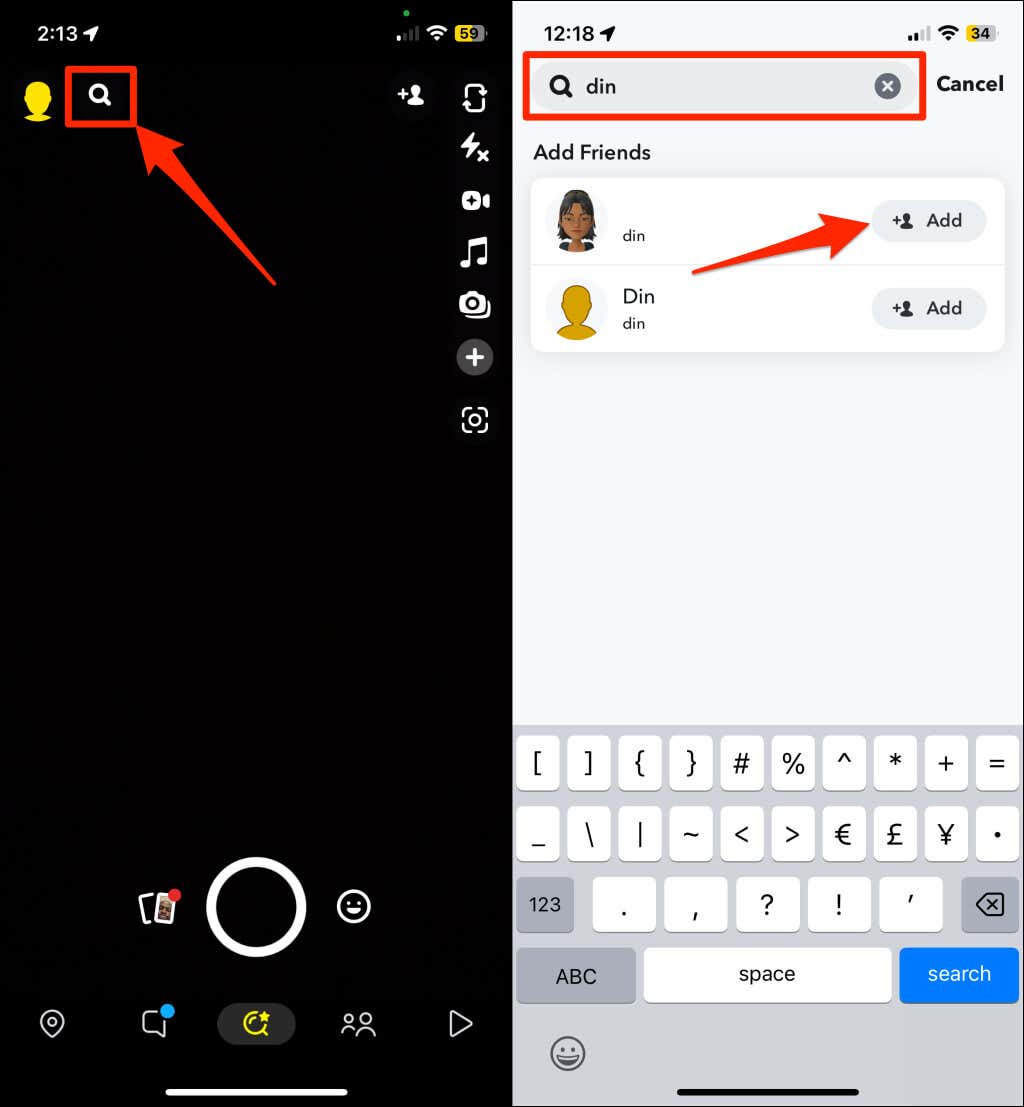
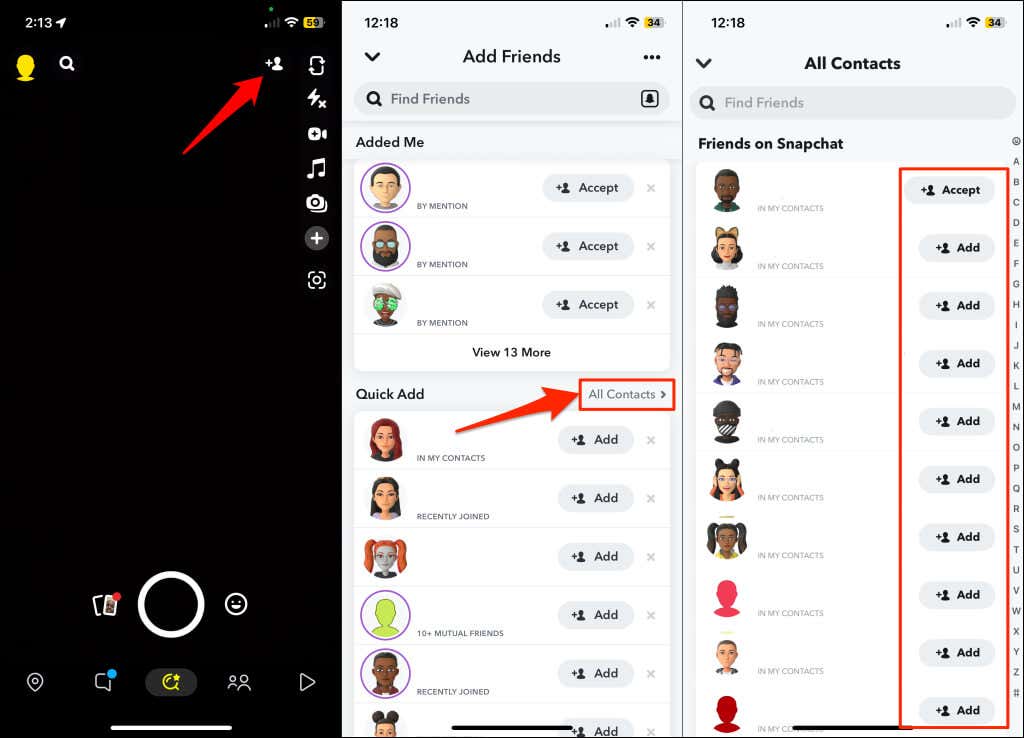
People you remove as friends might still be able to text, call, and send you Snaps if they have your phone number on their device. Change your profile settings to restrict removed Snapchat users not on your friends list from contacting you. How to (Re)Add Your Friend or Best Friend Did you rethink removing someone as your friend or best friend? You can re-add them through their Snapcode or username. Open Snapchat and tap the search icon on the chat or camera screen. Type your friend’s name or username and tap the Add button to re-add them to your friend list. If you have the person’s phone number, you can also re-add them from your phone’s contact list or address book. Open Snapchat and tap the Add Friends icon in the top-right corner of the chat or camera screen. Next, select All Contacts and tap the Add icon next to the person you want to re-add. Note: Re-adding someone may not re-add them to your best friends list. You might have to interact with them (exchange Snaps, text, etc.) for a week or two before Snapchat ranks them as your best friend.
3. Block the Person
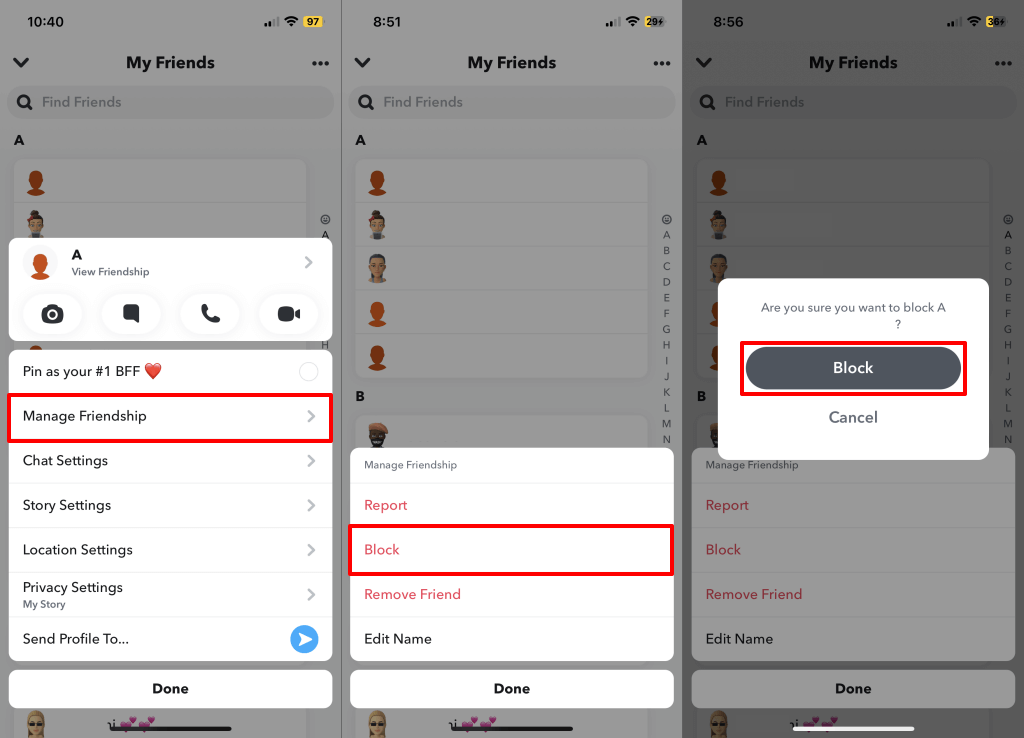
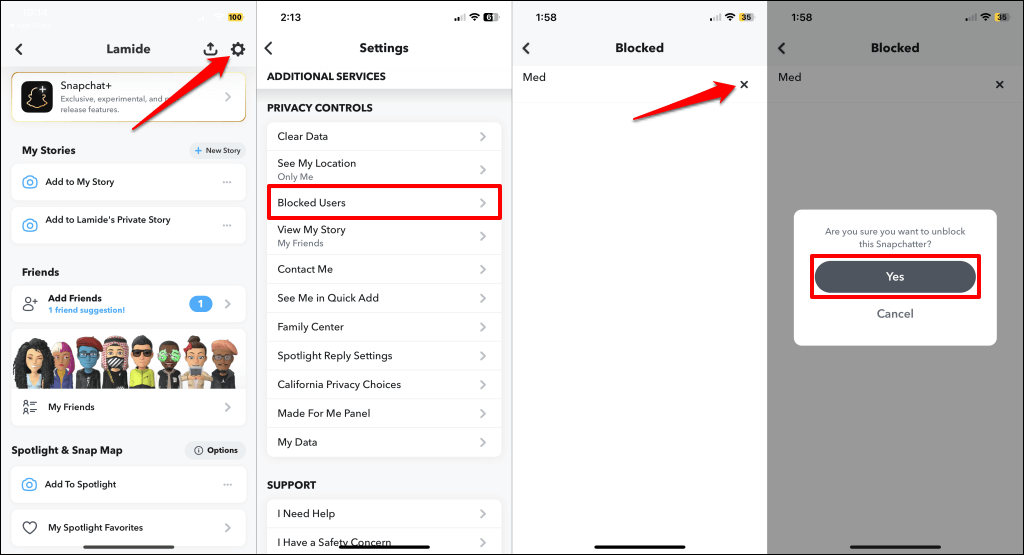
Blocking someone on Snapchat removes them as your friend, best friend, bestie, BFF, or super BFF. You’ll lose your chats and Snapchat streaks with the blocked user. Likewise, Snapchat bars them from viewing your story, sending you texts, or calling you. Follow the steps below to get someone off your best friends list by blocking them. Snapchat will remove the person as your friend or best friend. Note that unblocking the person won’t re-add them to your friend list. You must manually add the person again via username, Snapcode, or Quick Add. To unblock a user, open your Snapchat profile, tap the gear icon in the top corner, and select Blocked Users. Tap the X icon next to the person you want to unblock and select OK to proceed.
Fewer Best Friends
Reducing your interaction with someone is the most straightforward way to get them off your best friend list. Doing so sends a message to Snapchat’s algorithm that you aren’t as close to the person as before. Give it a week or two, and they’ll be off your best friends list.