If you’re using an iPhone or Android device, you might be curious about getting OpenAI’s ChatGPT on the go, and in this guide, you’ll learn how to do just that.
Install the Official ChatGPT App on the iPhone
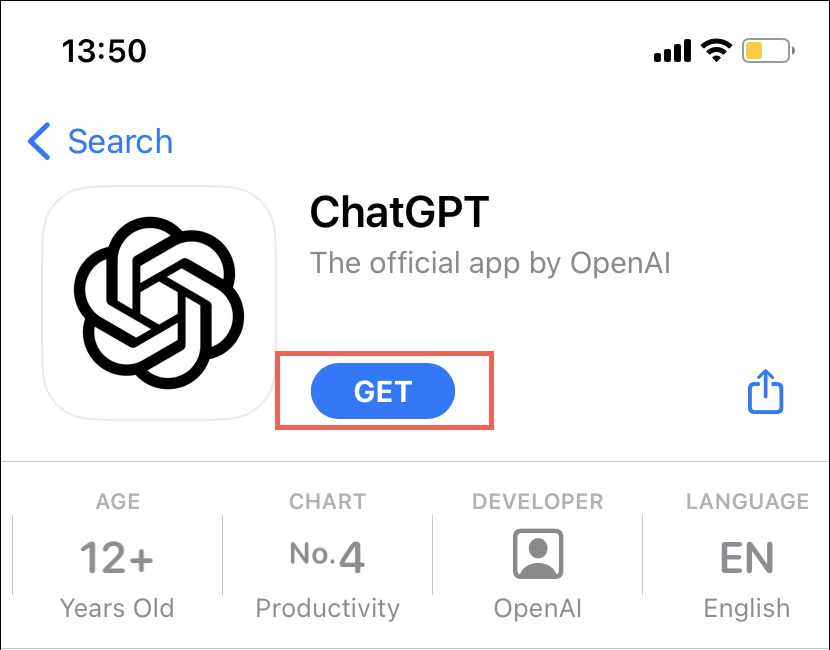
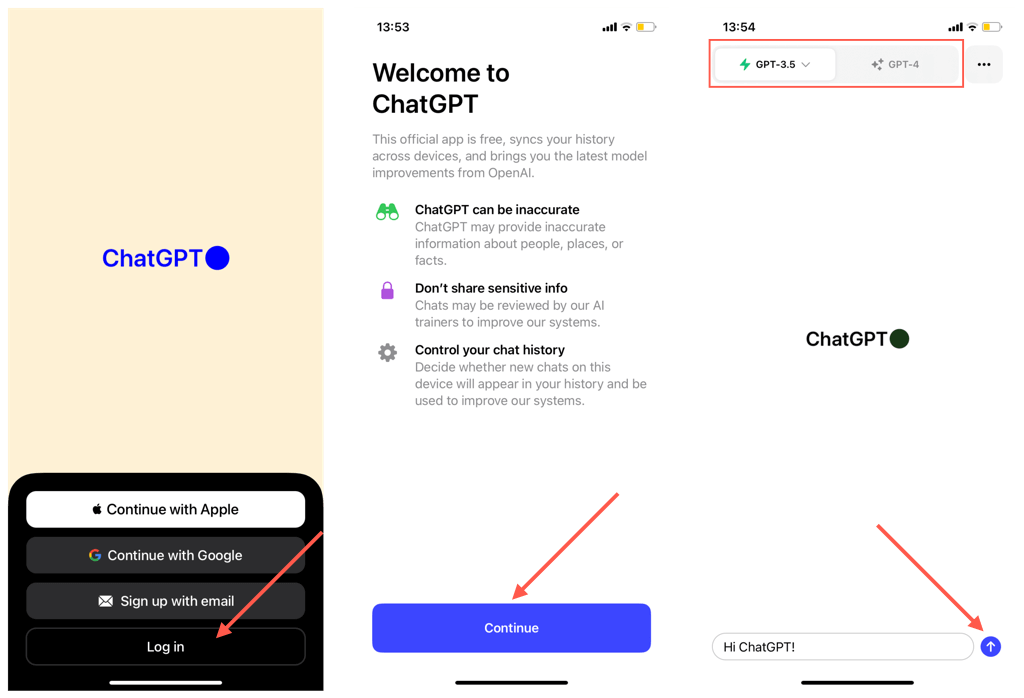
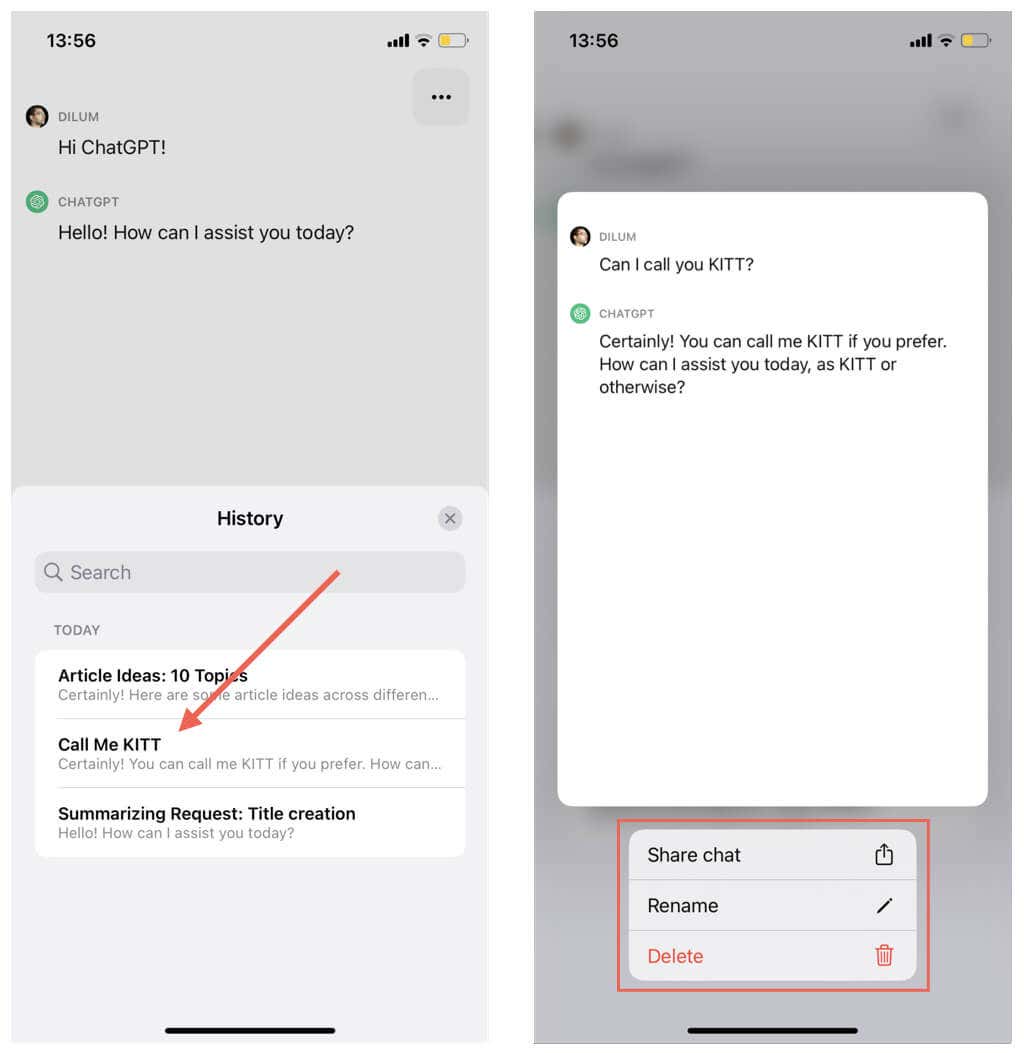
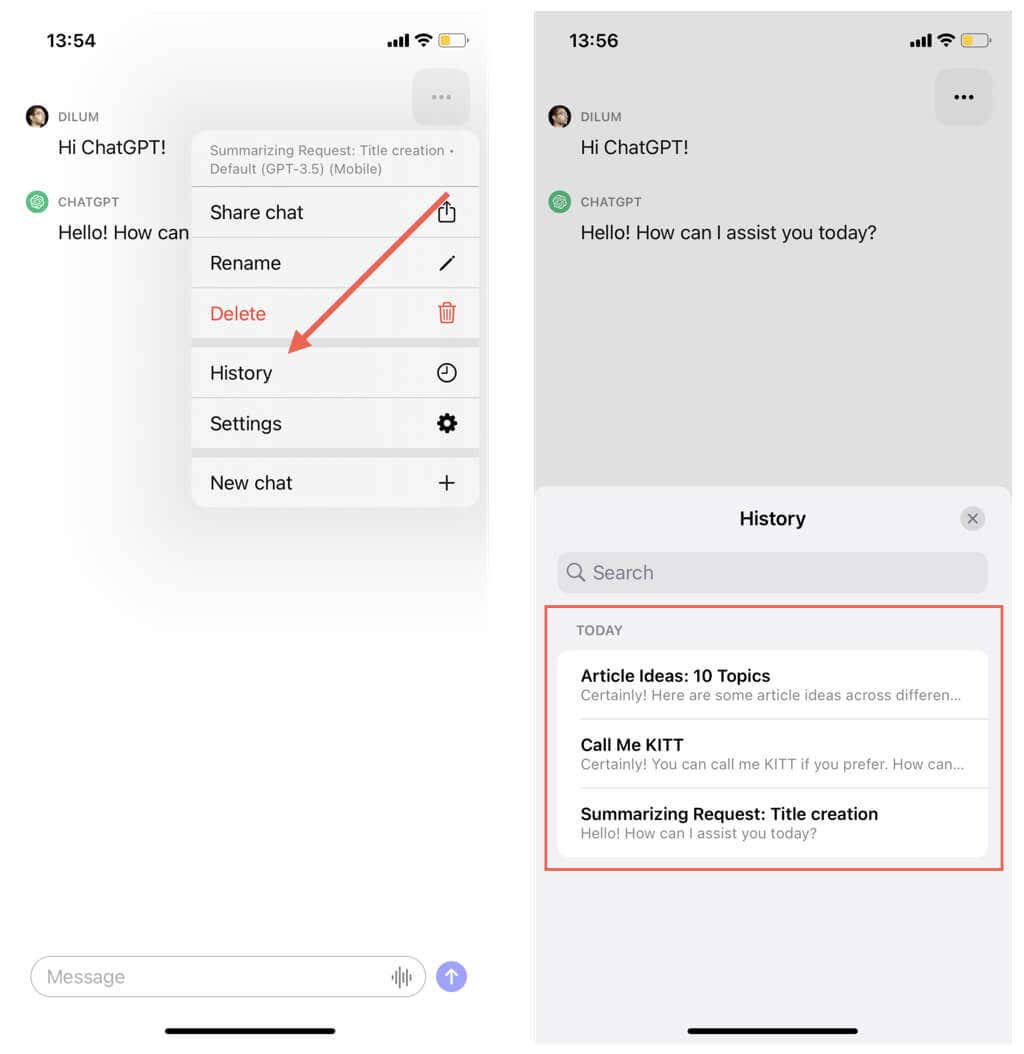
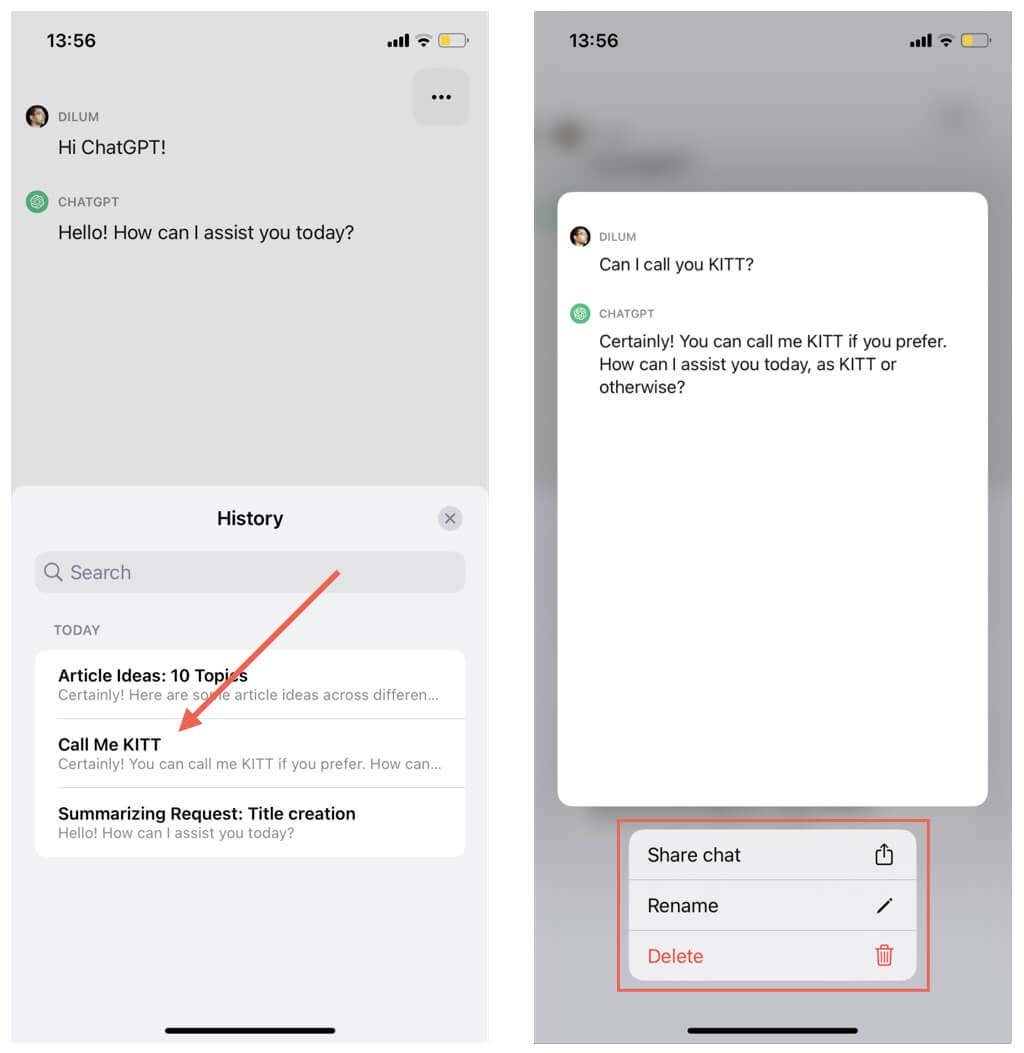
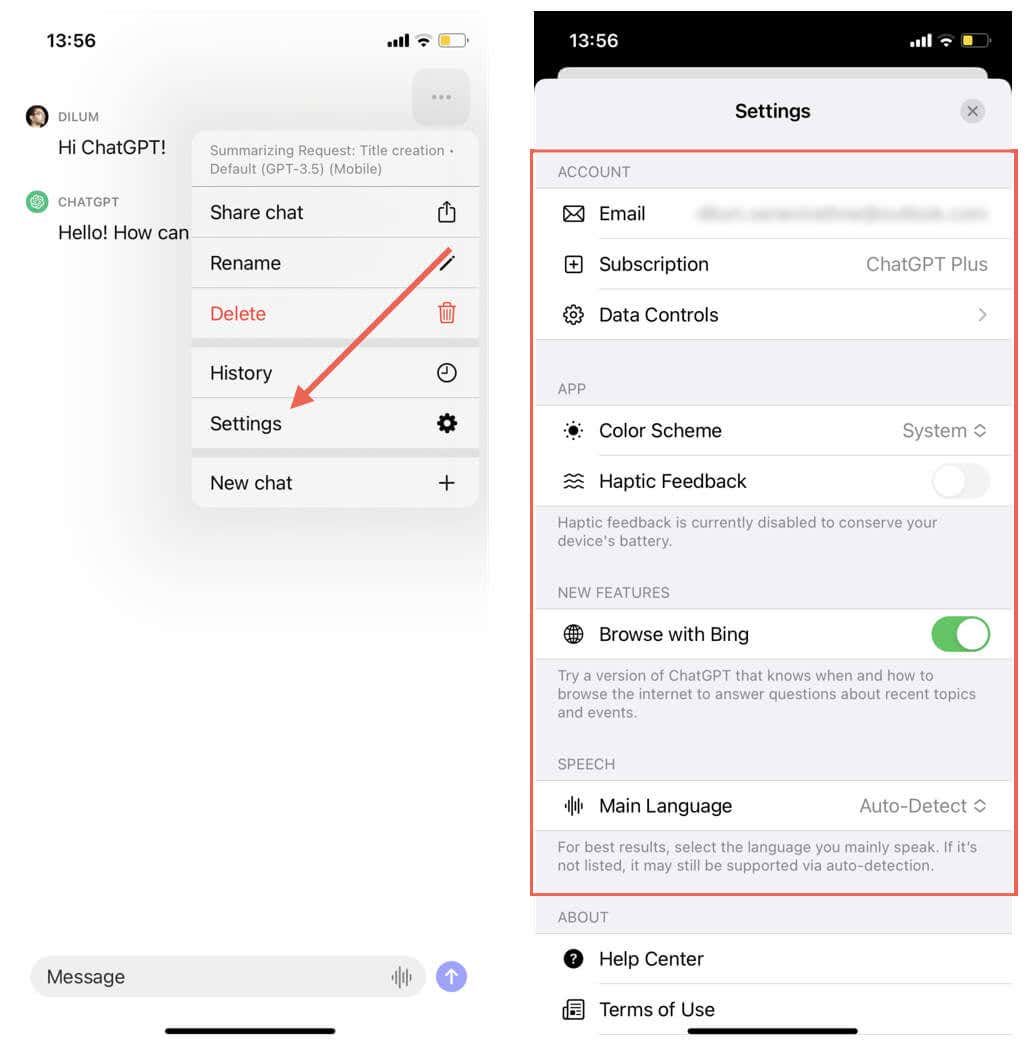
ChatGPT has an official mobile app for the iPhone and iPad. It’s the best and most convenient method to interact with OpenAI’s chatbot on iOS devices. To install ChatGPT on your Apple mobile device: Note: Verify that the iOS app’s publisher is “OpenAI” before you proceed. After the installation is complete: Note: Instead of typing, tap the Audio icon inside the chat box and speak your prompts—the app automatically uses speech recognition to transcribe the audio to a text-based prompt. To begin a new chat in ChatGPT’s iPhone app: To switch between chats in ChatGPT: To rename, delete, or share chats in ChatGPT: Note: ChatGPT syncs your conversations between devices in real-time, so deleting a thread will also remove it from everywhere. To access ChatGPT’s settings console: Within the ChatGPT Settings pane, you can:
Email: Check your ChatGPT account details. Subscription: Subscribe to or manage your ChatGPT Plus subscription. You can’t manage your subscription through the app if you initially subscribed to ChatGPT Plus via the web. Data Controls: Decide if you want OpenAI to use your chat data to improve language models. You can also clear your chat history, export data, or delete your account. Color Scheme: Change the ChatGPT color scheme from the default system scheme to an always-on dark or light mode. Haptic Feedback: Enable or disable haptic feedback within the ChatGPT app. Browse with Bing: Enable ChatGPT to browse the internet to answer questions about recent topics and events via Microsoft’s Bing search engine. Main Language: Specify the language ChatGPT should use while transcribing audio prompts.
Use the ChatGPT Website on iPhone and Android
At the time of writing, Android doesn’t have a dedicated app like the iPhone. However, OpenAI has specifically mentioned an Android app in the works, so you might want to hop onto the Google Play Store just to be sure. Take care not to install ChatGPT clones from third-party developers—to be sure, check if the developer is “OpenAI.”
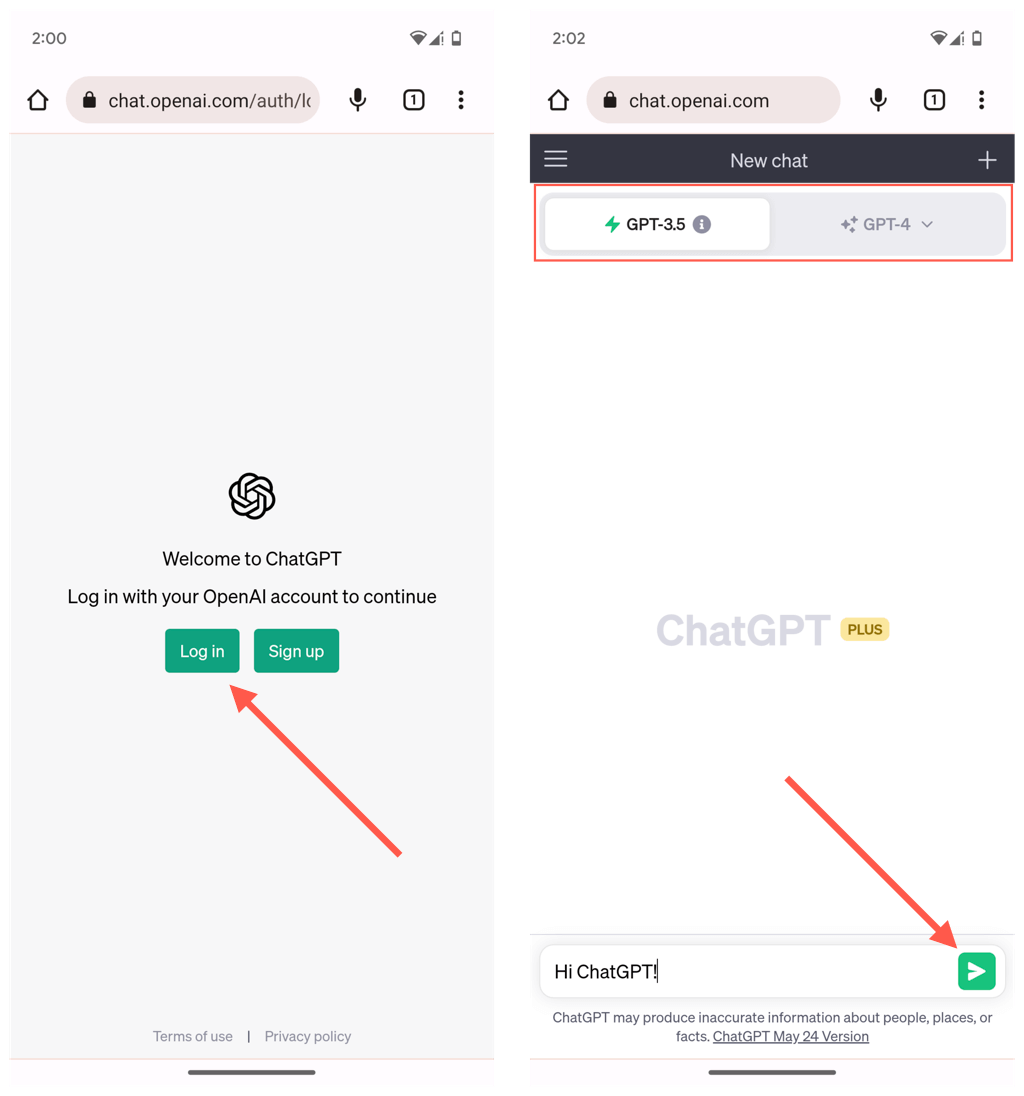
If there is no dedicated app for Android yet as you’re reading this, you can always use the mobile-responsive web version of the AI tool. The same applies to the iPhone if the app is unavailable in your region.
To use the web version of ChatGPT on your Android or iPhone:
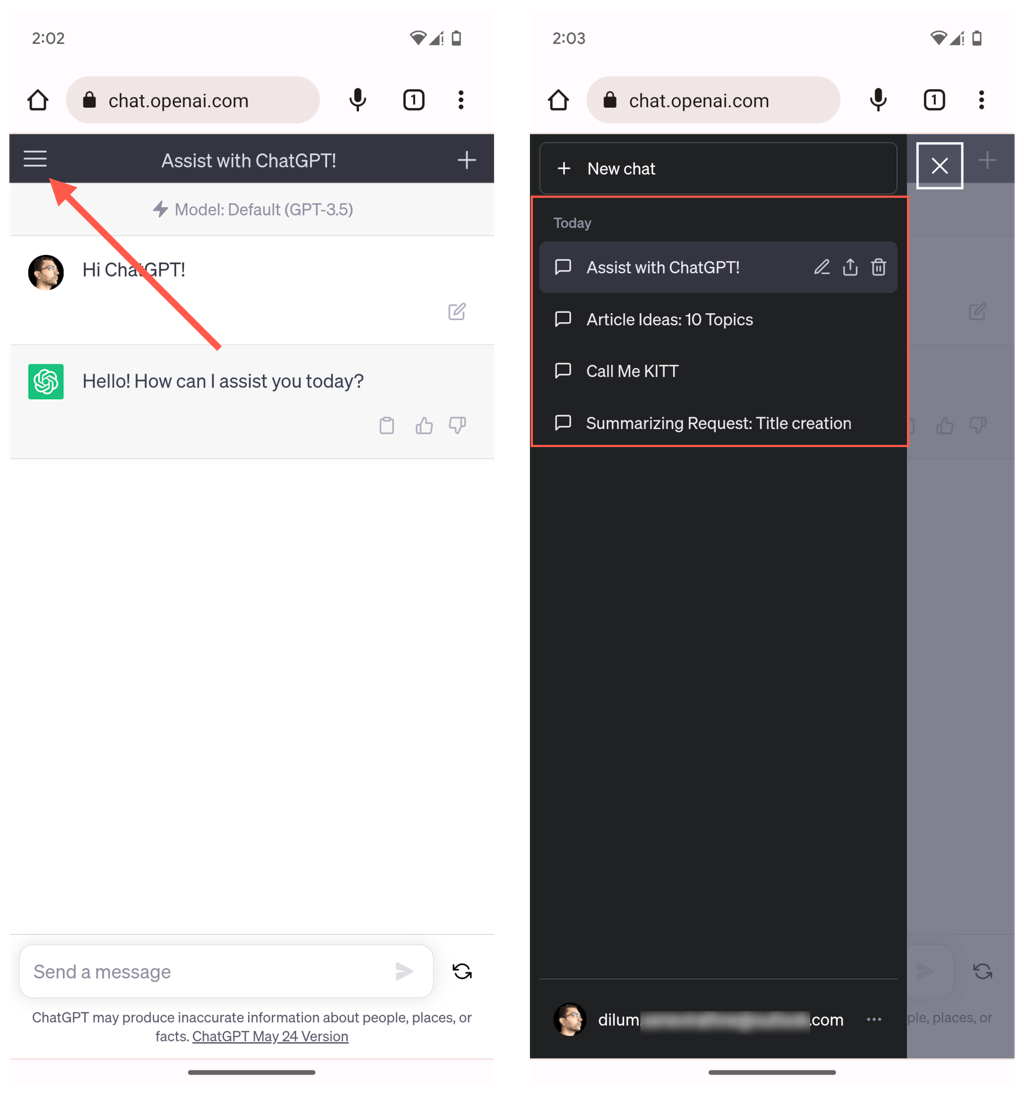
Open the ChatGPT menu (tap the icon with three stacked lines) to access your conversations list. You can also delete, share, or rename a conversation by tapping the relevant buttons within the chat list.
Additionally:
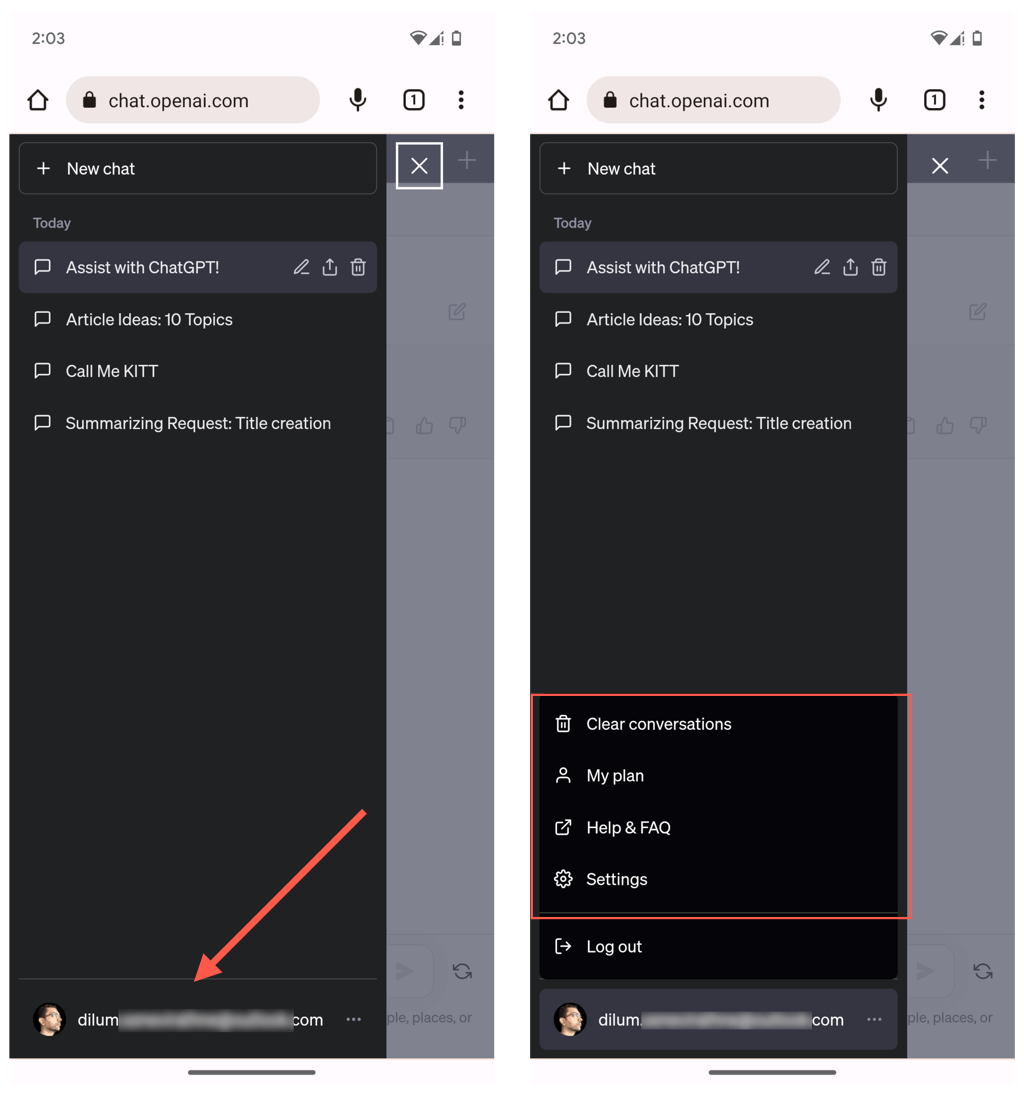
Tap your profile icon and select My plan to view your subscription details. Tap Clear conversations to delete all conversations. Tap Settings to access general settings (e.g., theme preferences), Beta features (e.g., Browse with Bing), and Data controls (e.g., allow your chat history for use in training, manage shared links, and export data).
Add the Web Version of ChatGPT as a Desktop Shortcut
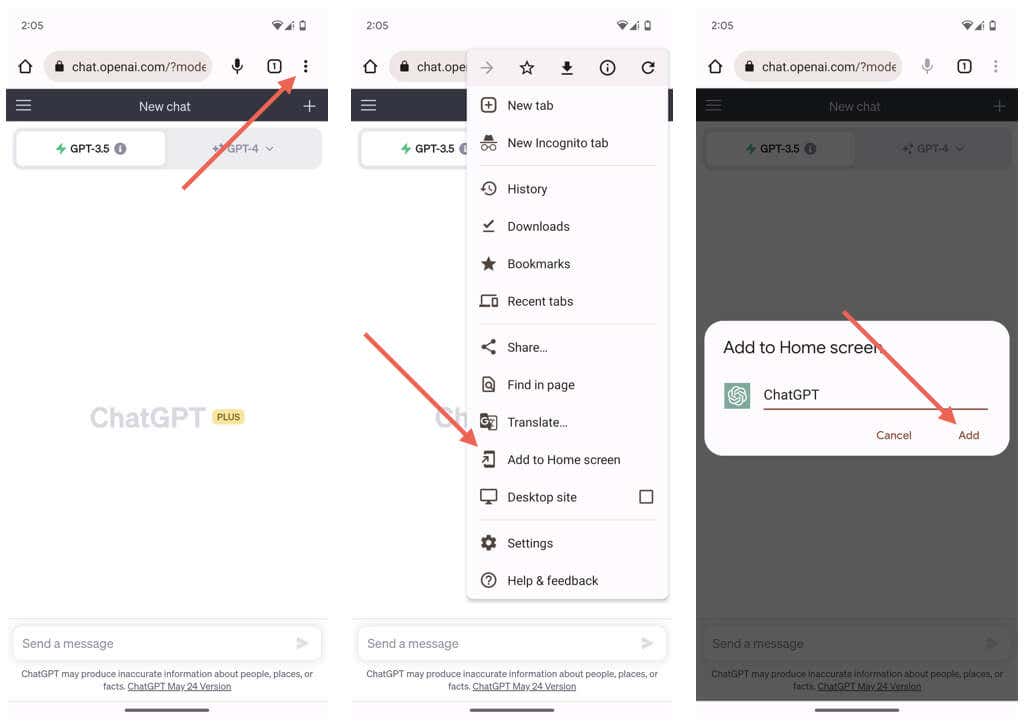
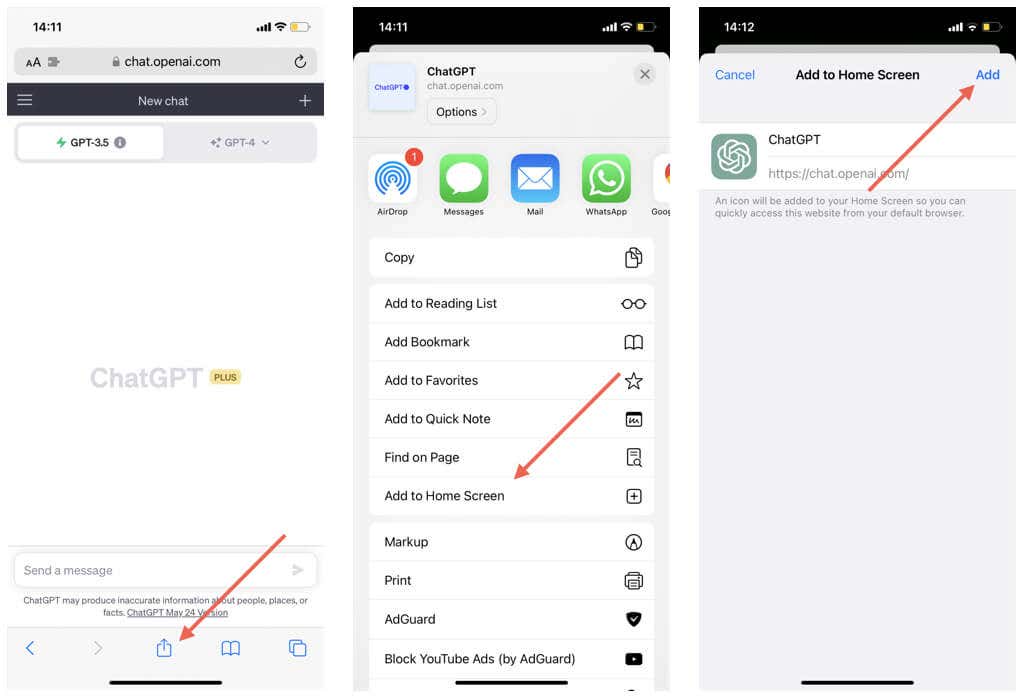
You can add the ChatGPT website as a shortcut to the Home Screen on your Android or iPhone, making it easier to access and interact with.
Add ChatGPT to Home Screen on Android Phone
Add ChatGPT to Home Screen on iPhone
Start Using ChatGPT AI on Your iPhone or Android
With ChatGPT, engaging conversations are just a tap away. Grab the official app from the App Store if you have an iPhone. Android users, don’t worry – the mobile website has got you covered. Once set up, you’re good to go. Explore its features, and enjoy lively chats with this versatile generative AI chatbot anytime, anywhere.