In this article, we’ll explain what causes the Roku error code 014.30 and what steps you can take to fix it.
What Causes Roku Error Code 014.30?
Most of the time, the 014.30 error code is caused by a poor or non-existent internet connection. However, there are several possible reasons that you’re experiencing this error code, including:
How to Fix Roku Error Code 014.30
Here are 5 steps to fix this frustrating error code.
1. Check Your Internet Connection
The first thing to do is make sure that your internet isn’t down. Here are a few things to try: If these steps don’t work, check out our complete guide on how to troubleshoot a poor internet connection. You can also check that you’re getting full download speeds by running an internet speed test. If everything is working correctly, it’s time to move to the next step.
2. Restart Your Roku Device
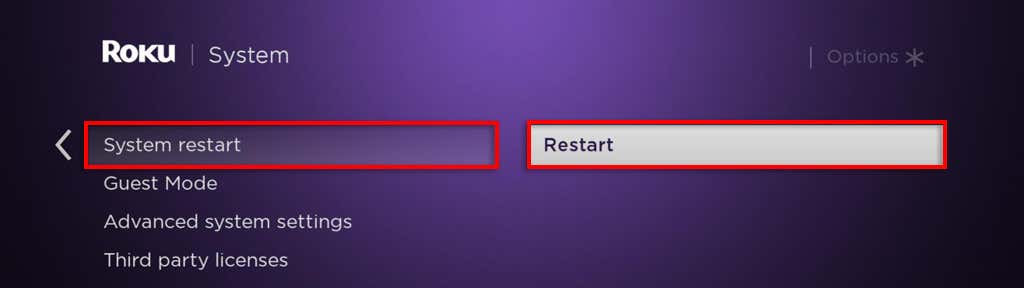
A simple restart can fix many issues. Using the Roku Remote, navigate to your device settings by pressing the Home button and selecting Settings > System. Here, select System Restart, then Restart to confirm your choice. Once your device resets, check to see whether it’s working correctly.
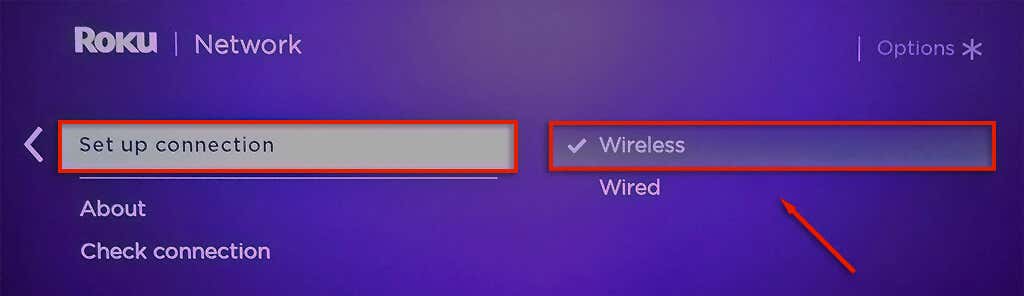
3. Check Your Roku Device’s Network Connection
Next, it’s time to make sure that your Roku device is configured correctly. To do so:
4. Update Your Roku Device
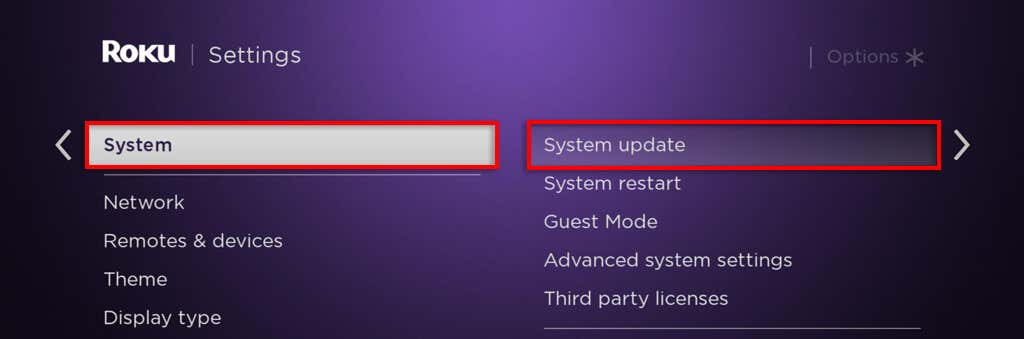
If it still isn’t working, you can try updating your Roku Device to the latest version. To do so, you’ll need to connect it to a different Wi-Fi network (like your mobile hotspot), or via an Ethernet cable to your router. Once connected, navigate to Settings and select System Update (or Update Software depending on your version). When it finishes, reboot your device and connect to the original Wi-Fi network.
5. Factory Reset Your Roku Device
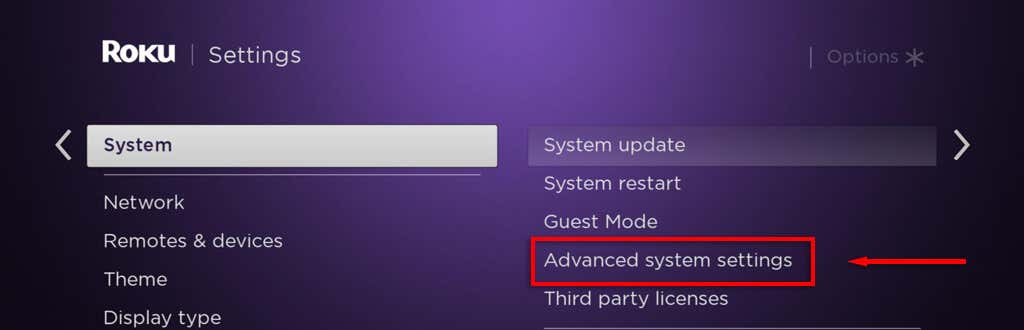
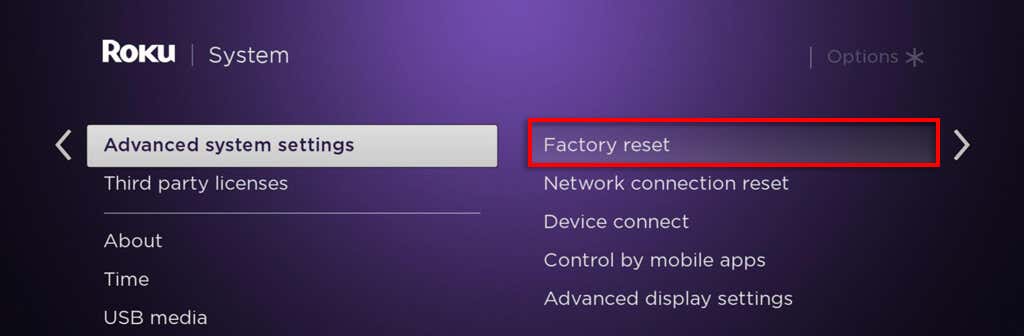
If nothing else has worked, your final resort is to factory reset your Roku device and hope that it clears the error. To do so:
Streaming Has Never Been Easier