In this troubleshooting guide, we’ll explain what causes the error code 524 on Roblox and how to fix it.
What Causes Roblox Error Code 524?
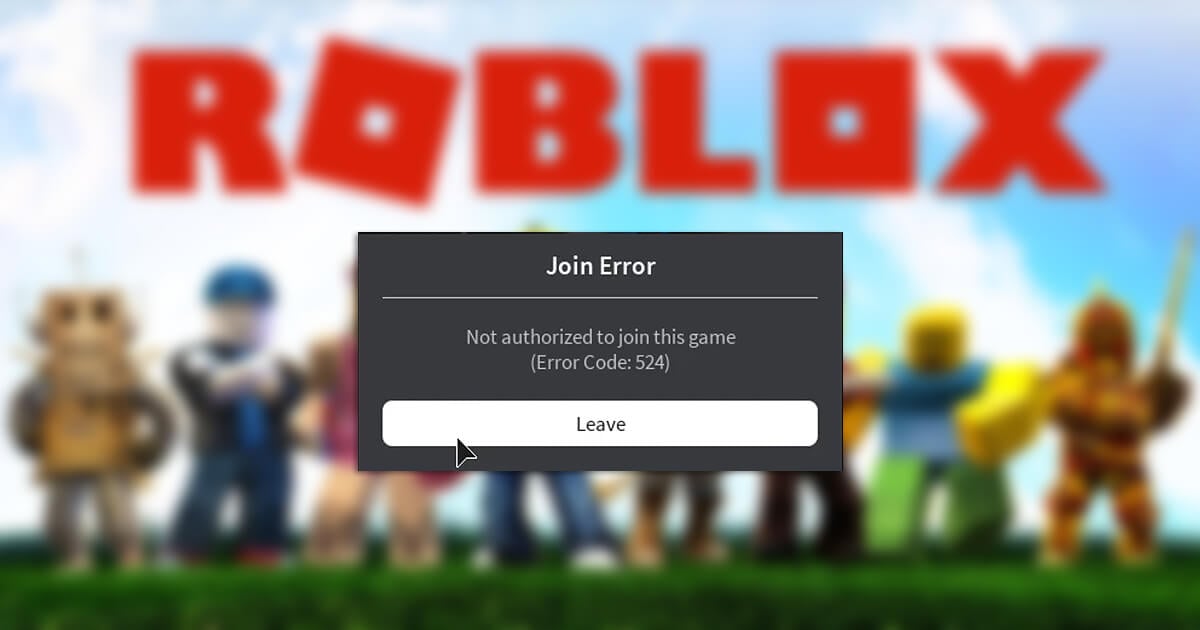
The Roblox error code 524 usually appears when you’re trying to join a game. After attempting to join a game, you’ll receive the message, “Not authorized to join this game. (Error Code: 524)”. However, it can also occur during a session, booting you from whatever game you’re currently enjoying. There are a few reasons why you might receive this error code, including: Below, we’ll explain how to fix each of these issues. We’ll start with the most straightforward fixes and progress to the more complicated ones — so start at the beginning and work your way down.
How to Fix Roblox Error Code 524
Here are seven ways to fix the Roblox error code 524:
1. Check Your Account Age
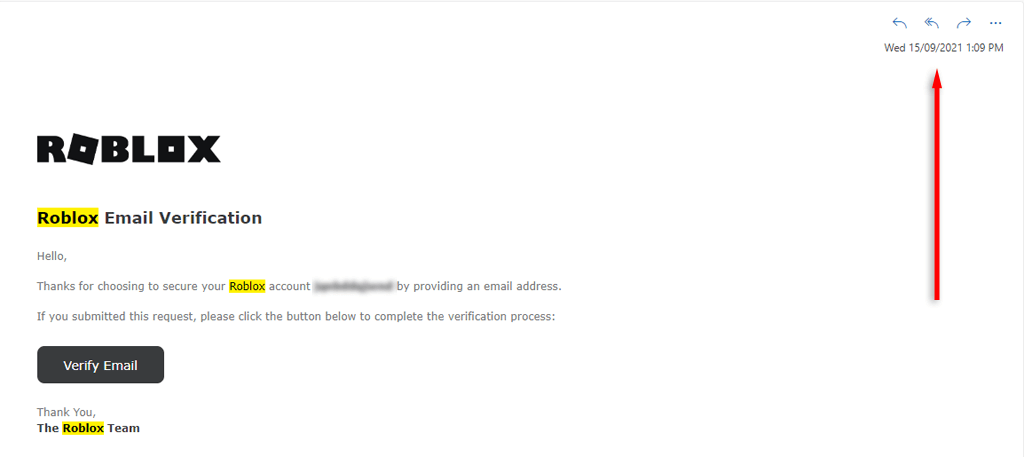
If your account is under 30 days old, you might be unable to join specific Roblox game servers. In this case, you’ll just have to wait until your account is older, then try joining again. If you aren’t sure how old your account is, check the date of the confirmation email you received from Roblox when you created your account.
2. Ask for Permission to Join a Private Server
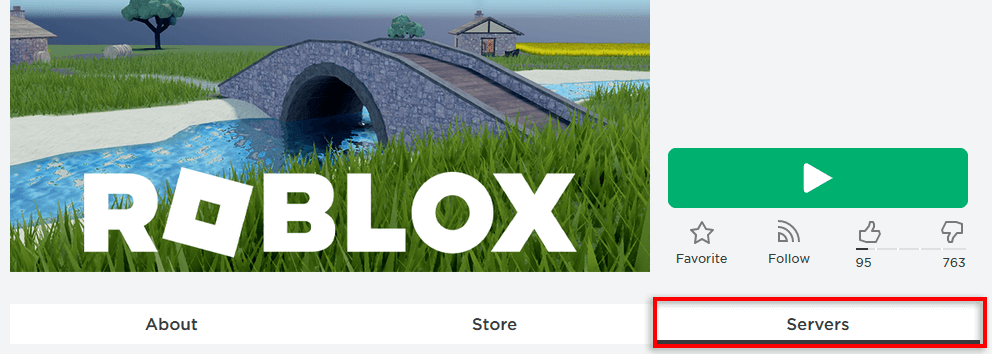
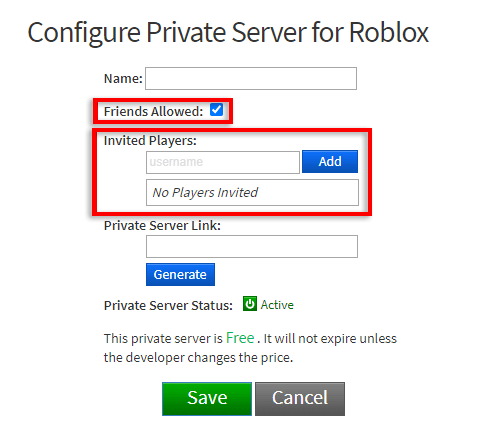
If you’re trying to join a friend’s new server, ask them to reconfigure their VIP server settings. All they need to do is go to their game page, select Servers. Then select Configure. Here, they should check the box next to Friends Allowed, then type your Roblox account name and select Add.
3. Check the Roblox Servers
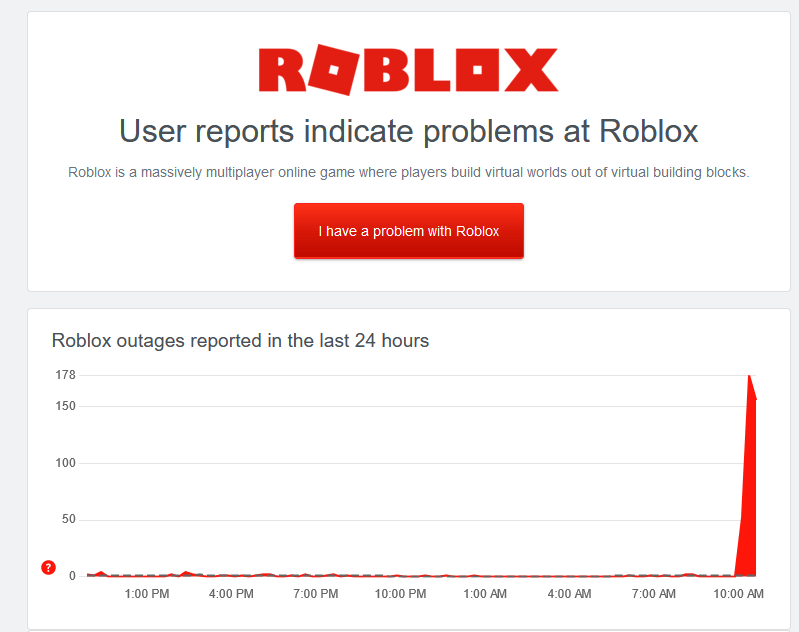
You might receive the Roblox 524 join error if the Roblox servers are down for server maintenance or having other problems. To check this, you can have a look at mentions on social media like Twitter or Facebook. If there’s nothing there, check the Roblox server status on a site like Down Detector.
4. Troubleshoot Your Network Connection
A poor internet connection can cause problems when connecting to the Roblox servers. You can check whether your internet is working as expected by loading a webpage. If it loads fine, your internet is working. Also, use a speed test site to ensure your download and upload speeds are what they should be. If there’s a problem, you’ll need to troubleshoot your network. Try resetting your router and disabling your Virtual Private Network (VPN) if you use one. If that doesn’t work, check out our in-depth guide on how to fix your internet connection again.
5. Change Privacy Settings
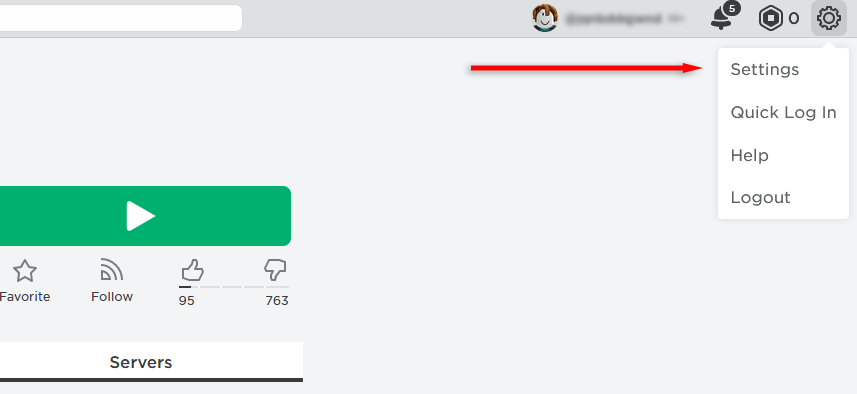
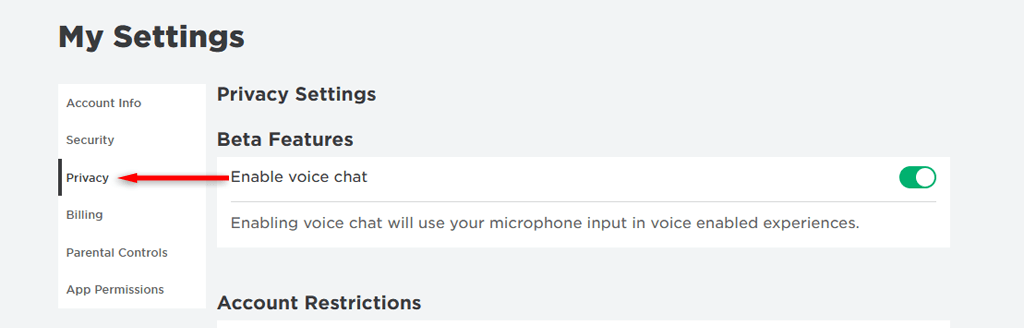
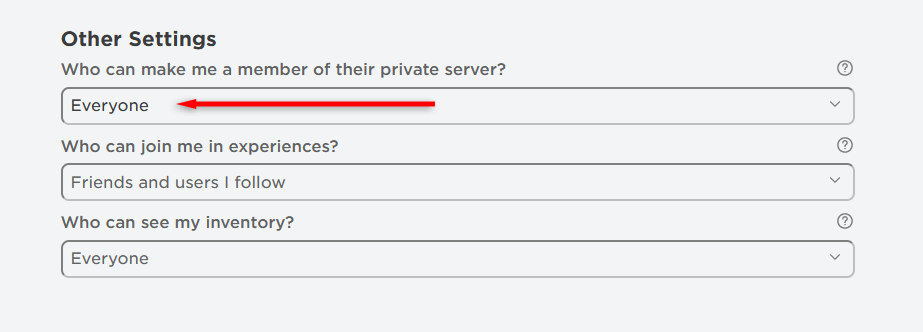
Your privacy invitation settings may be the cause of the error code 524. To change these:
6. Clear Browser Cookies and Cache
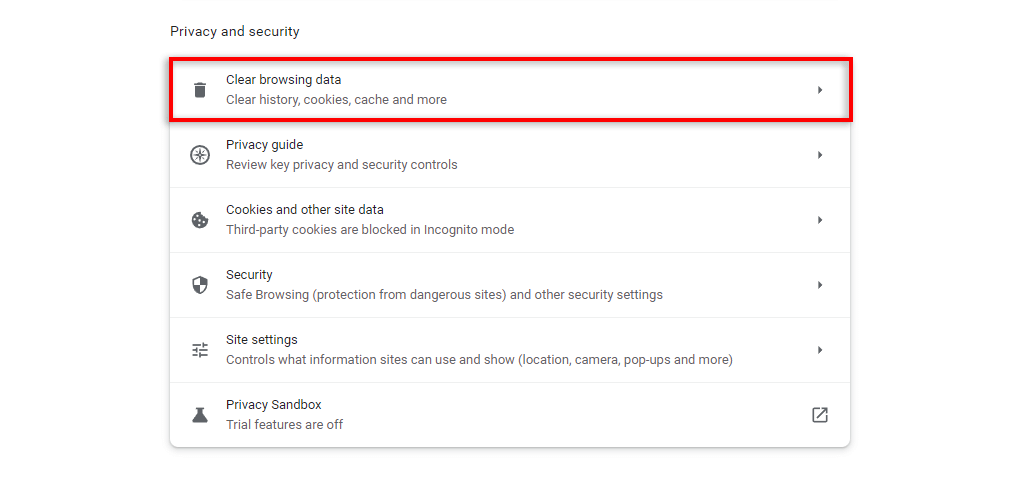
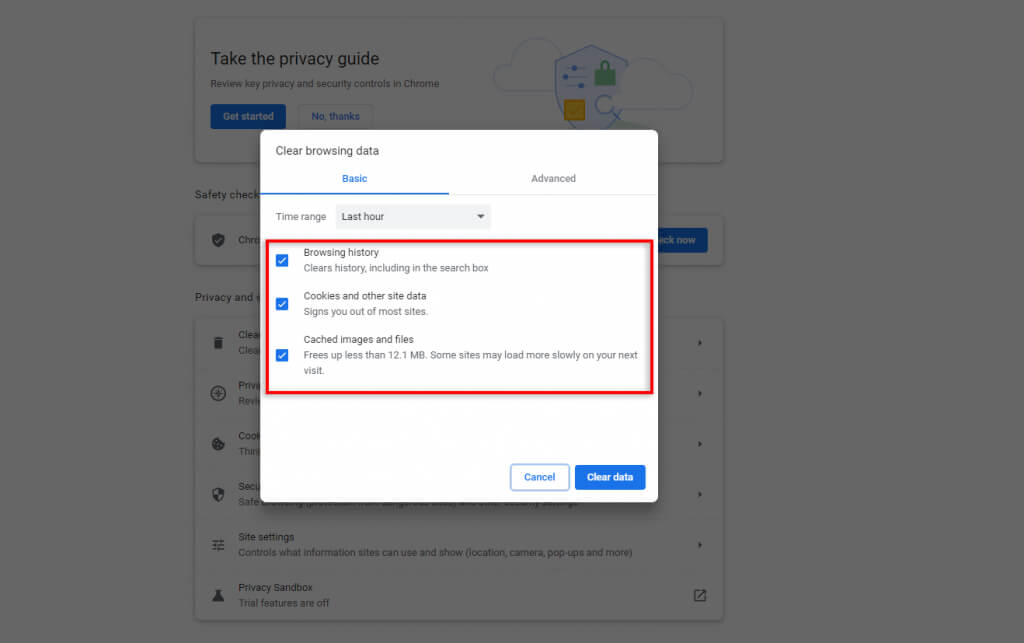
If you play Roblox via your web browser, your cookies or cache may have become corrupted, causing issues with the game. To fix this, you must clear both the cookies and cache. On Google Chrome: Note: Some Roblox gamers report that web browser ad blockers occasionally cause Roblox to glitch out. To check, disable ad blockers, then try to rejoin your Roblox game. If it works, then you know the ad blocker is at fault.
7. Reinstall Roblox
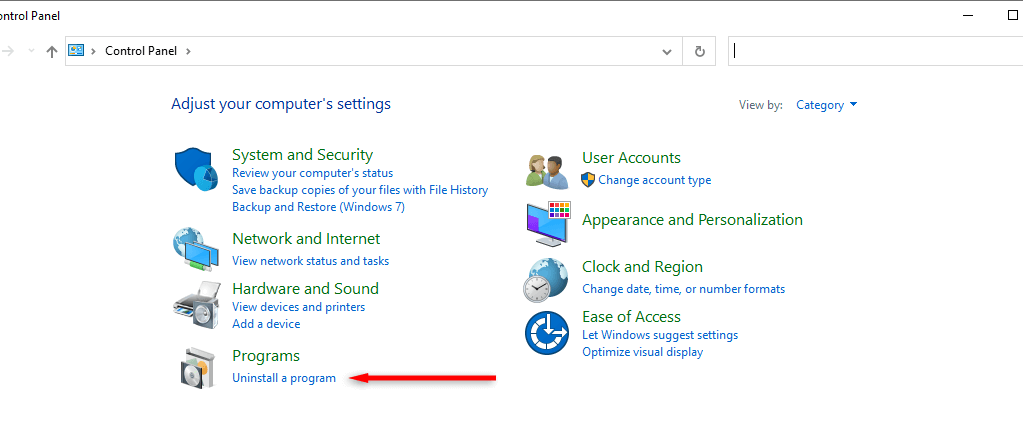
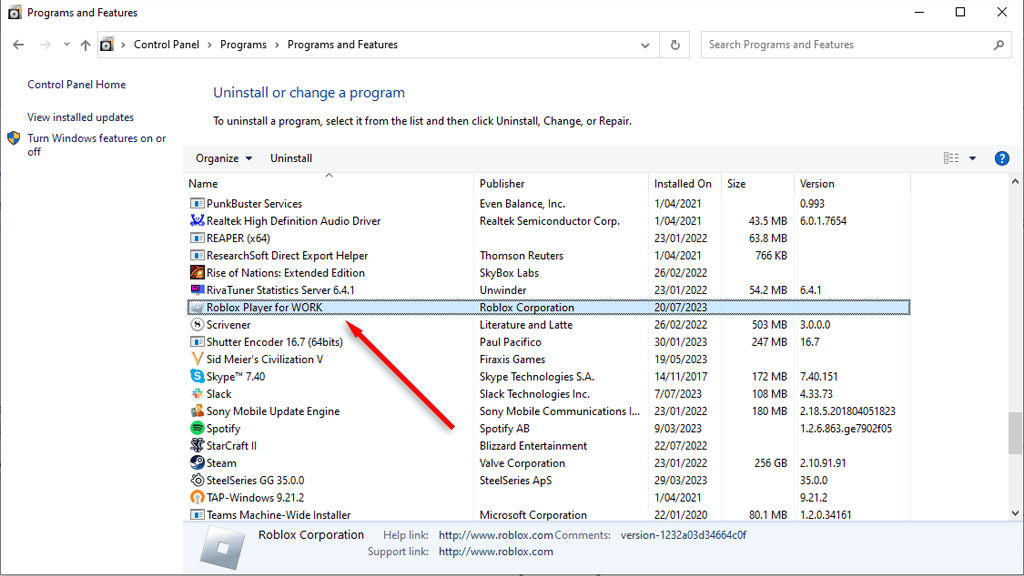
If nothing else has worked, it’s time to try reinstalling the Roblox app. How you do this will depend on the device you use to play Roblox. To uninstall Roblox on a Windows PC: On newer versions of Windows, you can press the Windows key + I to open Settings. From here, select Apps, then select Roblox and choose Uninstall. To uninstall Roblox on an Android or iOS device, press and hold the Roblox app icon. On Android, select Remove. On iPhone, tap Remove App, then tap Delete App. Once the app is uninstalled, you can re-download it from the Roblox website. If you’re using a mobile device, download it from the Google Play Store (on Android), or the App Store (for iOS devices).
Join Your Friends for More Fun
You can join games and return to playing Roblox with your friends. If you still have trouble playing Roblox, contact Roblox support via the Roblox website.