If you’re curious why Steam displays the above error, some causes are that your Steam client has a problem, your download cache is corrupted, your PC’s firewall has blocked Steam’s access to the internet, and more.
Check Steam Server Status
When Steam fails to log you into your account, check if the platform’s servers are facing an outage. Steam’s servers may be down, causing your client to be unable to load your account. This is a rare situation, but it does happen. You can verify if that’s the case by heading to the unofficial Steam Status or the Downdetector site. These sites will tell you if users have reported issues using Steam. If you find Steam is indeed experiencing problems, wait until the company fixes those issues and brings the service back up. In the meantime, you can play your other games and even use other gaming clients like Roblox.
Switch Between Offline and Online Modes in Steam
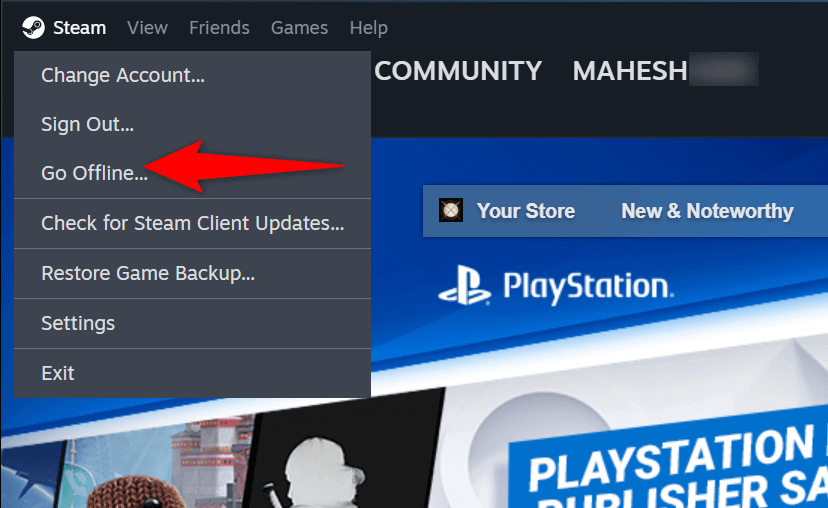
When you have trouble using Steam, you can try to resolve your issue by toggling between offline and online modes in your app. Doing so forces the app to connect to the internet, possibly resolving your login error.
Force Close and Relaunch Steam on Your Computer
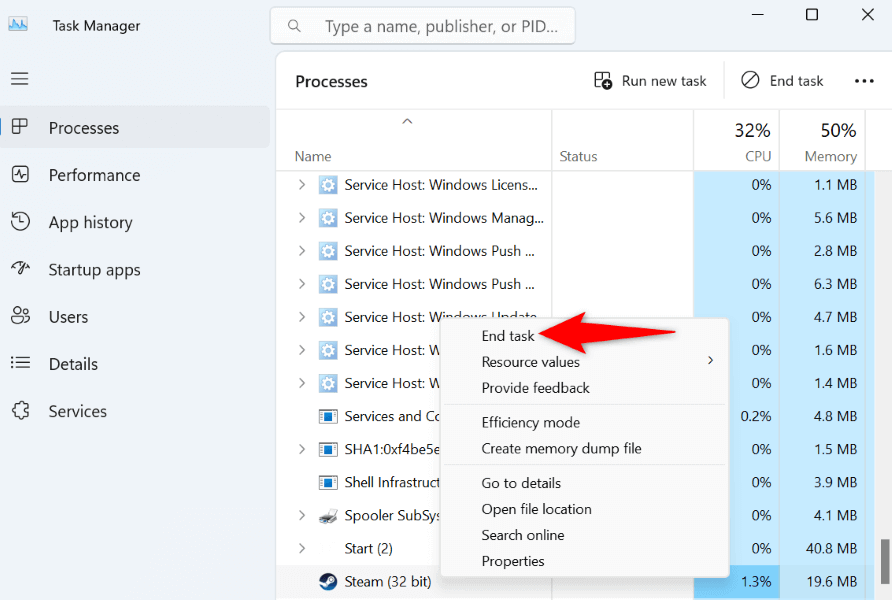
If switching between offline and online mode didn’t fix your Steam problem, force close and re-open your app to possibly resolve your issue. This method should work if Steam is experiencing minor app glitches.
Close Other Programs Running on Your Computer
Sometimes, Steam doesn’t work as intended because your other apps are interfering with it. You may have an app that’s interfering with Steam’s functionality, preventing the app from signing you into your account. In this case, close all other running apps on your computer and see if that makes Steam work. You can close an app in Windows by selecting X in the app’s top-right corner. Use Task Manager if an app refuses to close. That should eliminate any interference and allow Steam to work without problems.
Clear Your Steam Download Cache
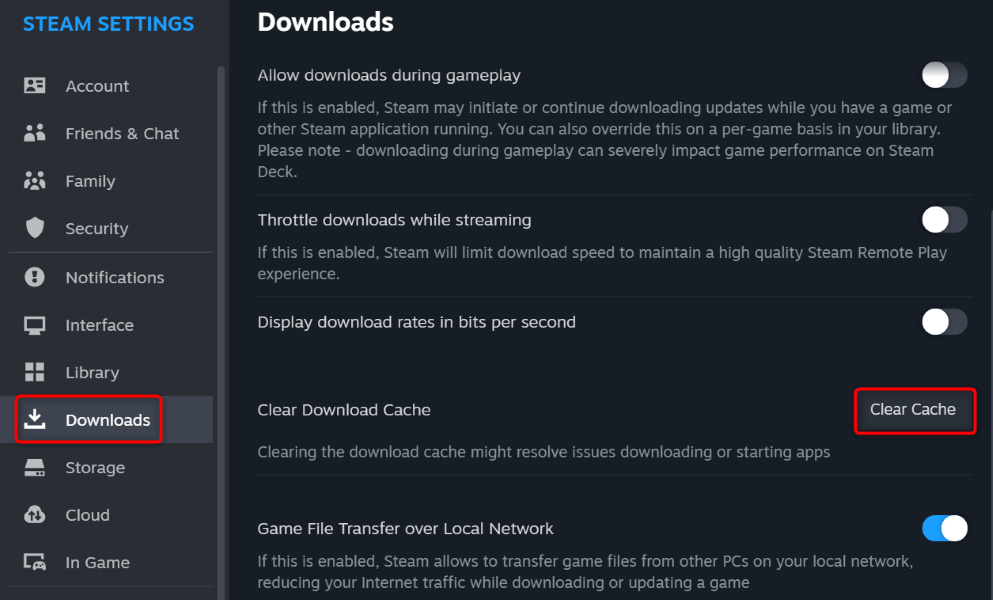
When you experience issues using Steam, one item you can clear to possibly resolve your issues is Steam’s download cache. The company recommends you clear this cache when you have problems using the app. You don’t lose your account data when you do this, and Steam will rebuild the cache as you use the app.
Update Your Steam App
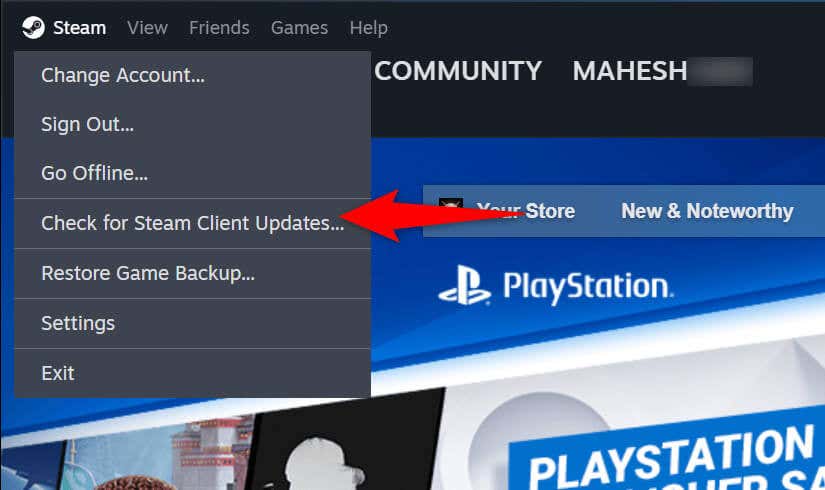
If you’re using an old version of Steam, your app may have bugs and other issues, causing your login problem. It’s common for old app versions to have issues, and you can fix those problems by updating your app. Updating Steam resolves many app bugs and possibly adds new features.
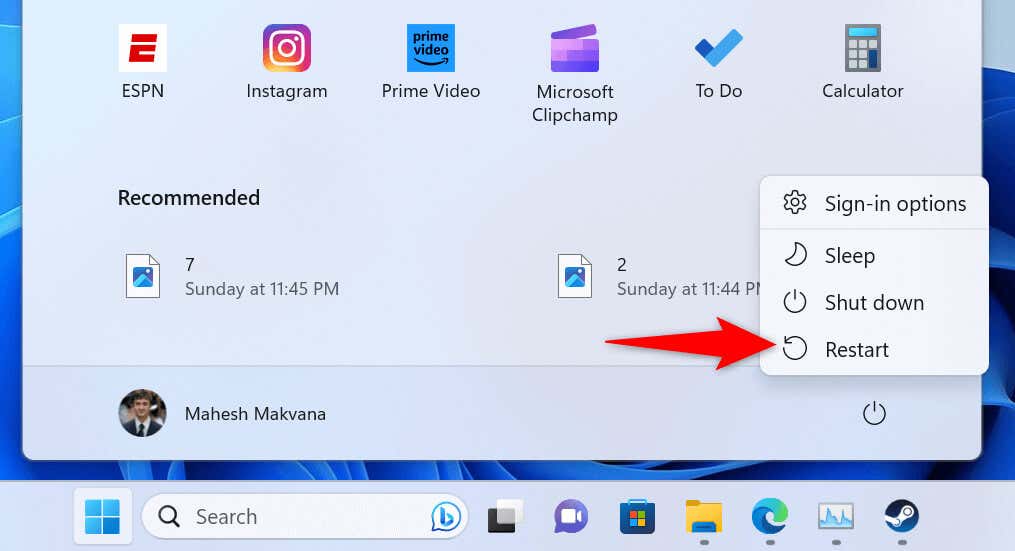
Restart Your Windows PC
If your Steam login error persists, give your computer a reboot to potentially resolve your problem. This is because your computer’s operating system may be experiencing an issue, which you can resolve by restarting the computer.
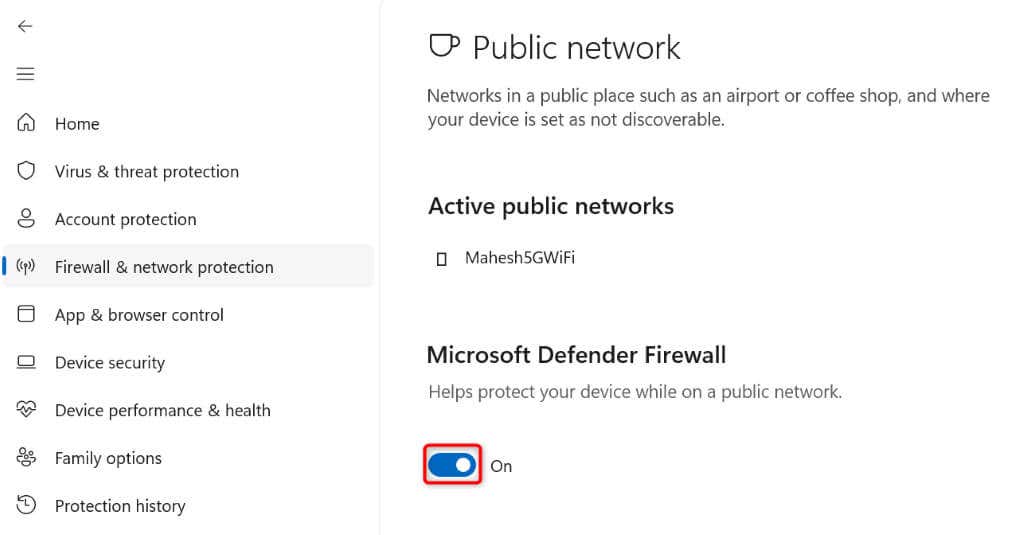
Turn Off Your Firewall to Fix Steam’s Login Problem
If Steam still can’t connect to its servers and fails to log you in, your computer’s firewall may have blocked Steam’s internet access. This happens when your firewall detects a suspicious connection, but that may be a false-positive report. In this case, temporarily turn off your firewall and see if that resolves your issue.
Reinstall Steam on Your Computer
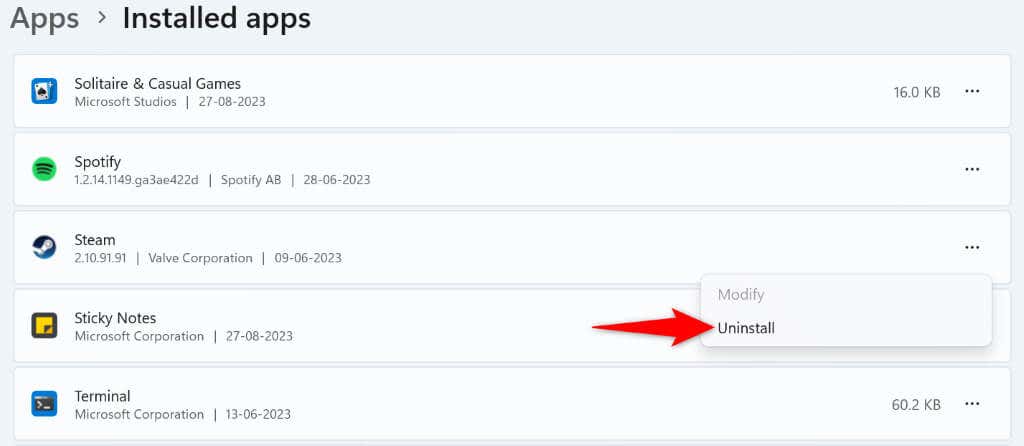
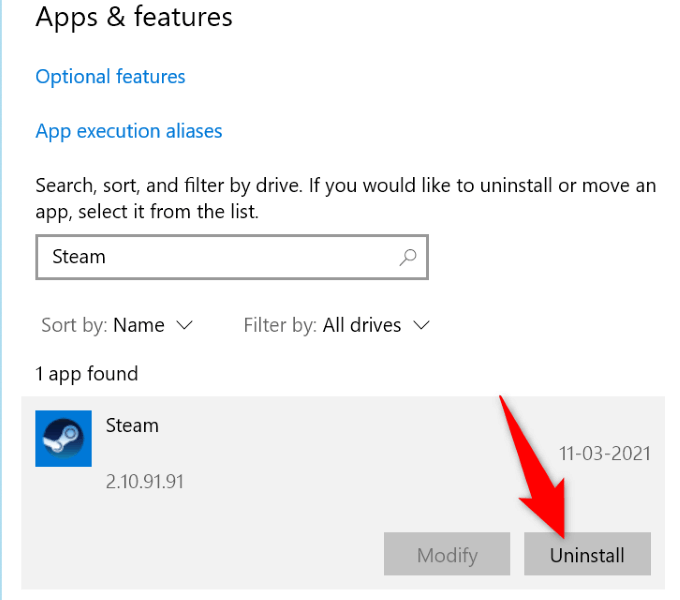
If nothing else works, your last resort is to delete and reinstall the Steam app on your computer. This fixes your app’s corrupted files, which may be causing your login error.
On Windows 11
On Windows 10
After removing the app, head to Steam’s website and download and install a fresh version of the app on your computer.
Troubleshooting Steam’s Verifying Login Information Error
Steam’s login error prevents you from signing in to your account and accessing your installed games. If your issue isn’t resolved after a few sign-in attempts, the methods outlined above will help you deal with the issue. Once you’ve made a few changes here and there on your system, Steam will start working just as it should, letting you access all your gaming content.