Some reasons your Roblox client doesn’t work well include an inactive internet connection, a corrupt DNS cache, Roblox not having the required permissions to function, and other Roblox app glitches.
Check if Your Internet Connection Is Working
When Roblox stops working and displays a 268 error code, ensure your internet connection is working. Your connection may have stopped working, breaking Roblox’s connection to the platform’s servers. You can check your connection by opening a web browser and launching a site. Your site won’t load if your connection has issues. In this case, disconnect and reconnect your PC to your Wi-Fi network, restart your router, resolve your network adapter problems, or contact your internet service provider (ISP) for help.
Check if Roblox Servers Are Down
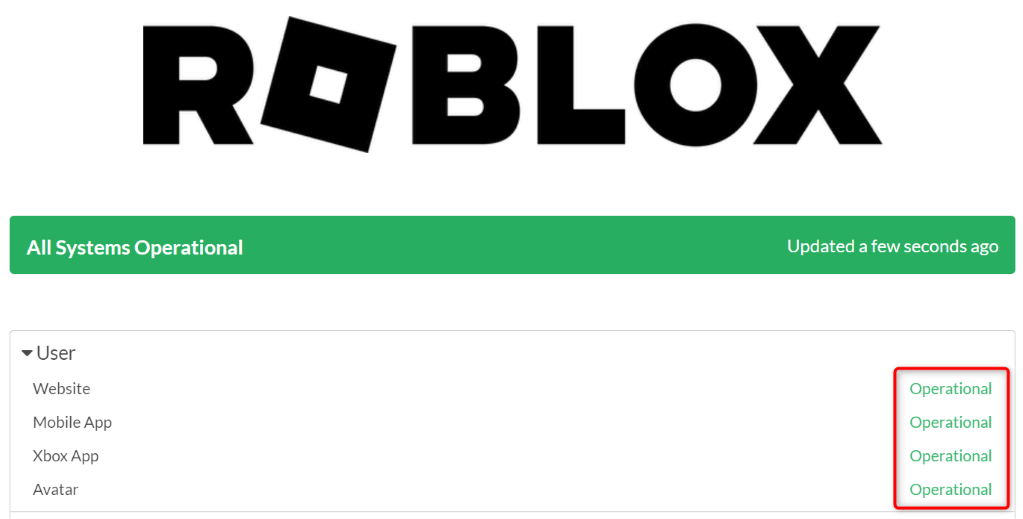
Your internet connection alone being active isn’t enough for Roblox to work. The platform’s servers must not be experiencing issues, or you’ll have trouble using the app on your computer. This is because your app connects to its servers to fetch various information, which fails when the platform’s servers are down. You can check Roblox’s server status using the Roblox Status or the Downdetector site. If these sites say the platform is down, wait until the company brings the service back up. Note that you can only access your Roblox content when the servers are back up and running.
Clear Your Computer’s DNS Cache
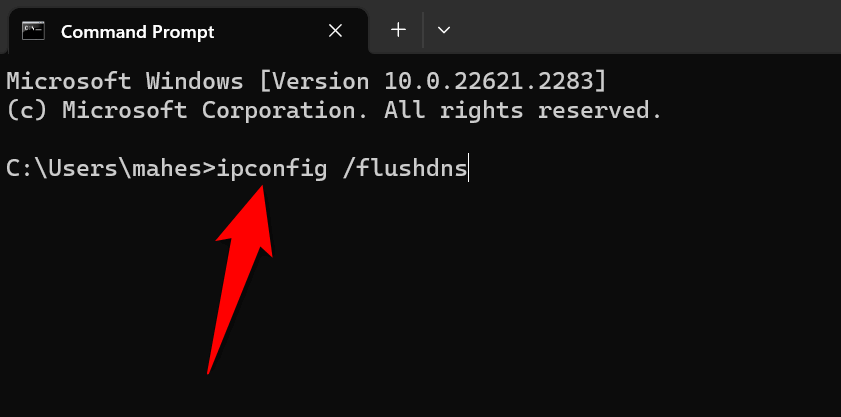
Your computer caches your DNS queries to help your apps translate domain names to IP addresses quickly. This process fails if your DNS cache is corrupted, which may be the case with your computer. Clear your computer’s DNS cache and resolve the issue.
Check if Roblox Has Banned Your Account
If you still can’t use Roblox and continue to get an error 268, Roblox may have suspended your account. This usually happens when you go against the company’s terms of use. You can check that by accessing the Roblox website and logging in to your account. You’ll see a suspended message after logging in if your account is suspended. In this case, you can contact Roblox’s support team to seek a solution.
Stop Using Roblox Cheat Software on Your Computer
If you’re using a cheat tool for Roblox on your computer, you may get an error 268 in the app. Using such tools is against Roblox’s terms of use, and these tools may have caused Roblox to display the above error. You can fix that by turning off and removing all such tools on your computer. Make sure to give your computer a reboot when you’ve deleted your cheating tools.
Run Roblox With Admin Privileges
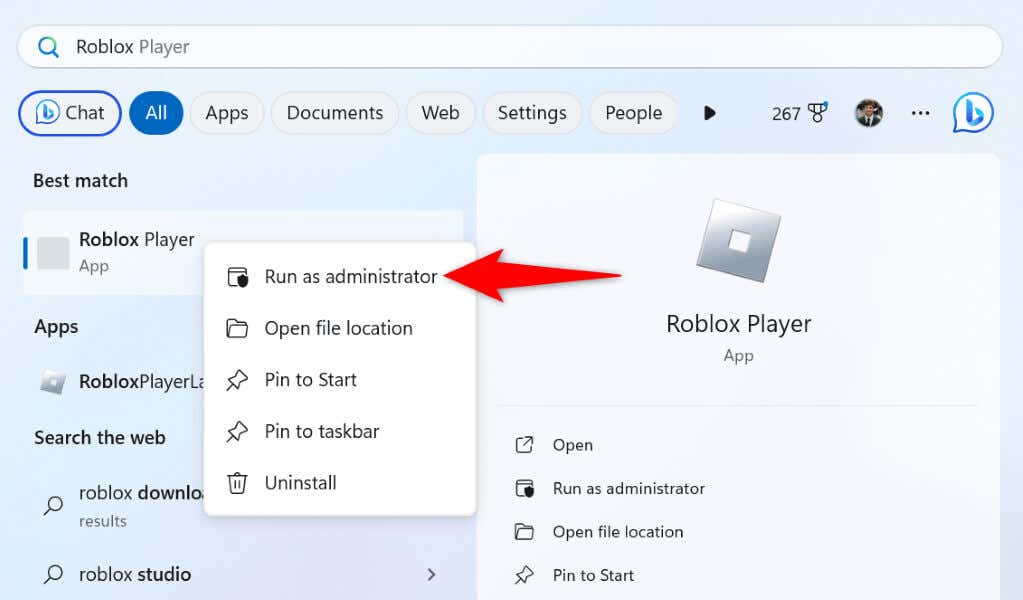
Roblox can fail to work when the app doesn’t have the required permissions to function.
You can fix that by running Roblox as an admin on your Windows PC.
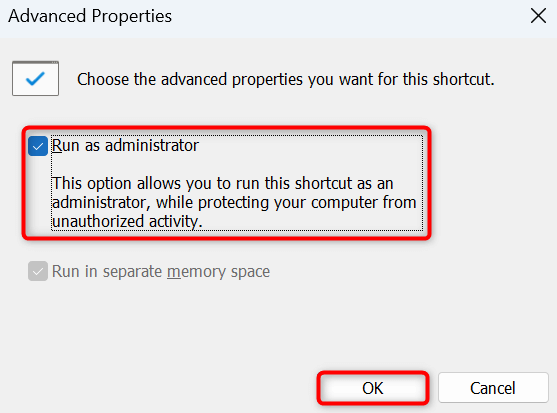
If your app works as expected in admin mode, make Windows always launch your app with admin rights using these steps:
Fix Roblox Error Code 268 by Clearing the App’s Cache Files
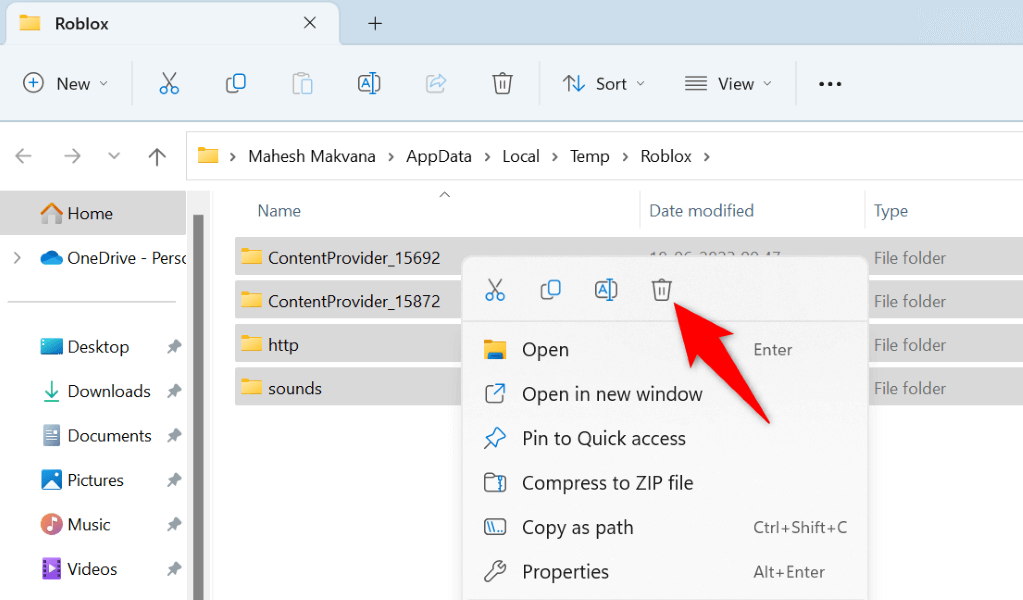
Like many other apps, Roblox caches various files to speed up your experience in the app. When you encounter an issue in the app, your cached files may be corrupted. Such corruption often causes many problems in the app, and yours may be one of those issues. Luckily, you can fix that by removing your Roblox cache files. This doesn’t affect your installed games in the app.
Temporary Disable Your Antivirus Software
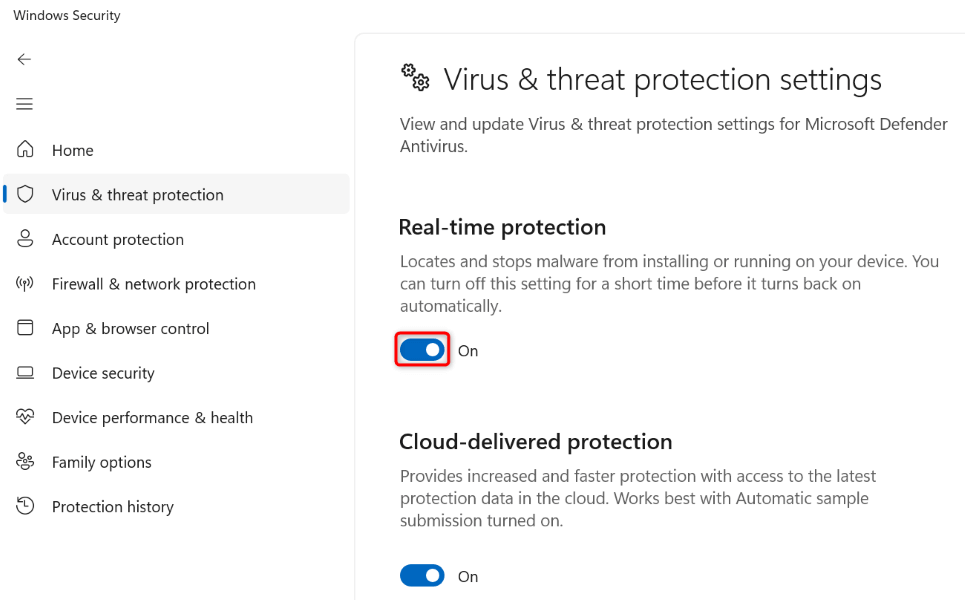
If you still get an error 268 in your Roblox app, your computer’s antivirus program can block the app. If you’ve downloaded Roblox from the company’s official site, you can temporarily turn off your antivirus protection and see if that resolves your issue:
Remove and Reinstall Roblox on Your Computer
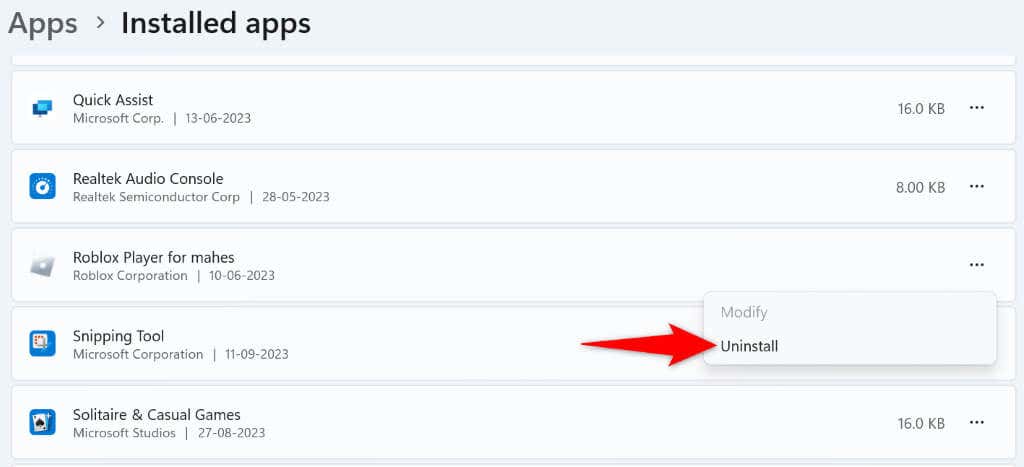
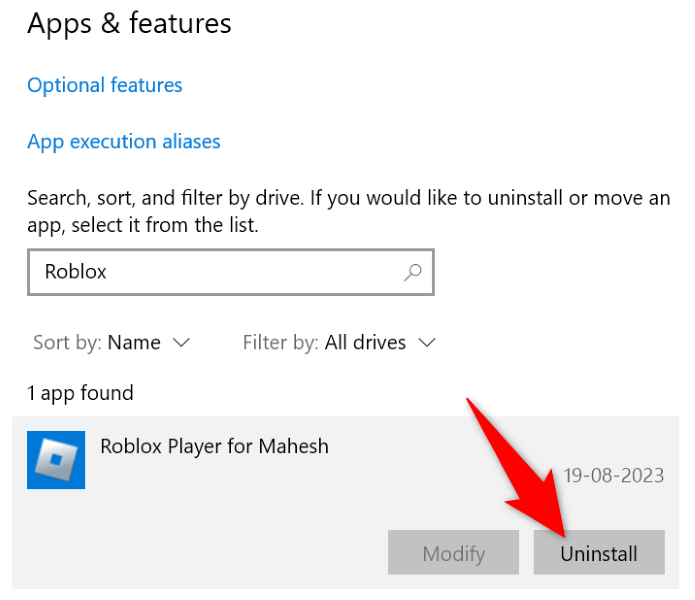
If nothing else works, your last resort is to uninstall and reinstall the Roblox app on your computer to resolve any core-level issues. Note that you’ll lose your local games when you remove Roblox from your computer.
On Windows 11
On Windows 10
Reboot your PC after removing Roblox, head to the official website, download the app, and install the app on your computer.
Troubleshooting a Roblox Error Code 268 on Your Computer
If Roblox suddenly closes your gaming session with an error code 268, something’s off either with the app or your computer. Fortunately, you can use the methods described above to find and fix your app and your computer’s faulty items, resolving your error 268. Your Roblox app will then work as expected, allowing you to play all your favorite games in the app.