Setting up a mobile hotspot is simple. However, one common problem many people encounter is forgetting their mobile hotspot’s password. This could become a nightmare if you need to share the password with someone quickly but can’t find it on your phone. After all, what can be more annoying than not knowing the WiFi password?
This quick guide will show you how to check your hotspot password on iPhone and Android devices.
How to Find Your Mobile Hotspot Password on Android
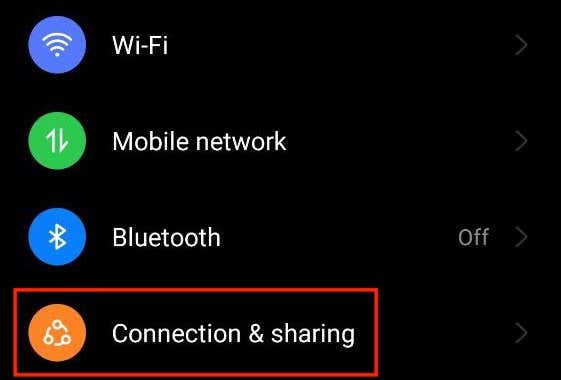
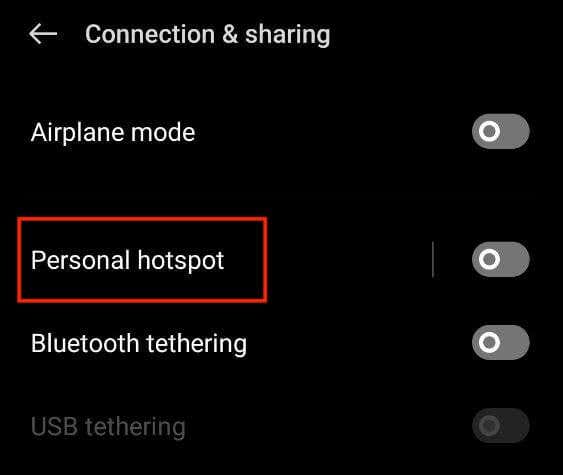
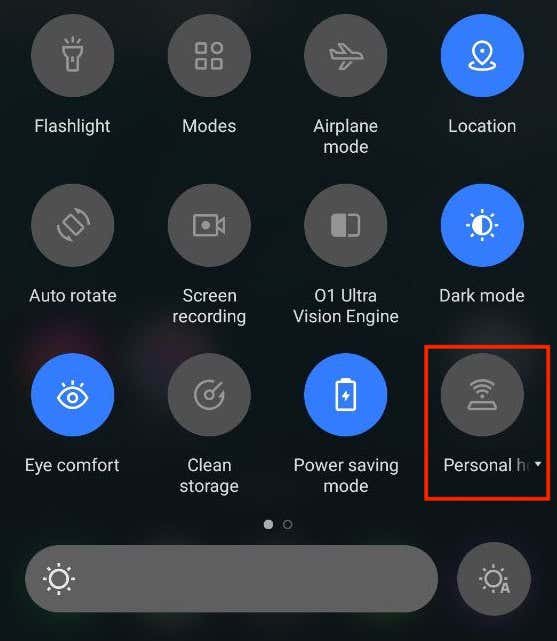
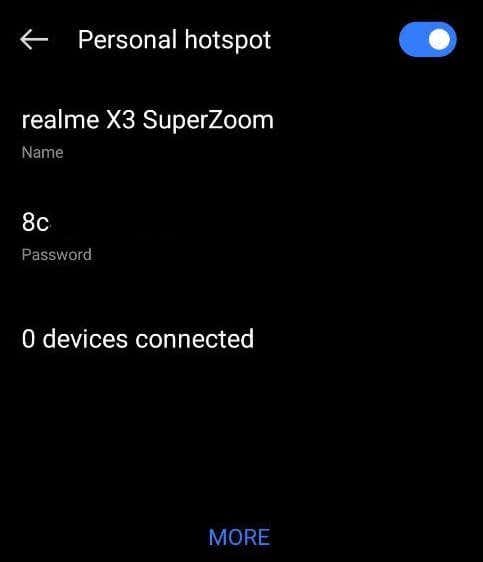
So you’ve set a Wi-Fi hotspot on your Android phone but can’t remember the password. You can use two methods to check this password — through your phone’s hotspot settings and from the personal hotspot menu.
View Your Mobile Hotspot Password in the Hotspot Settings
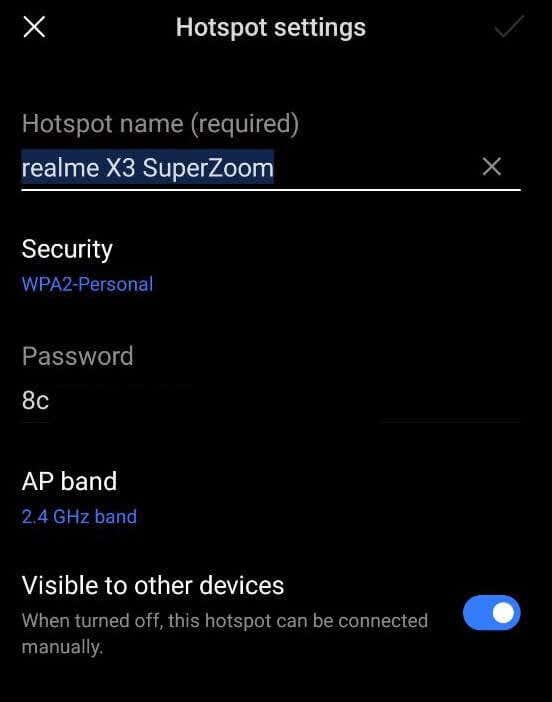
The hotspot settings on your smartphone allow you to view the hotspot name, security protocol, password, AP band, and the number of connected devices.
To check your portable hotspot password, follow the steps below. The instructions may differ depending on your phone model (like if you’re using a Samsung Galaxy phone) and Android version.
Use the Personal Hotspot Menu to View Your Mobile Hotspot Password
Another way to check your hotspot password is to find it in the personal hotspot menu. Here’s how to do that.
How to Find Your Mobile Hotspot on iPhone
If you want to configure the personal hotspot settings on your iPhone or create a new password for it, you can do it one of two ways: directly through the hotspot settings or from the Control Center.
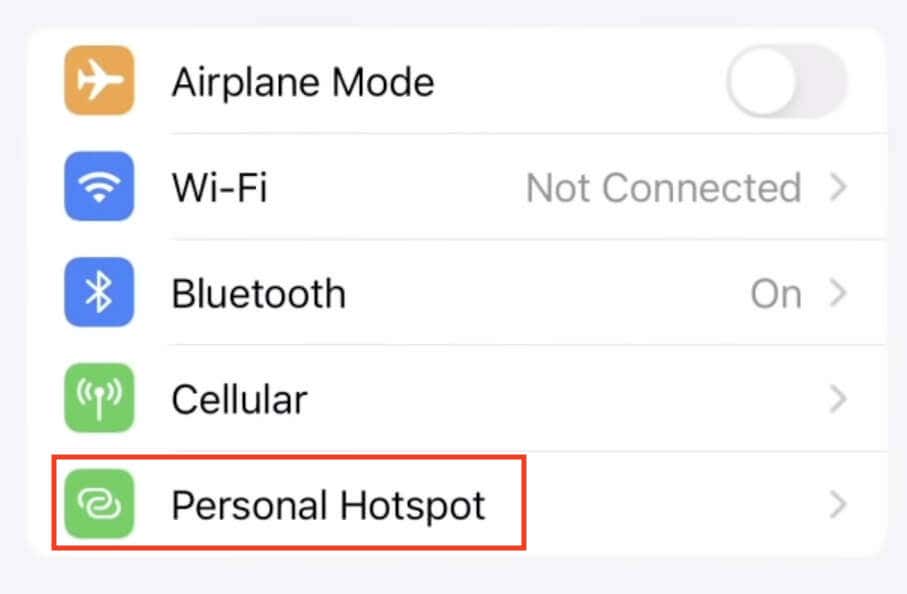
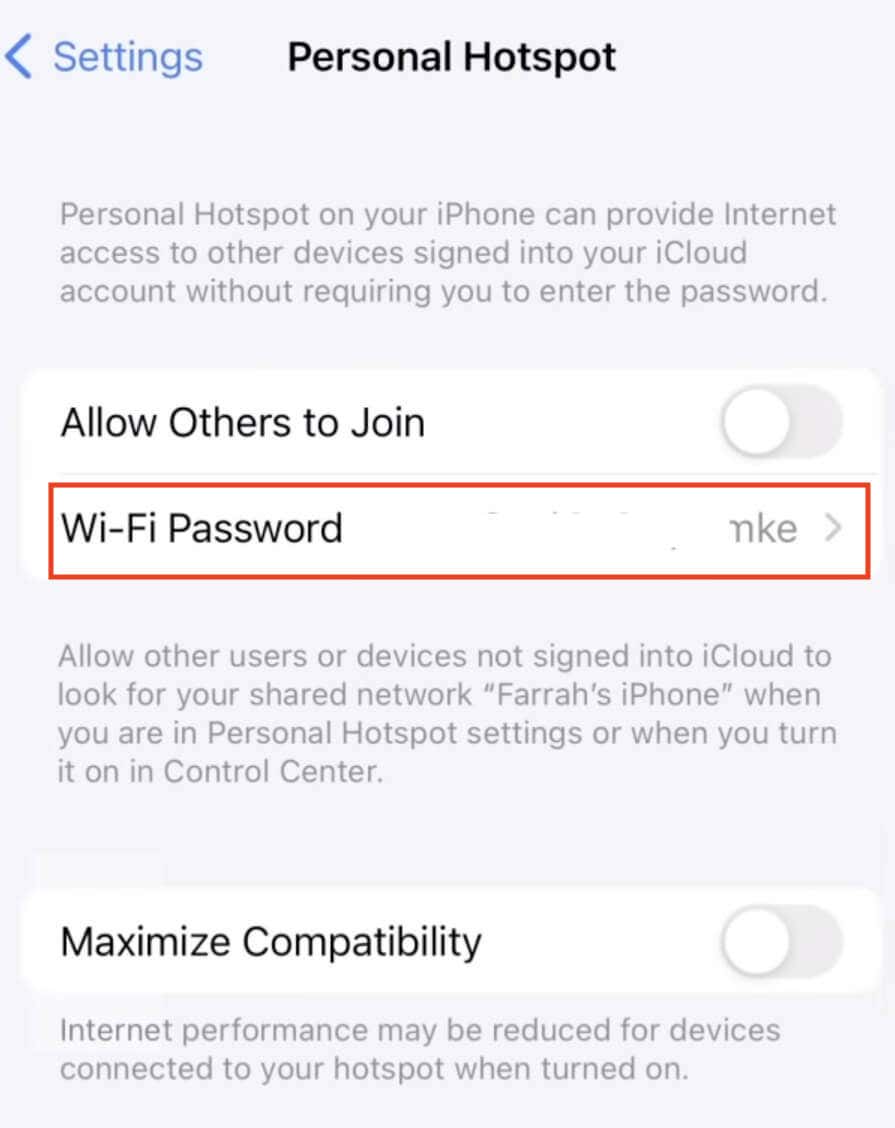
View Your Mobile Hotspot Password Though the Hotspot Settings
Here’s how to check your hotspot password on Apple devices.
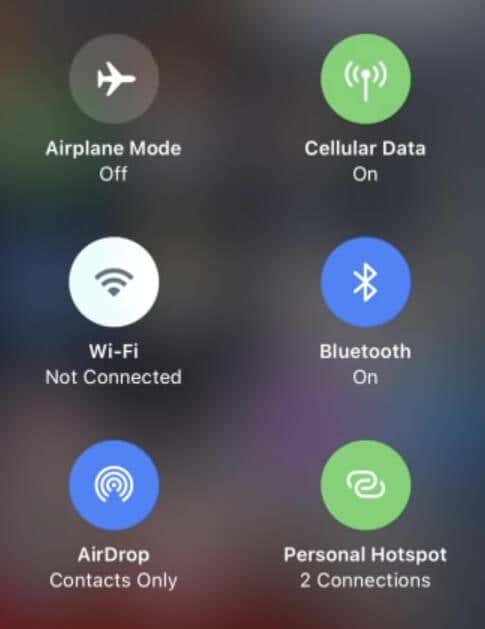
View and Change Hotspot Password from Control Center
There’s an even quicker way to view a hotspot password on your iPhone and change it if you like. Here’s how to do it through your phone’s control center.
Use Your Phone as a Hotspot
Learning how to find and handle your mobile hotspot password on Android and iPhone devices is important to keep your data sharing safe and in control.
When you understand how your Wi-Fi hotspot functions, you can ensure your mobile data is secure and that no one uses up your data plans without you knowing.