Whether you’re a serial tab opener who loses track or someone who just wants a cleaner browsing experience, knowing how to close browser tabs on Android can be a game changer.
This tutorial will help you cut down your list of open tabs in Google Chrome and other browsers like Mozilla Firefox, Microsoft Edge, and Opera.
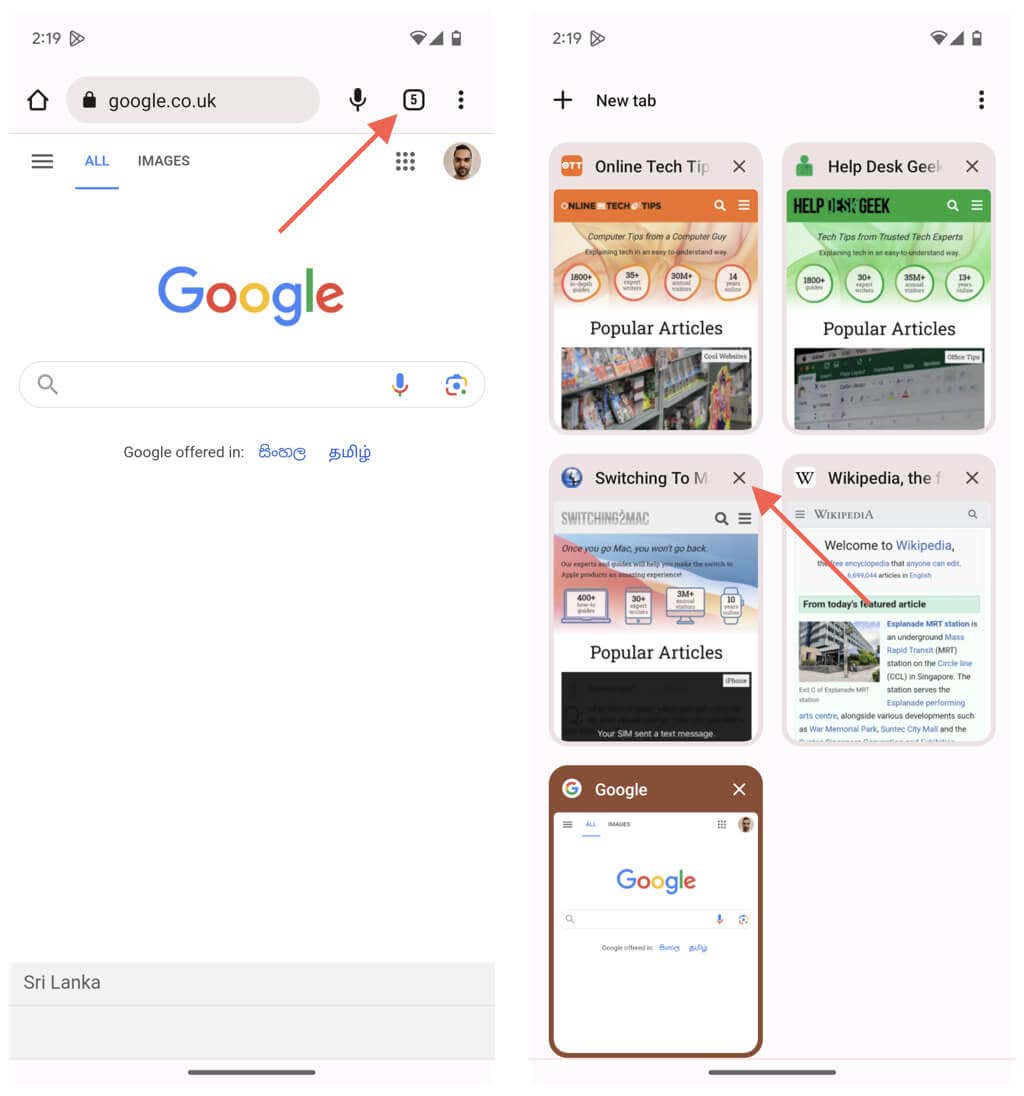
Close Browser Tabs via the Tab Switcher
Every Android-based browser lets you delete browser tabs through its tab-switching interface. Just: Another—and faster—way to close tabs involves swiping the preview cards within the tab switcher to the left. Opera is an exception, where you must swipe them up.
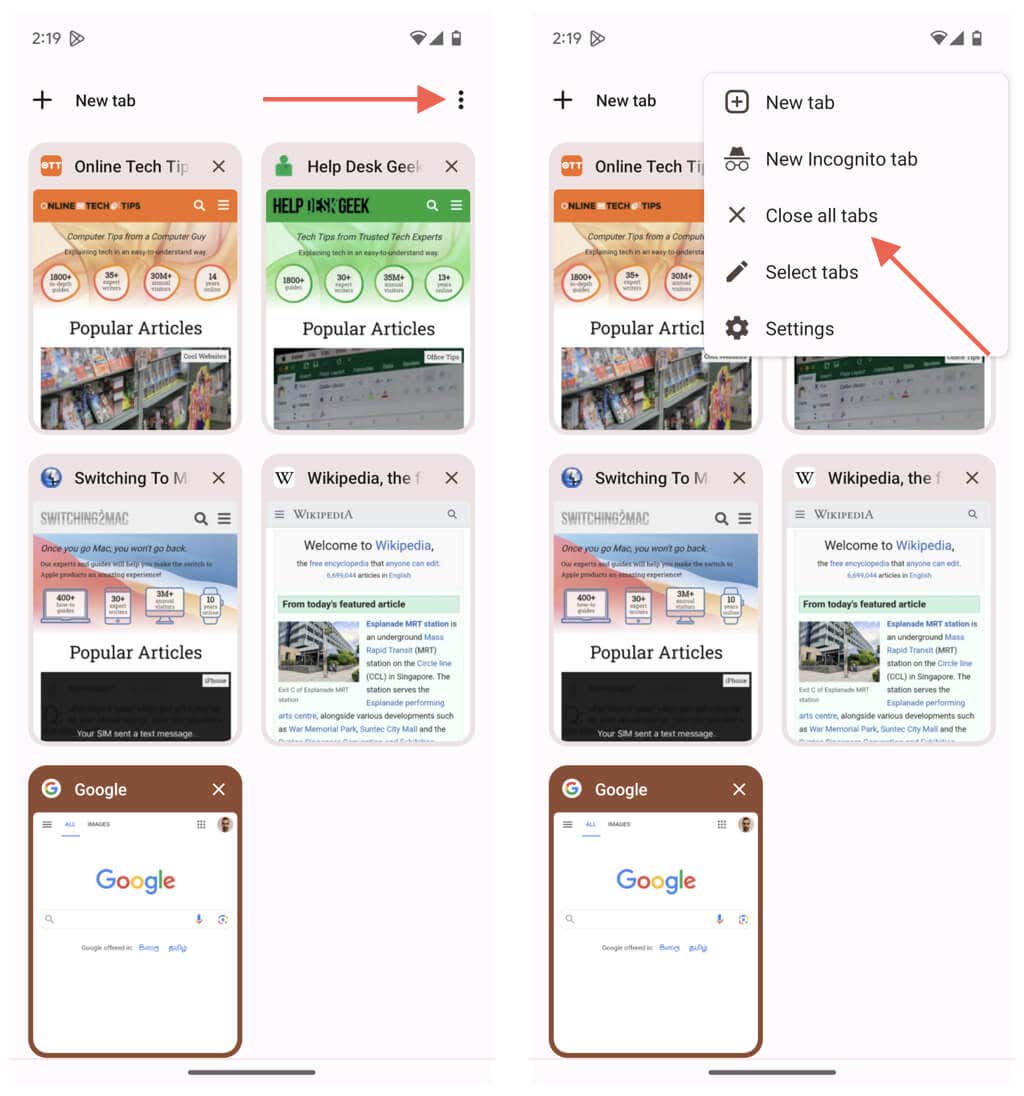
Delete All Browser Tabs at Once
If you have dozens of browser tabs and want to start over, you can trash all of them at once. Just: If you use Microsoft Edge, you should find an option to close all tabs on the tab switcher’s bottom left corner.
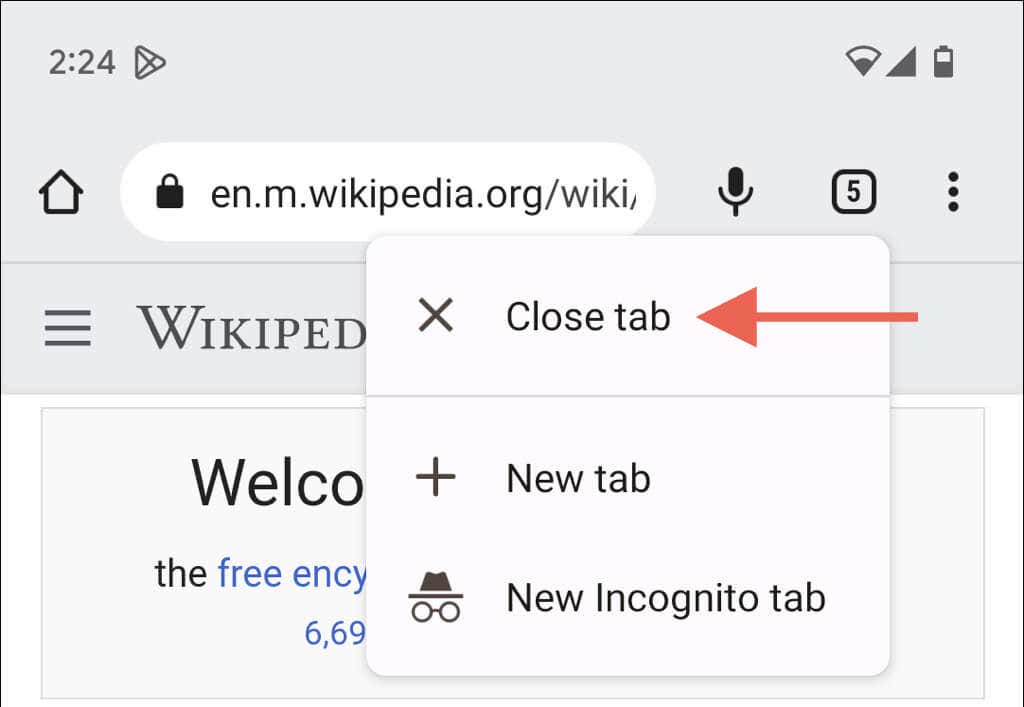
Shut Down the Current Browser Tab
You do not have to visit the tab switcher on your browser to close the tab you’re currently on. Instead, there’s a hidden gesture you can use. Just: This method does not work on some browsers. For example, long-pressing the tab indicator in the Samsung Internet Browser opens up a new tab. In that case, use the tab switcher to close the tab.
Close Tabs in Chrome’s Tab Groups
Google Chrome supports tab groups, and closing individual tabs within them is even more convenient. Just: Alternatively, you can head over to Chrome’s tab switcher, tap a group, and select the X button next to a tab preview to close it. Tap X next to the group within the main tab switching area to close everything inside quickly.
Tabs Closed
Web browsing on an Android phone becomes a vastly improved experience when you know how to manage those ever-multiplying tabs. The instructions above also work when browsing anonymously in your browser—e.g., while using Incognito Mode in Chrome.