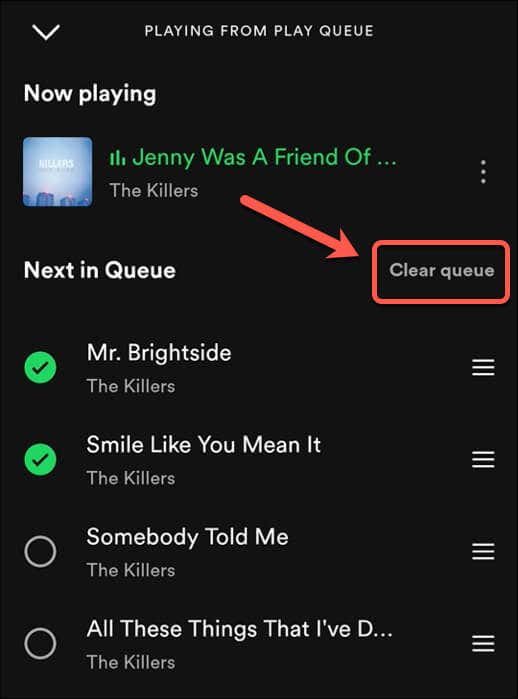
That’s why you should manage your Spotify queue. Your Spotify queue is a list of songs and podcasts scheduled to play next. You can add items to your queue but, more importantly, you can clear your Spotify queue to help you start over with a fresh list of items to play. If you want to know how to clear your Spotify queue, follow the steps below.
How to Clear Your Spotify Queue on a PC or Mac
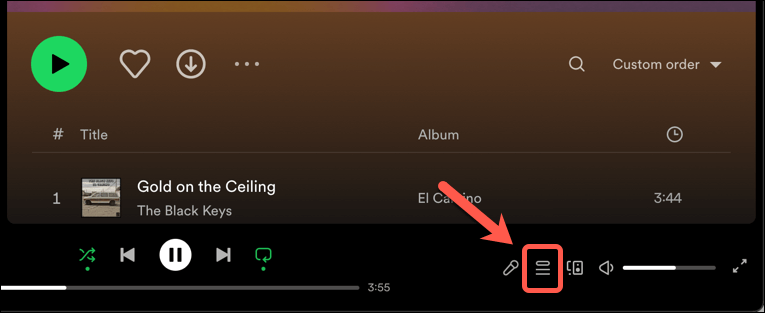
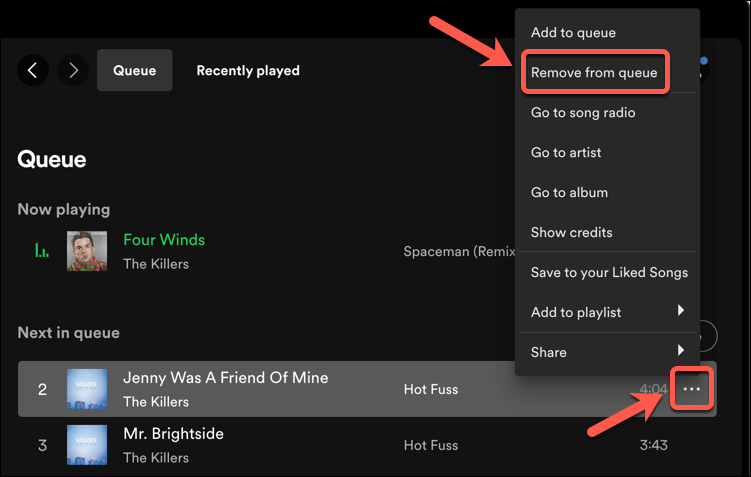
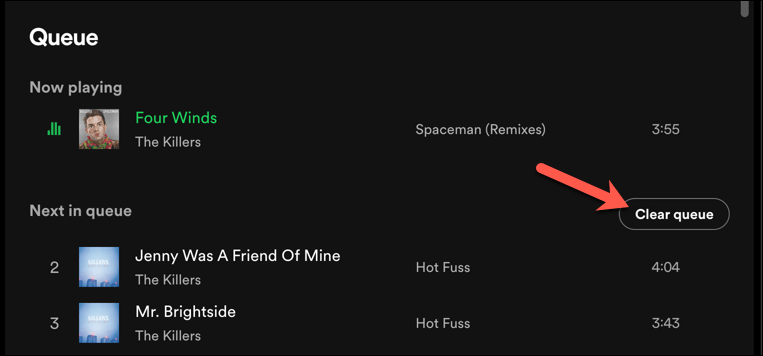
You can easily clear all of the scheduled songs or podcasts in your Spotify queue using the desktop app or web player. The steps are the same for both Spotify clients, so to clear your Spotify queue on a PC or Mac, follow these steps. Once you’ve cleared your entire Spotify queue, you can’t turn back—you’ll need to re-add the items or add new ones. This won’t affect any playlists you’ve previously created, so you can always open up your playlist and start playing it to restore those items to your queue instead.
How to Clear Your Spotify Queue on Android
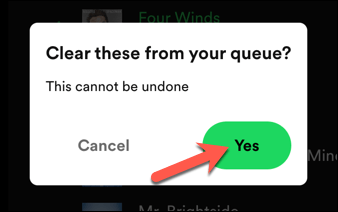
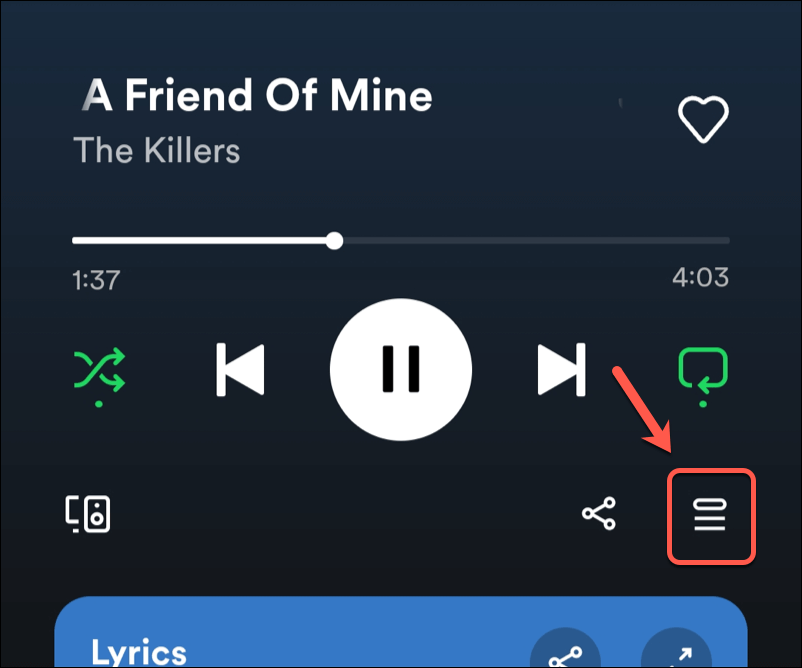
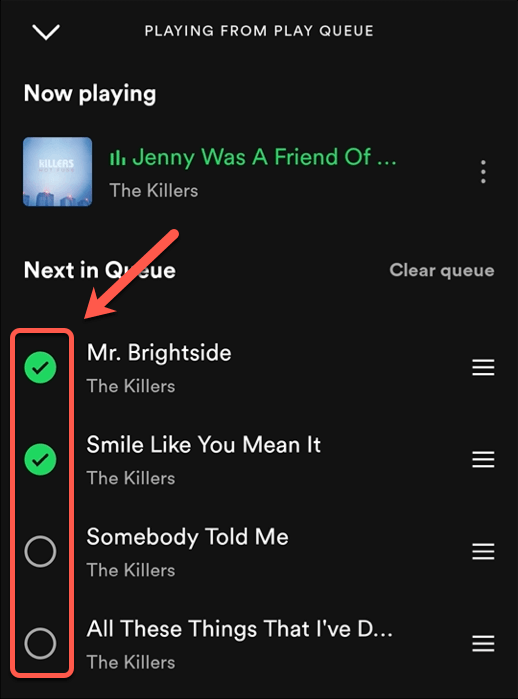
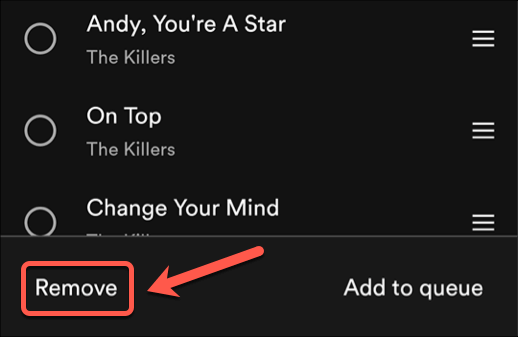
You can also clear your Spotify queue if you prefer to use the mobile app on Android, iPhone, or iPad devices. The interface is very similar on all platforms, and the steps to clear your queue are identical. Like the Spotify desktop and web apps, you can remove individual items from your queue, or clear the entire Spotify queue in one go. To clear your Spotify queue on Android, iPhone, or iPad, follow these steps. As with PC and Mac users, removing items from your Spotify queue isn’t reversible. You’ll need to start playing content on Spotify again to restore items to your queue.
Managing Your Spotify Queue
Clearing your Spotify queue is a simple way to change what you’re listening to—just clear the items and start playing new ones. It isn’t a permanent change, as Spotify is designed to allow you to switch between the things you want to listen to when you want to listen to them. Want to have some fun with Spotify? You can switch to Spotify karaoke mode to sing along with your friends. If you’re worried about the cost, you could think about Spotify Duo, a subscription for two people to help make it more affordable (or switch to Spotify’s free plan instead).