For PDFs, you can get the word count using your PDF editing software, depending on which one you’re using. If it’s not built in, you’ll need to convert the PDF to a Word doc or use an online service.
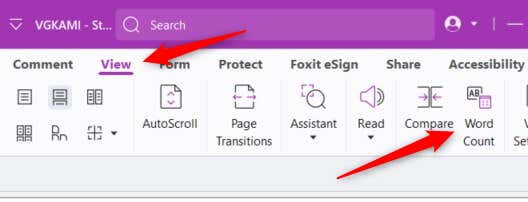
Use Foxit PDF Editor
Foxit PDF Editor is one of the few PDF editing tools that can provide the word count of a PDF directly within the app and with little effort. The Word Count window will appear, giving you certain statistics about the PDF. Not only will you see the word count, but you’ll also get the number of characters, pages, and more.
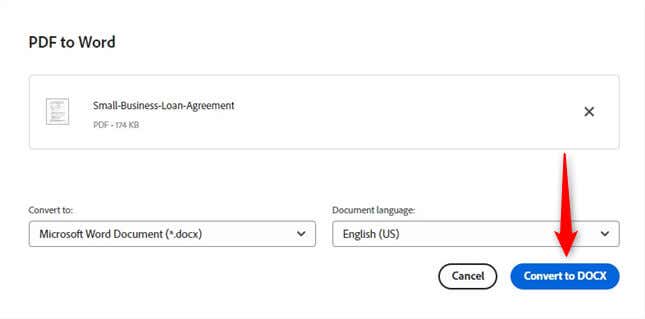
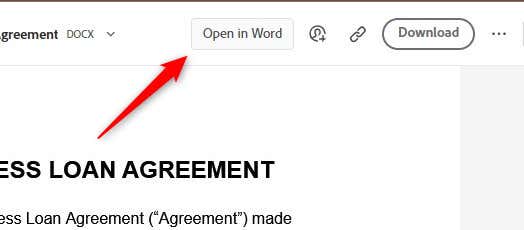
Using Adobe Acrobat Reader? Convert to Word
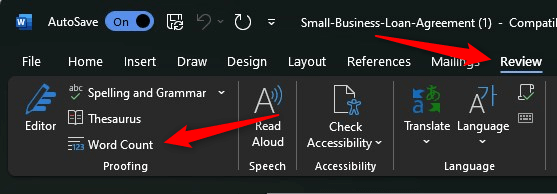
Adobe Acrobat Reader is one of the most popular and widely used PDF editing tools. Even still, it doesn’t provide a way to get the word count of a PDF within the app. Instead, you’ll need to convert the PDF file to a Word doc, which Adobe can help you with. The Word Count window will appear, showing the document’s word count and other statical information.
Use an Online Word Count Tool
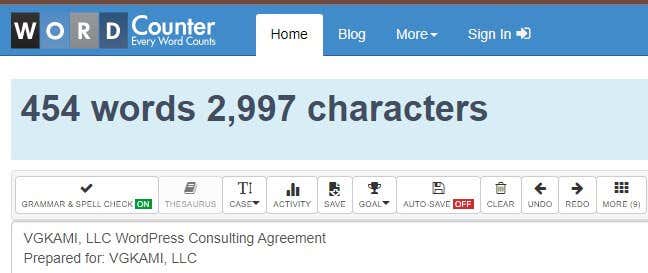
If your PDF software allows you to copy the text in the PDF, you can use an online word count tool like WordCounter to quickly get the word count (and the character count, too). Copy the text, paste it into the editor, and voilà. Don’t forget that this is an online service, though. Online tools are convenient and mostly free, but don’t forget to give privacy an additional thought before you plugin potentially sensitive information into the word counter tool. Ensure you’re using a reputable site that guarantees the confidentiality of your content.
Words to the Wise
There are a few different ways you can get the word count of a PDF document, each with its own set of advantages. Foxit PDF Editor stands out, though, by providing an in-app word count feature. Hopefully, one day Adobe will bring this feature to the table.