In this article, we’ll explain how to cancel your WSJ subscription without a hassle.
How to Cancel a WSJ Subscription
It’s a shame that censorship-free news sources are often locked behind paywalls. Luckily, there are two ways to cancel a WSJ subscription — via your WSJ account, or by calling the WSJ customer service department.
How to Cancel Your WSJ Subscription Online
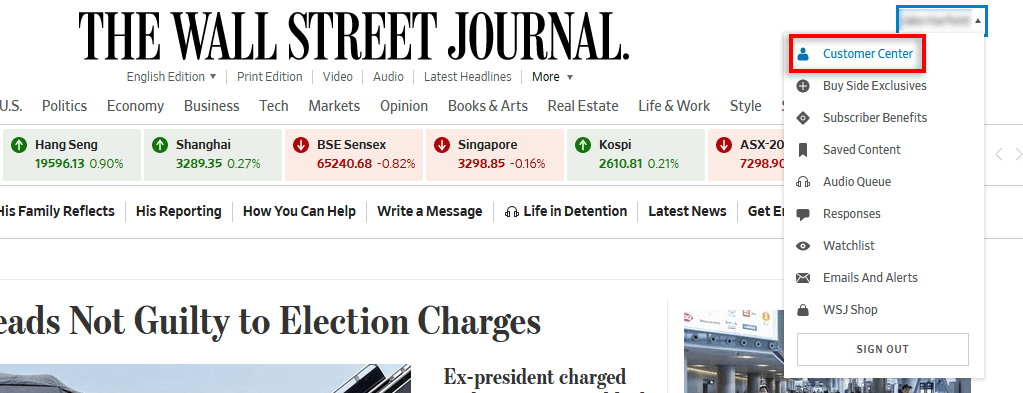
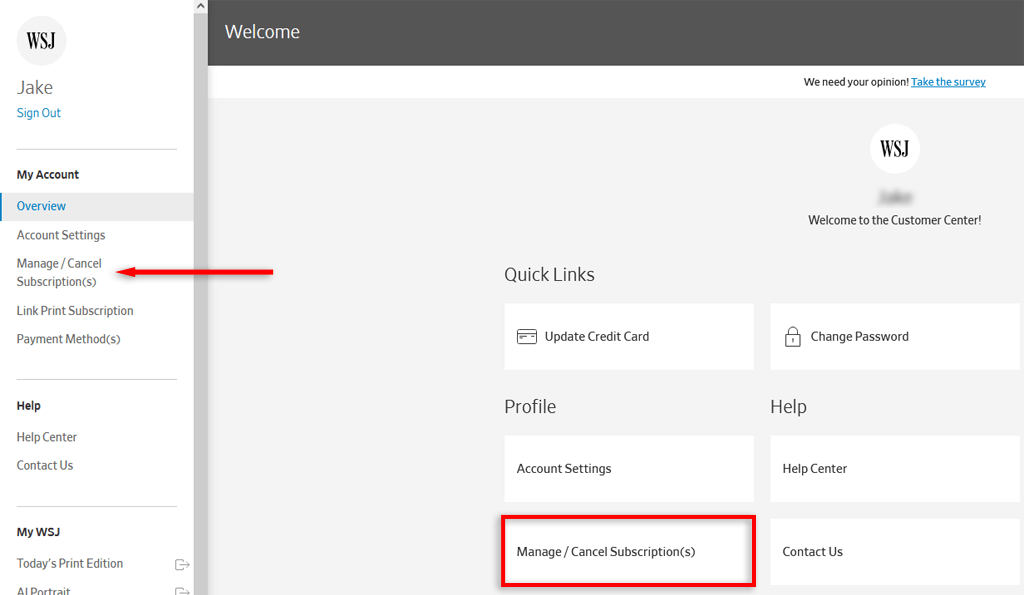
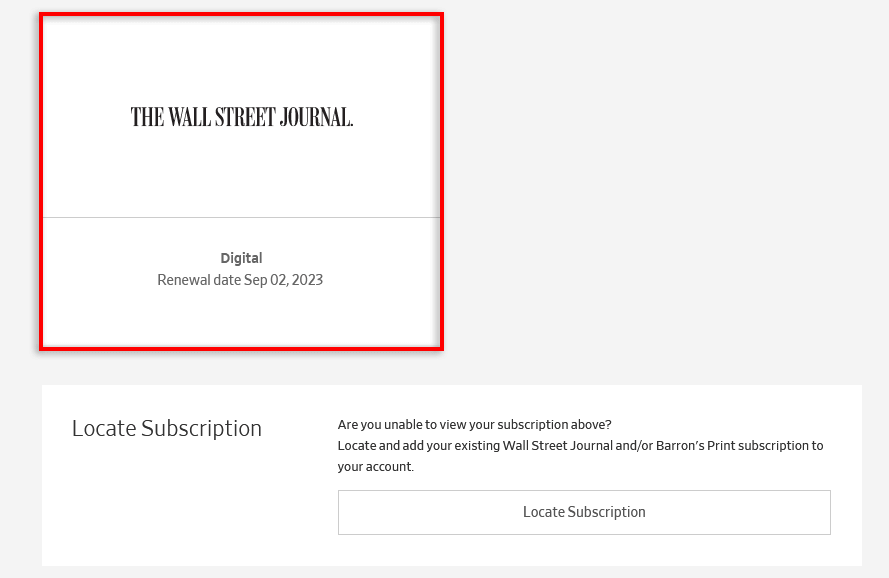
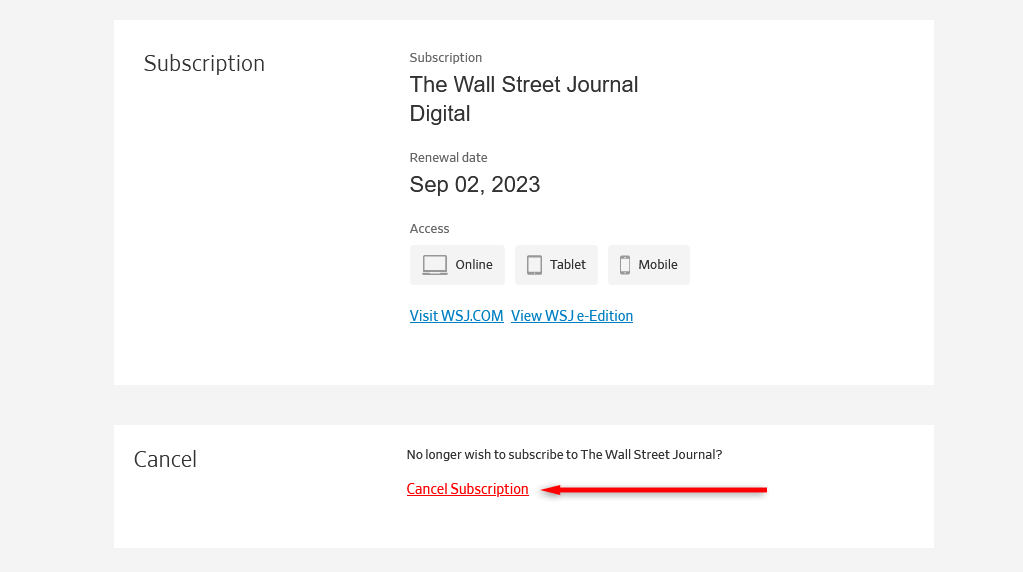
To cancel your WSJ subscription via the company’s website: Note: If you have a quarterly subscription or monthly subscription, you’ll retain your subscription until the end of the current billing period. If you have an annual subscription, you’ll lose access immediately, but you’ll also get a partial refund for the remaining months of your subscription billing cycle.
How to Cancel Your WSJ Subscription By Phone
If you have a print subscription (rather than an online subscription), you’ll need to call a WSJ customer service representative to cancel. Here are the phone numbers for different regions: If you want to cancel your auto-renewal to Barron’s Magazine, call 1-800-544-0422. Note: If you’re canceling to save money, don’t forget you can negotiate your monthly bill with a customer service agent. The WSJ will often offer a cheaper annual subscription if you threaten to cancel, and it can be a good way to reduce costs and retain access to a reputable news source.
Save Money, Save Time
Staying abreast of current news is important, but juggling multiple subscription services can quickly become expensive. Sometimes, it’s just easier to unsubscribe and try to get your news for free, rather than dishing out money for multiple paid subscriptions.