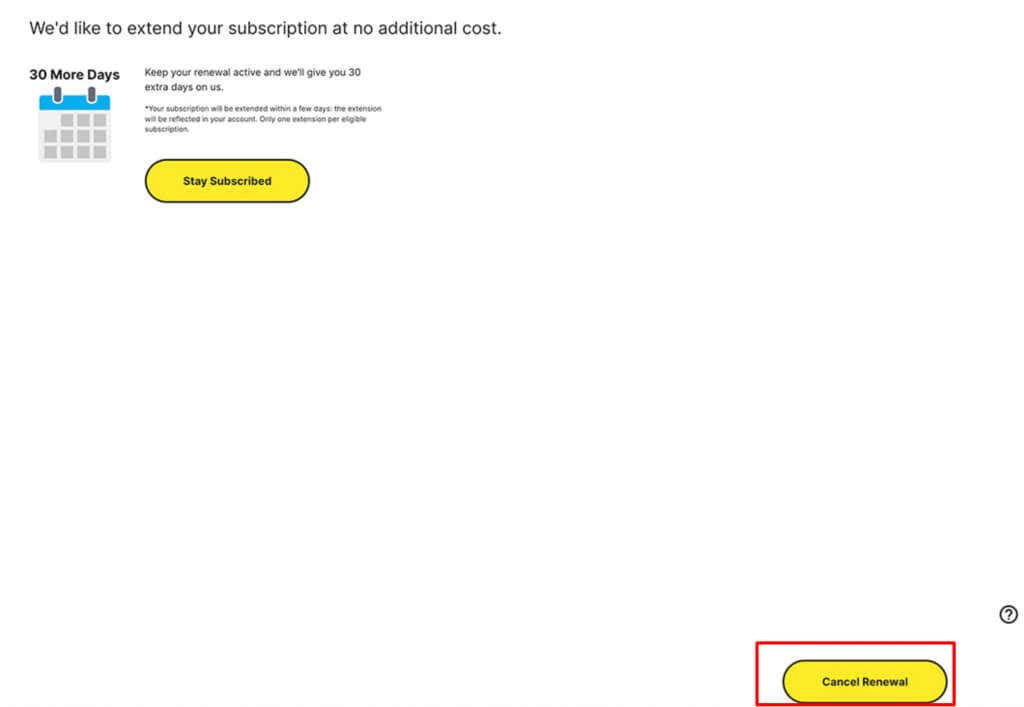
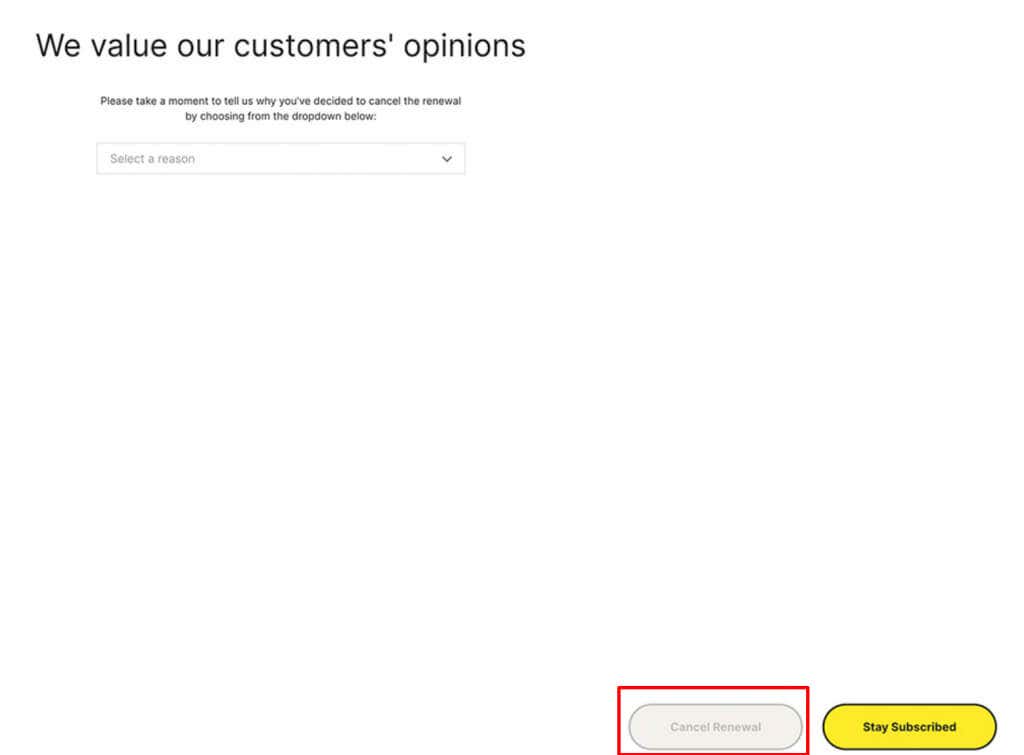
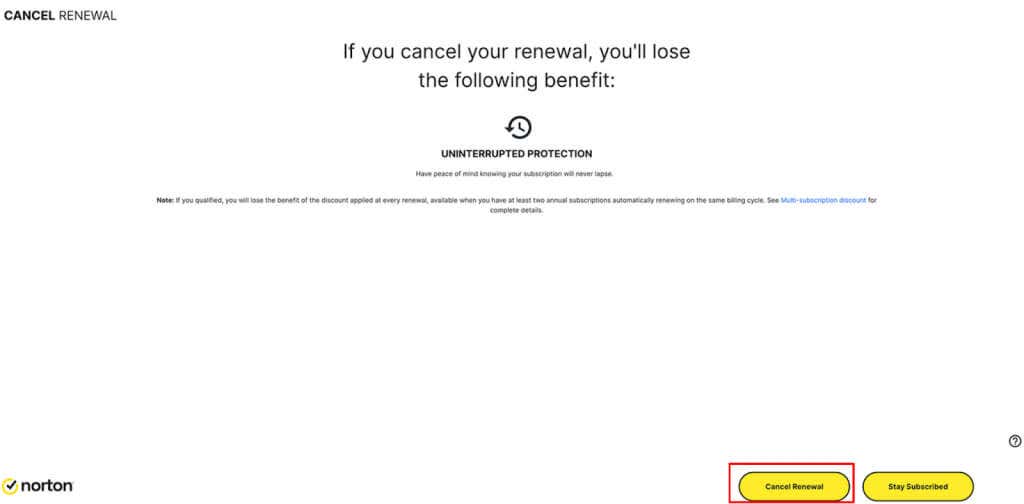
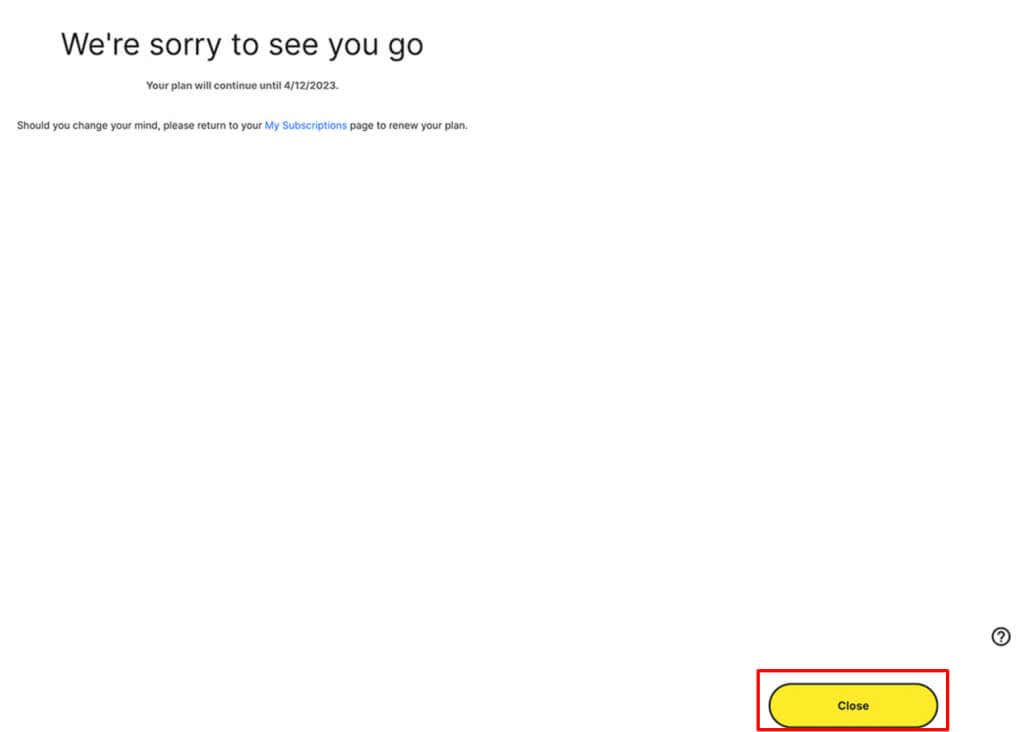
But as circumstances or preferences change, it may be necessary to cancel that subscription. So here are the steps needed to follow to cancel your Norton subscription on any of your devices.
About Norton AntiVirus Subscriptions
When it comes to cybersecurity, Norton is a well-known company that offers protection against malware. Their antivirus is built as a combination of almost all internet security features known to us today. Because of that, it’s capable of protecting your device no matter which operating system you use. It works equally well on Windows and macOS as well as Android.
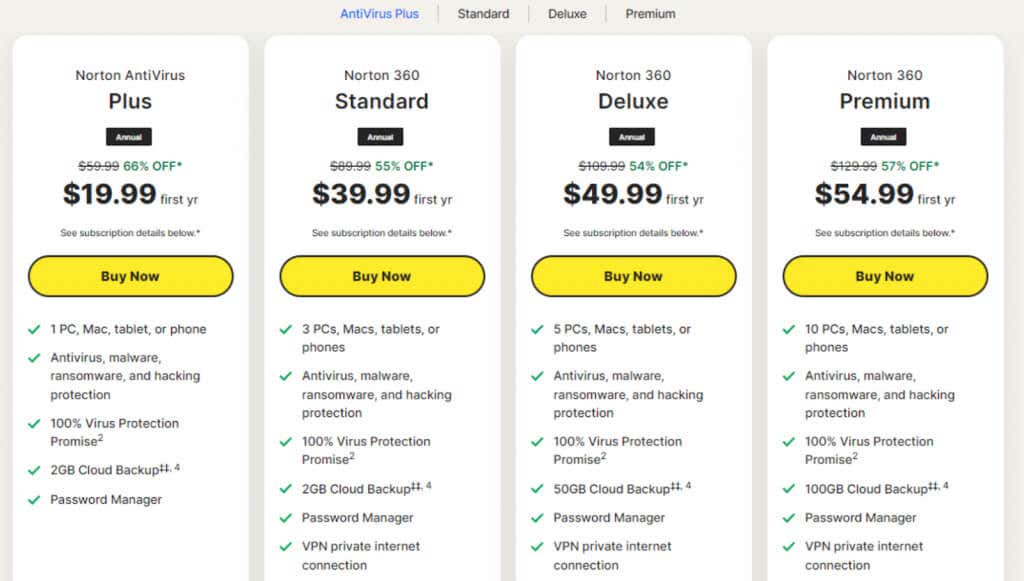
But different people have different needs, and Norton decided to offer multiple options and rates to accommodate most users. There are different Norton AntiVirus subscription tiers, and each brings more or less to the game. Let’s name a few:
As you can see, Norton’s subscription models are not very flexible. Some tiers lack certain features you might want while others offer bells and whistles that you’ll never use. So if you don’t get the most from your subscription you might want to search for alternatives and end your Norton membership.
How to Cancel My Norton Subscription from Windows or Mac
And that’s it! You stopped the auto-renewal of your Norton subscription. You’ll no longer be charged for their membership.
How to Cancel My Norton Subscription on iPhone or iPad
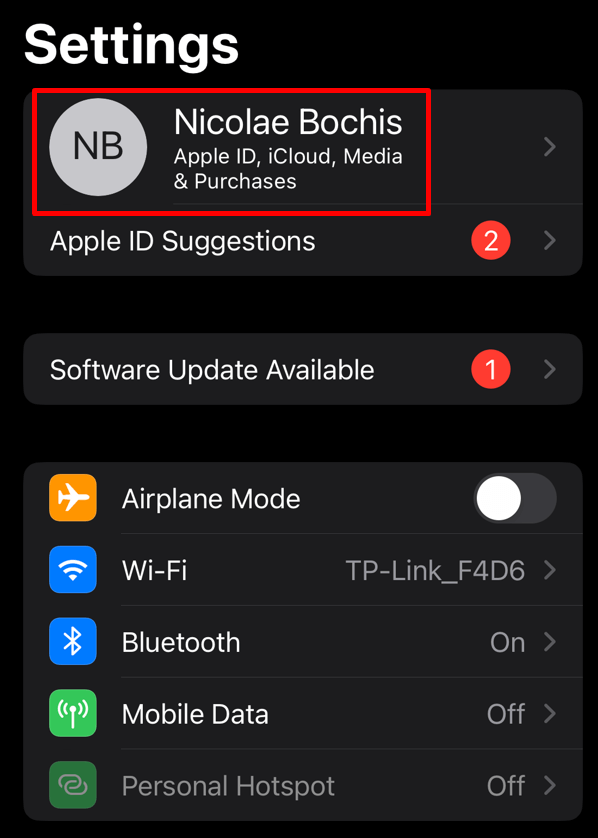
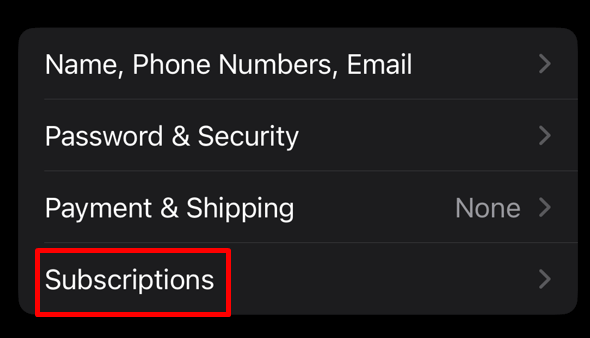
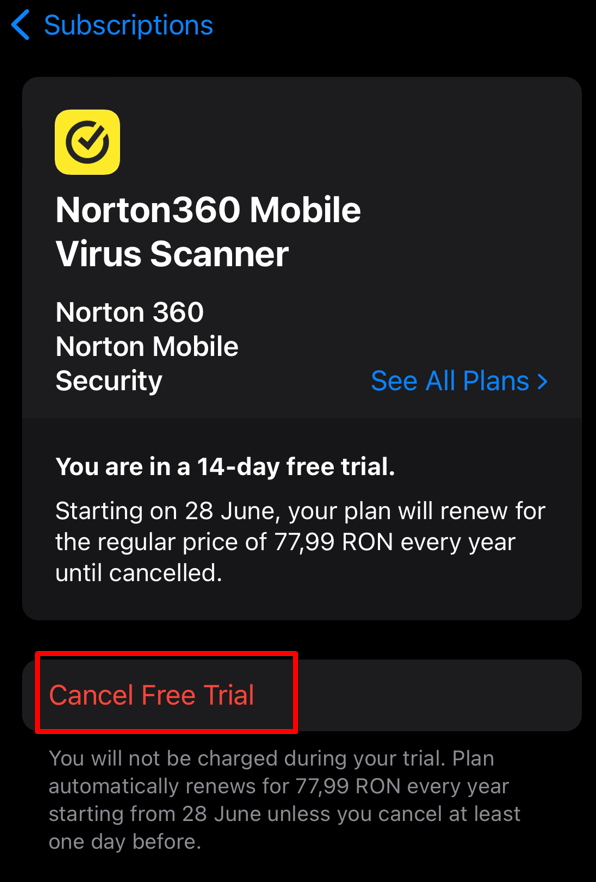
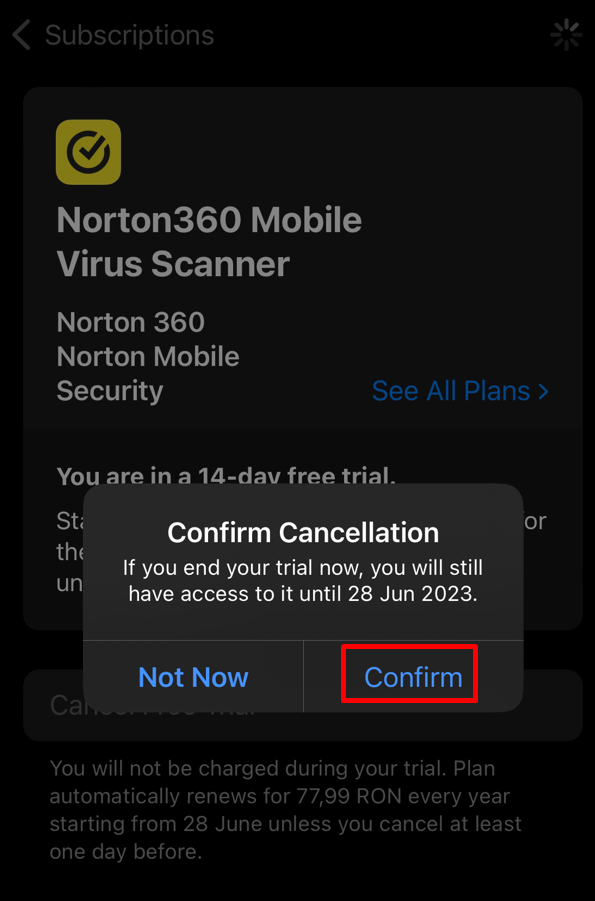
You can always use your favorite web browser such as Safari or Firefox to cancel your Norton subscription from your iPhone or iPad. But if you purchased this antivirus from the Apple App Store, you’ll have to do it from your phone’s Settings App. Here’s how: And that’s it. But if you want to claim a refund, you’ll have to do it from a browser. Just follow the steps described in the How to Request a Refund section.
How to Cancel My Norton Subscription on an Android Device
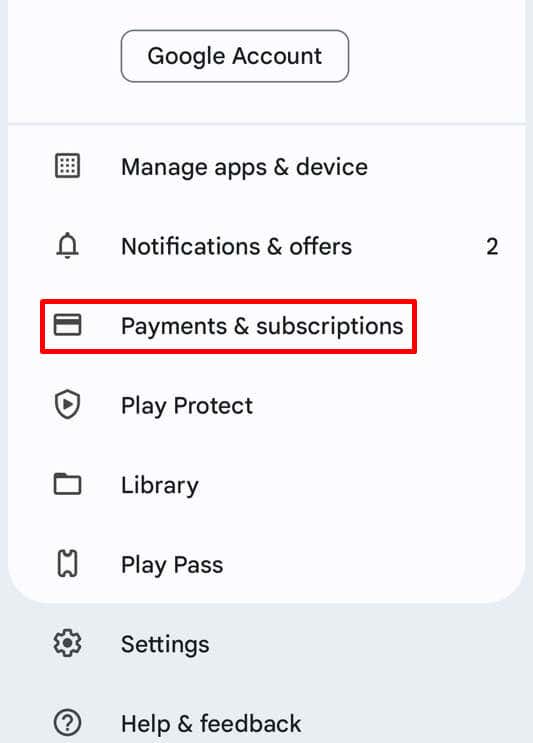
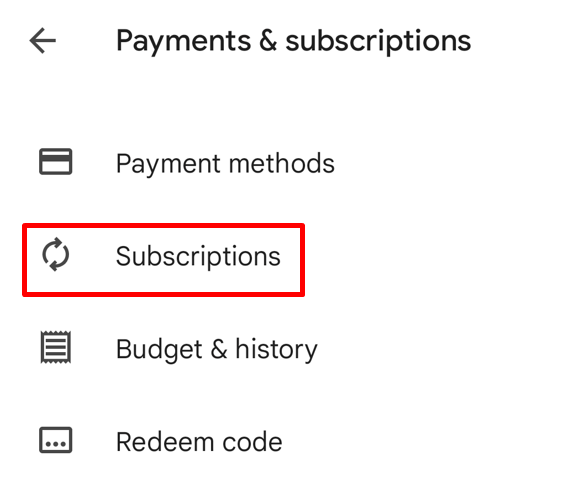
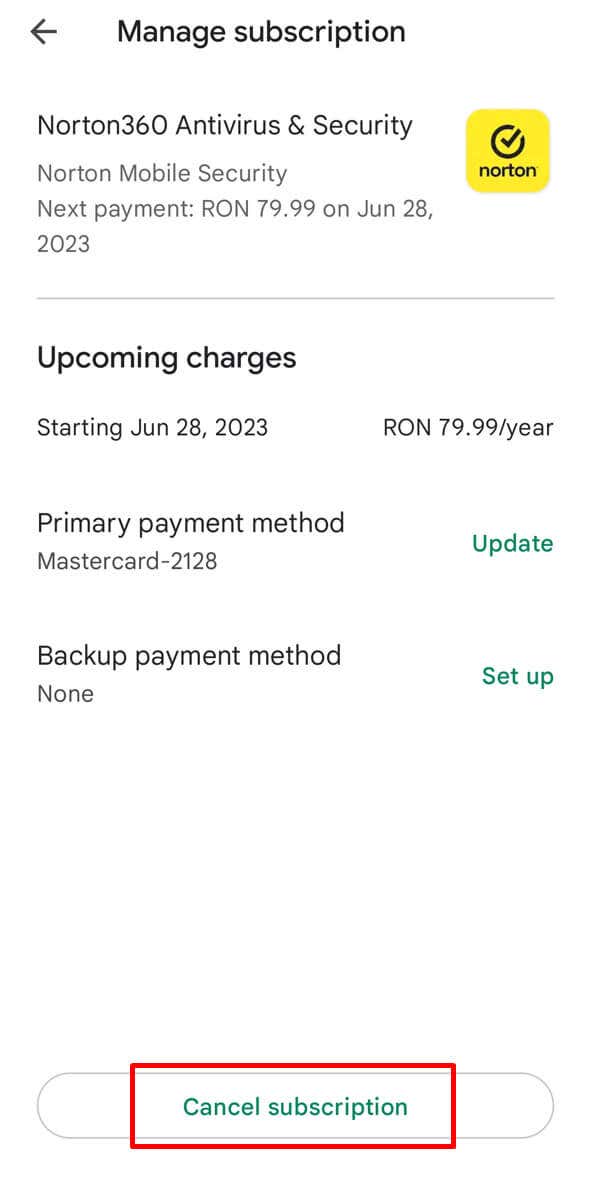
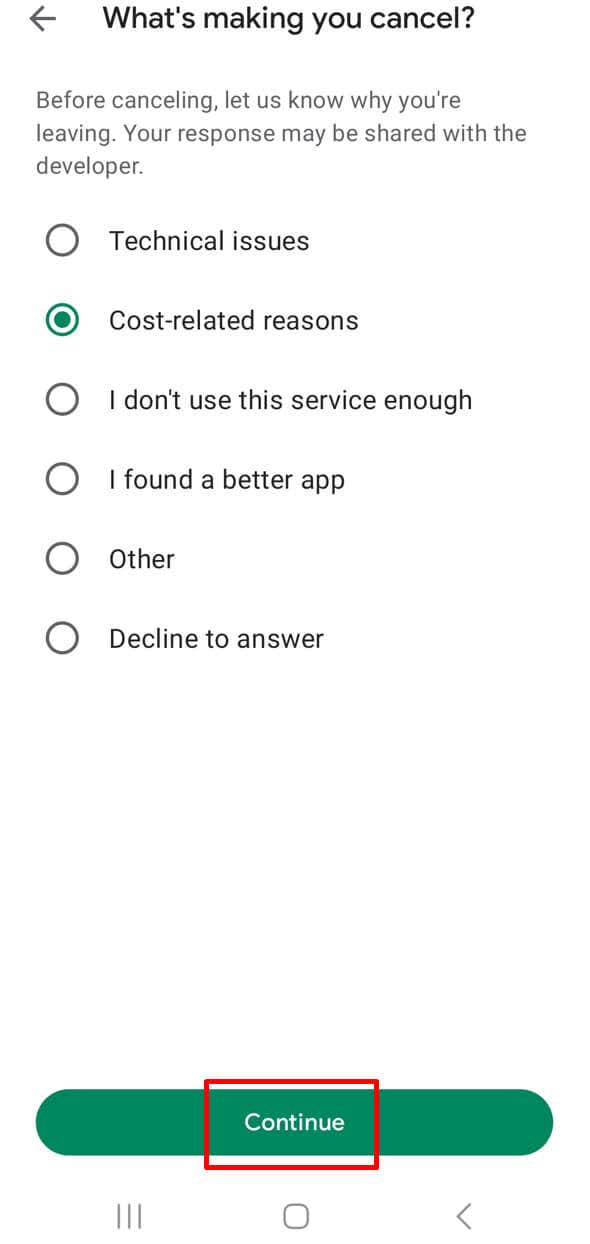
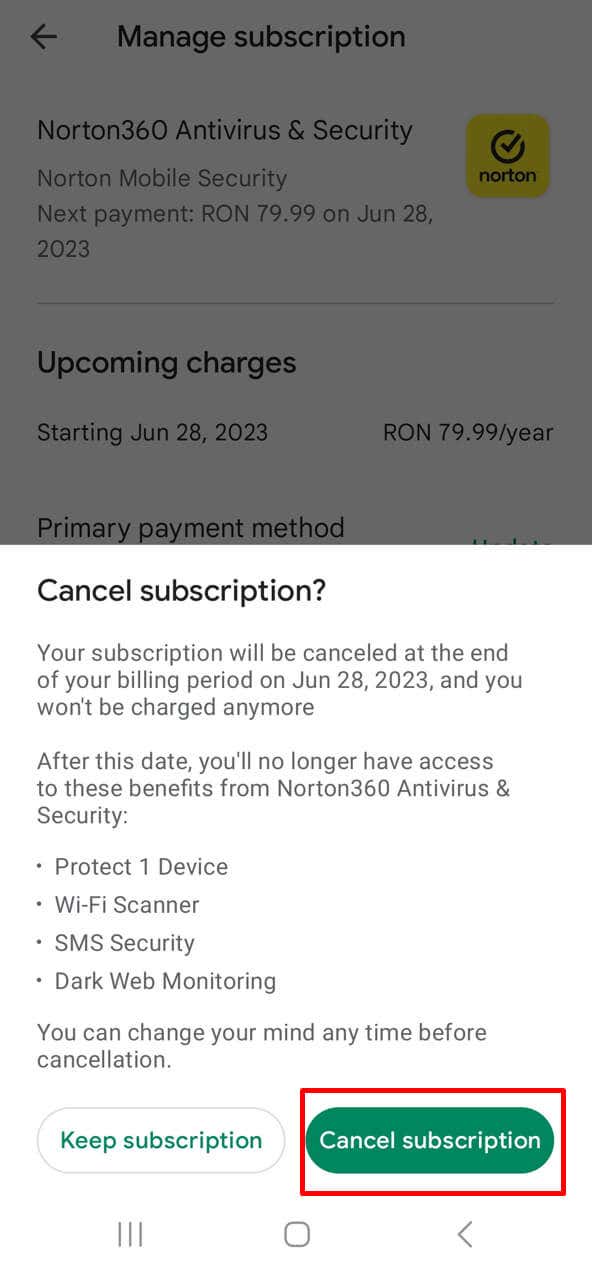
If you purchased Norton by using the Google Play Store, you’ll have to cancel your subscription through the store itself. No matter if you’re using an Android smartphone or a tablet, these steps are the same: And that’s it!
Norton Free Trial Cancelation
If you want to try out Norton AntiVirus without the obligation that comes with a subscription, you’ll be happy to hear that the website offers a free 14-day trial. The trial period may be different, depending on Norton’s offer, or the region where you are signing up from.
But if you sign up for a free trial, Norton will demand your payment information. You’ll have to use your credit card details and expect you’ll be charged after the free trial period expires. That is unless you cancel the subscription in time.
Even if you started a free trial, the steps to cancel your trial subscription are the same. If you used their official website to start the 14-day free trial, use the steps described in the How to Cancel My Norton Subscription from Windows or Mac section. If you used Apple App Store or Google Play Store, follow the steps described in the respective sections. Just make sure you do it at least 24 hours before the trial expires, and you won’t get charged for the next subscription cycle.
Norton Refund Policy
If you’re not satisfied with Norton, or your security and protection needs change, you should know you might be eligible for a refund. Norton has a well-defined refund policy. Note that you can get a refund for both the Norton annual subscription and Norton monthly subscription. The refund policy may be different for you if you bought a Norton product through a third party (retailer, app store, or service provider). In that case, check with the specific third party on their refund policies.
The Annual Subscription Refund Policy
If you choose an annual subscription, you are eligible for a full refund if you request it within 60 days of purchase. This is what Norton calls a 60-day money-back guarantee program. You can also get your money back if you request a refund 60 days from the start of your next billing cycle.
Monthly Subscription Refund policy
You’ll get a full refund for your monthly subscription if you request it within 14 days from the date of purchase. However, subsequent monthly renewals are not eligible for a refund.
Trial Subscription Refund policy
If you started the trial period and forgot to cancel it before it expired, you’ll be charged for the annual subscription. However, you can get a refund if you request it within 60 days from the date when you were billed, not the date when your trial started. How you’ll request a refund depends on the region where you are from. You can do it by contacting Norton through the official Norton Support page, or through live chat on their official website. If you are from the UK, you can dial the Norton Refund Helpline phone number (+44 0800-368-8383) and get a professional to resolve your issue. Processing the refund request may take several days, so be patient. Canceling your Norton AntiVirus subscription might seem like a hassle, depending on the device you’re using, because Norton tries so many times to keep you as a customer. A few minutes of effort now will save you plenty of money down the line. Whether you no longer need the protection or you’re looking for a different antivirus service, making sure you’re not charged anymore is key to saving money and managing your online security effectively.