How to Cancel Nintendo Subscription on Your Switch
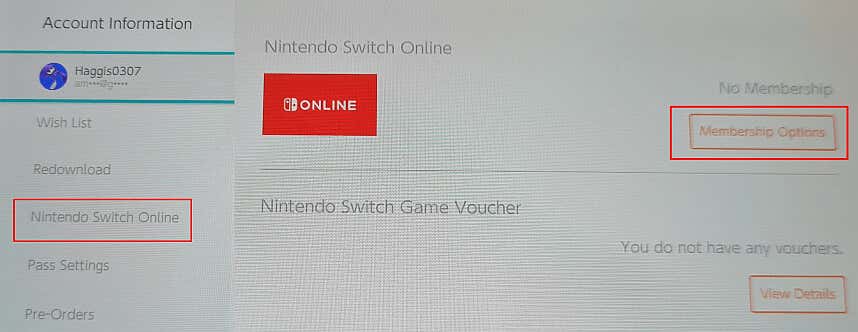
Your Nintendo Switch Online subscription is set to automatically renew at the end of each billing period. Luckily, it’s easy to turn off auto renewal if you want to cancel Nintendo subscription. The easiest way to cancel your subscription to Nintendo Switch Online is to do it from the Nintendo Switch eShop on your Switch – great if you’re already in the middle of a solo gaming session or your console is switched on. Here’s how to do it. Note: Make sure you turn off automatic renewal at least 48 hours before the billing period ends or you risk being charged for another month’s subscription fees.
How to Cancel Your Nintendo Switch Online Subscription From Your Browser
If your Switch is turned off, or if you’re away from home and don’t have your console with you, you can easily cancel your Nintendo Switch Online subscription through any internet browser in just a few clicks. Keep reading, and we’ll show you how. It takes just a few minutes of your time to cancel Nintendo subscription, and canceling doesn’t have to mean forever. You might just want to cancel to save money for a month or two, and it’s easy to resubscribe should you change your mind and decide you want to game online or play the best Nintendo Switch retro games. One thing to bear in mind is that when you cancel your subscription, your Save Data Cloud backup is no longer available, and Nintendo can’t guarantee that it will keep your data for an extended period of time, should you resubscribe in future.