There isn’t a way to turn off read receipts on Instagram, but there are some workarounds if you want a quick peek at a message without alerting the sender. If you want to control your read receipts on Instagram, follow the steps below.
Can You Turn Off Read Receipts on Instagram?
There isn’t a setting to turn off read receipts on Instagram (at this time). However, that doesn’t mean it’s impossible to stop read receipts from being sent—temporarily, at least.
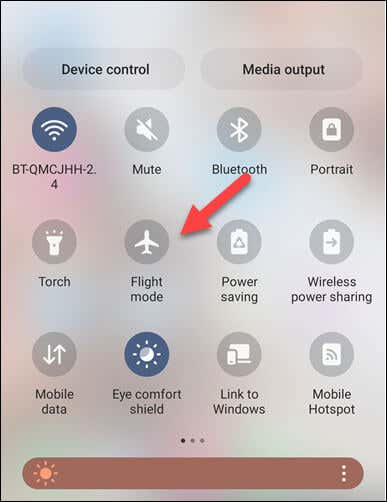
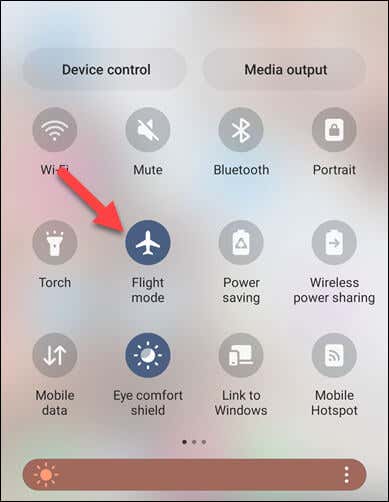
There isn’t a permanent method to stop them, but you can use airplane mode on your device as a workaround to view messages without sending read receipts immediately. This works by blocking Instagram from updating its servers (and thus the sender) that you’ve read the message.
However, once you turn off airplane mode and connect to the internet again, the read receipts will be sent. You’ll need to keep this in mind.
How to Disable Instagram Read Receipts Using Airplane Mode
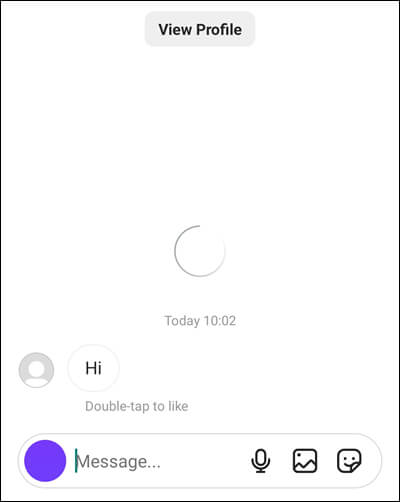
One way to indirectly disable read receipts on Instagram is by using the airplane mode feature on your device. This method allows you to read messages without notifying the sender that you’ve seen them. As we’ve mentioned already, this isn’t a permanent solution. It’ll only give you a quick way to view your Instagram messages, and only if the app has loaded the messages for you without opening the message thread directly. This should happen if you open your Instagram app’s messages ‘folder.’ However, if you’ve missed out on a long thread of messages, you may only see that a small selection of them load (or they don’t load at all). To use airplane mode to read messages on Instagram, follow the steps below. With any luck, Instagram will still not show the message as read, because it wasn’t connected to the internet when you opened it. However, this may not last for long (or work at all), so your mileage may vary.
How to Disable Instagram Message Notifications
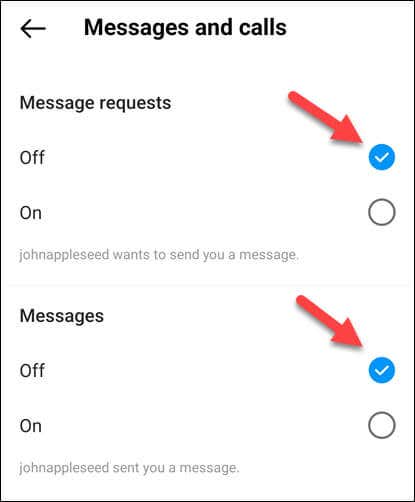
If you tap a message notification on Instagram, it’ll take you straight to the message (and send a read receipt in the process). If you’re worried about your privacy, it’s probably a good idea to disable these message notifications.
This will stop you from accidentally opening up a message without intending to. You’ll need to manually check and open any messages you receive afterward.
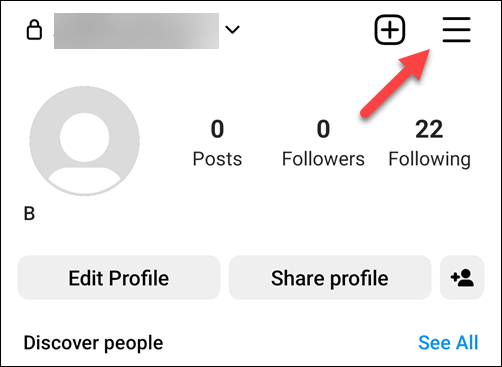
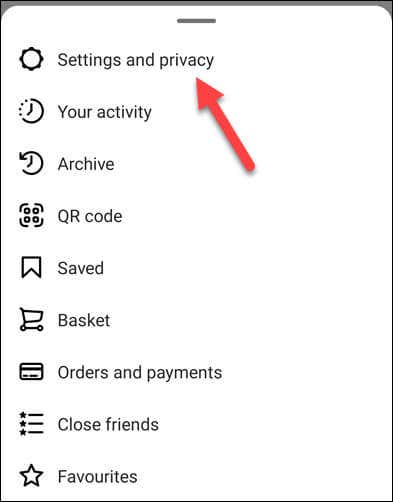
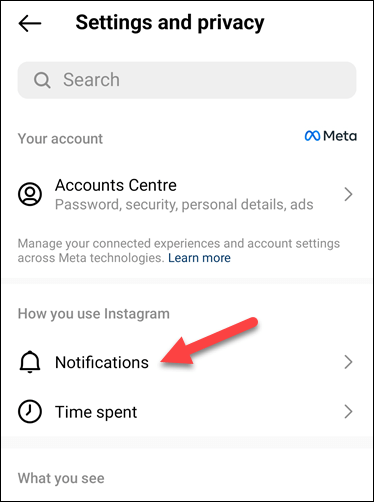
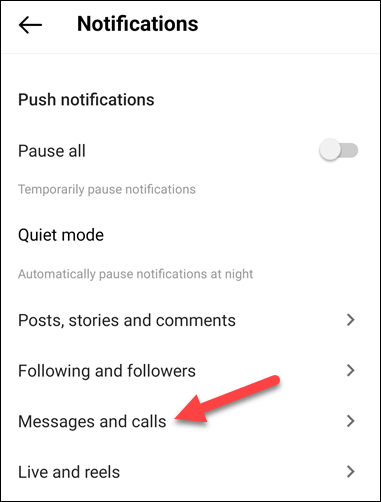
To disable message notifications on Instagram, follow these steps.
Once you’ve completed these steps, you’ll no longer receive message notifications from Instagram. This means you can access your messages at your own pace and read them without the sender knowing instantly that you’ve seen their message.
However, don’t forget to check your Instagram inbox regularly to avoid missing any important messages.
Managing Your Instagram Account
While you can’t directly turn off read receipts on Instagram, you can use the workarounds above to help you avoid them (at least temporarily). Having trouble sending messages on Instagram yourself? You’ll need to troubleshoot the problem by reinstalling the app or signing out of your profile. Don’t forget; if you’re worried about your privacy, you can always delete your Instagram account and switch to another platform.