This article will help you understand how Facebook stories work and show how to see people who view your stories. You’ll also learn to customize your Facebook story visibility for more privacy.
What Are Facebook Stories and How Do They Operate?
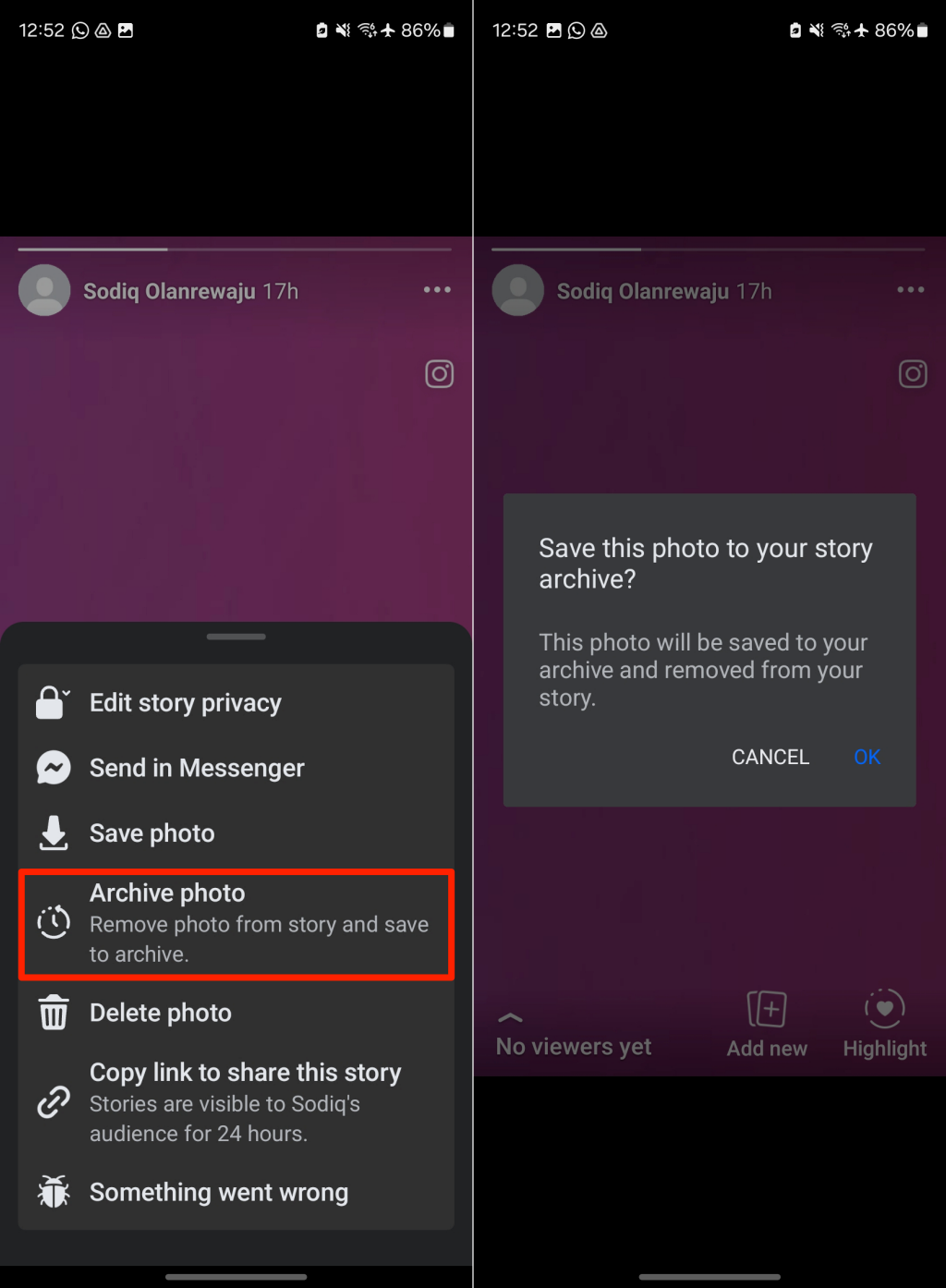
Stories allow you to quickly share moments, content, or fleeting thoughts with your Facebook friends, followers, or the public. It’s similar to Snapchat Stories, WhatsApp Status, and Instagram Stories. The Stories feature is available to all Facebook users, and you can upload stories (via mobile or web) from a personal profile or business page. You can share photos, videos, website links, blog posts, and Facebook posts to your Facebook story. Anything shared on your Facebook story will only be visible for 24 hours. When stories expire, they’re no longer available to the target audience. Facebook automatically moves expired stories to an archive folder, where you can revisit them anytime. You can also manually archive stories or delete them before they expire. However, note that deleted stories don’t get archived. Only you can access your personal story (or page stories) archive, and you can re-share archived stories as new stories. Facebook lets users get creative with stories. You can add music, stickers, layouts/collages, effects (e.g., Boomerang), and use artificial intelligence (AI) tools to enhance your story. Like regular Facebook posts, you have control over who sees your stories. When people view or react to your stories, Facebook shows you who they are and their reactions.
Can You See Who Views Your Facebook Story?
You can see followers or friends who view all the stories you upload. The story viewer count feature is available on Facebook mobile and web applications. The feature allows an individual or Facebook page to track/monitor engagement on their content. We’ll briefly help you understand how Facebook Stories work and how to who viewed your Facebook story.
How to Check Who Has Viewed Your Facebook Story?
Follow the steps below to see people who viewed your Facebook Stories on mobile devices and the web.
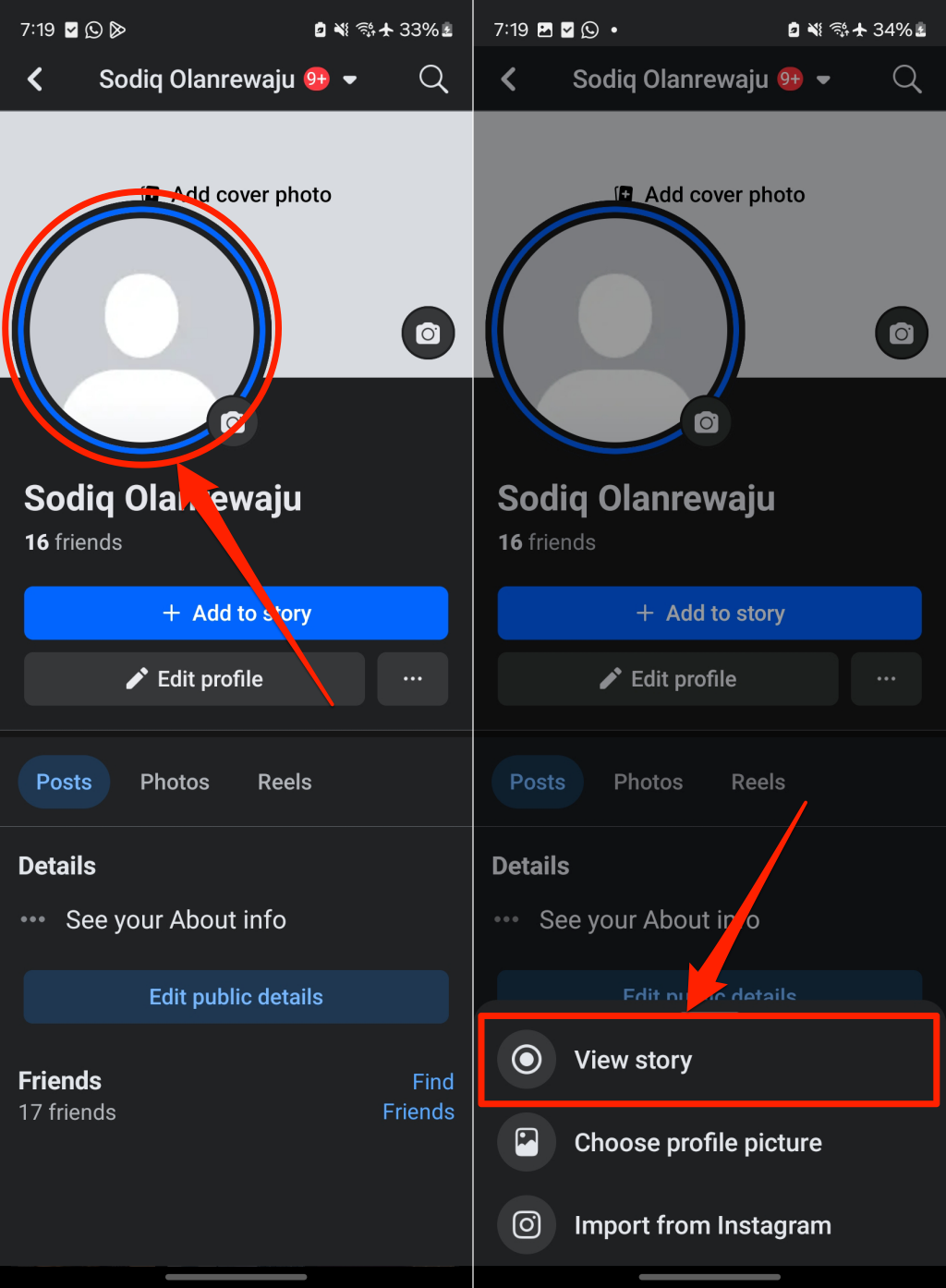
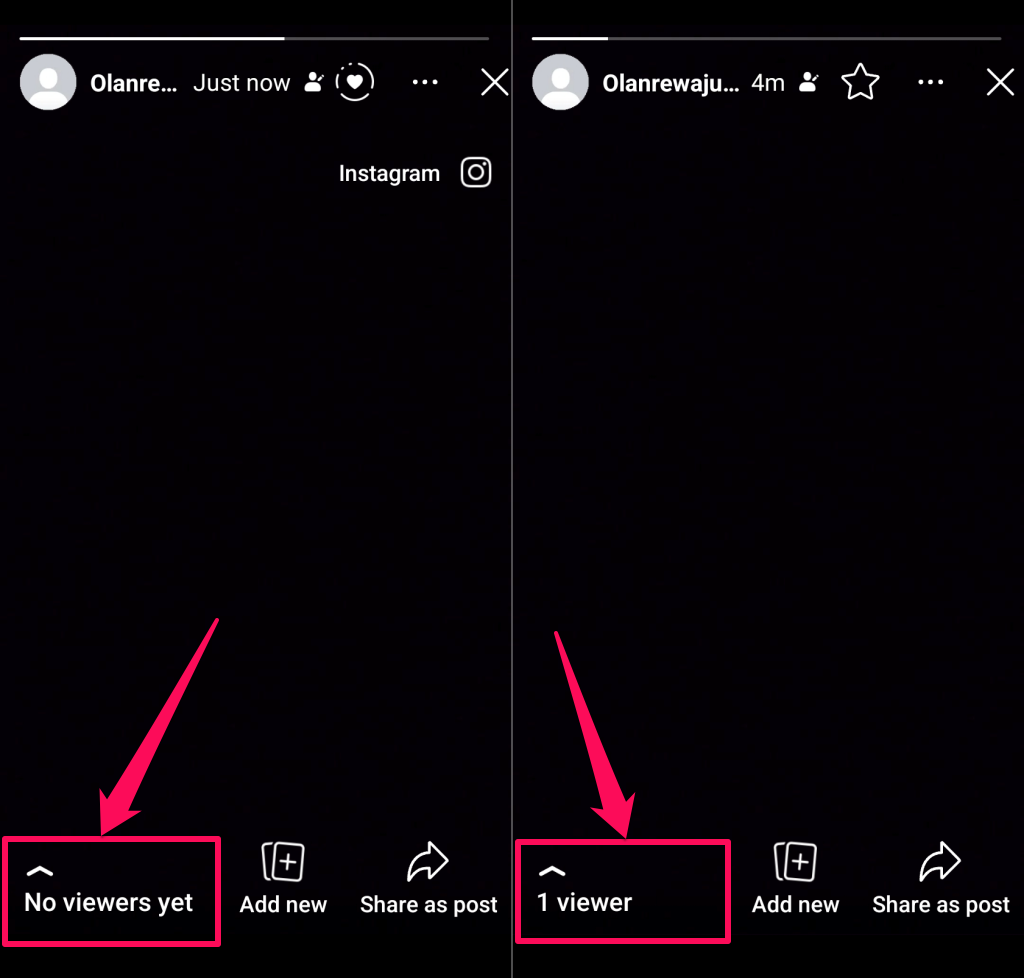
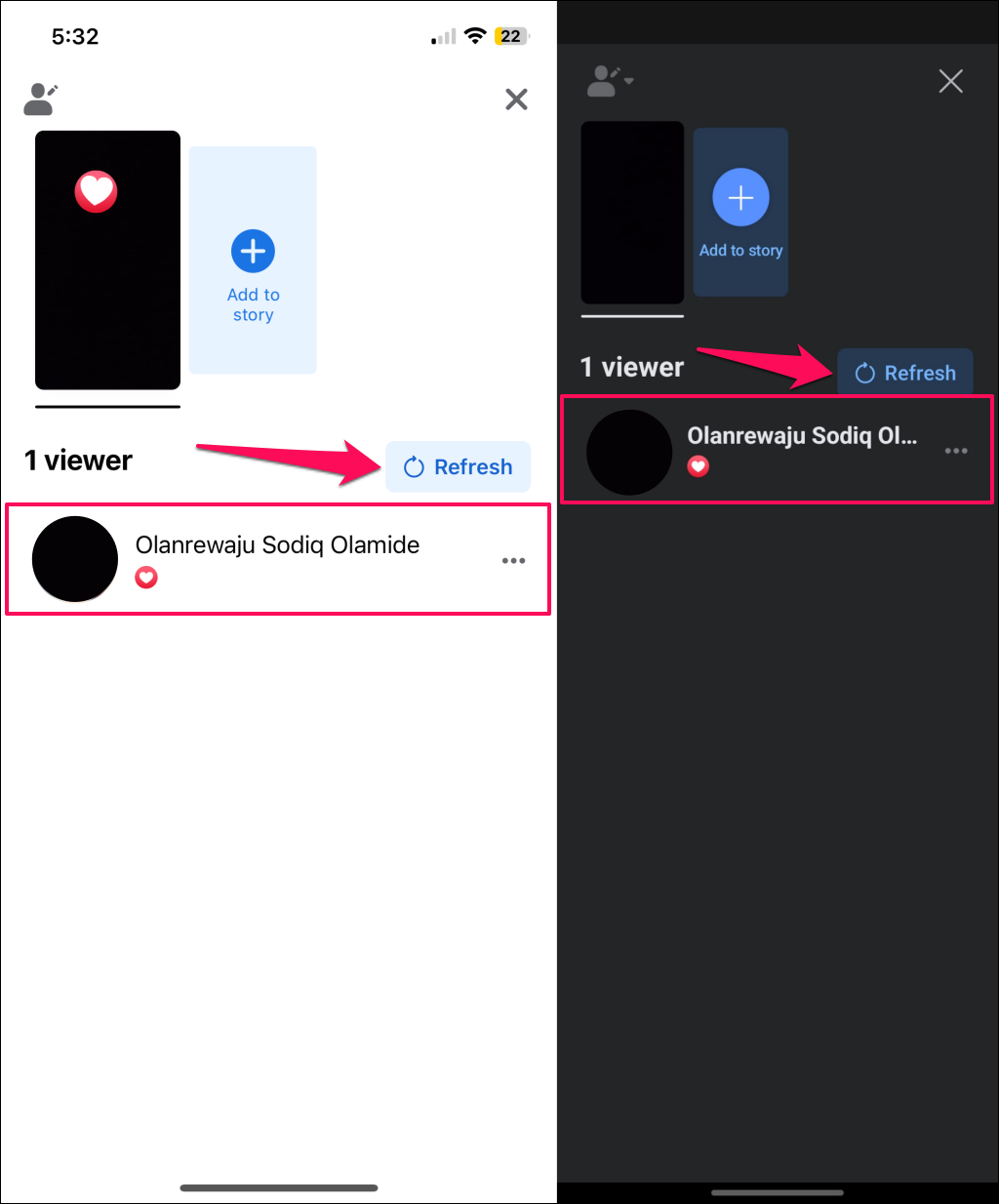
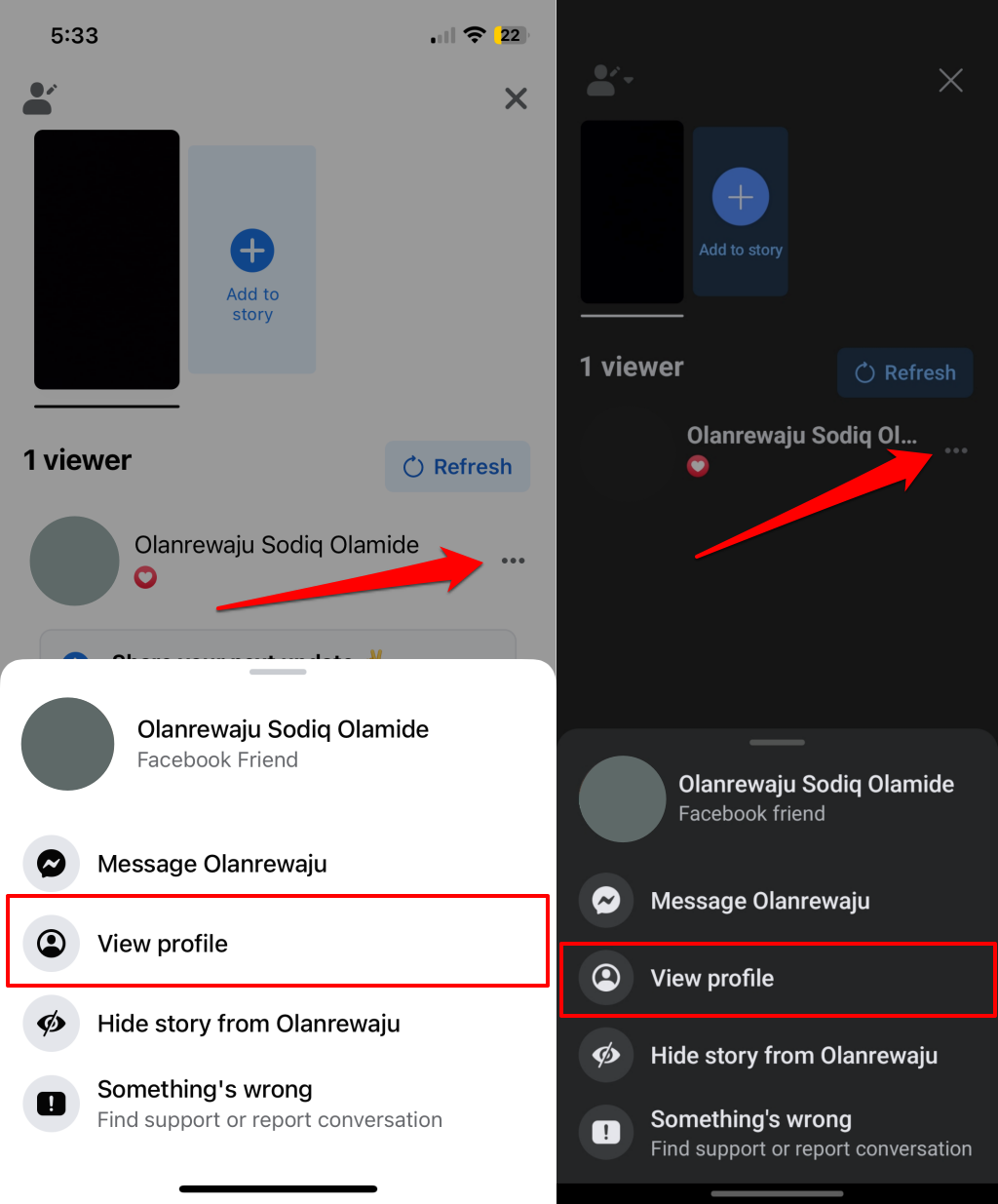
How to See Who Viewed Your Facebook Story on Mobile (Android and iOS)
How to See Who Viewed Your Facebook Story on Mobile (Web)
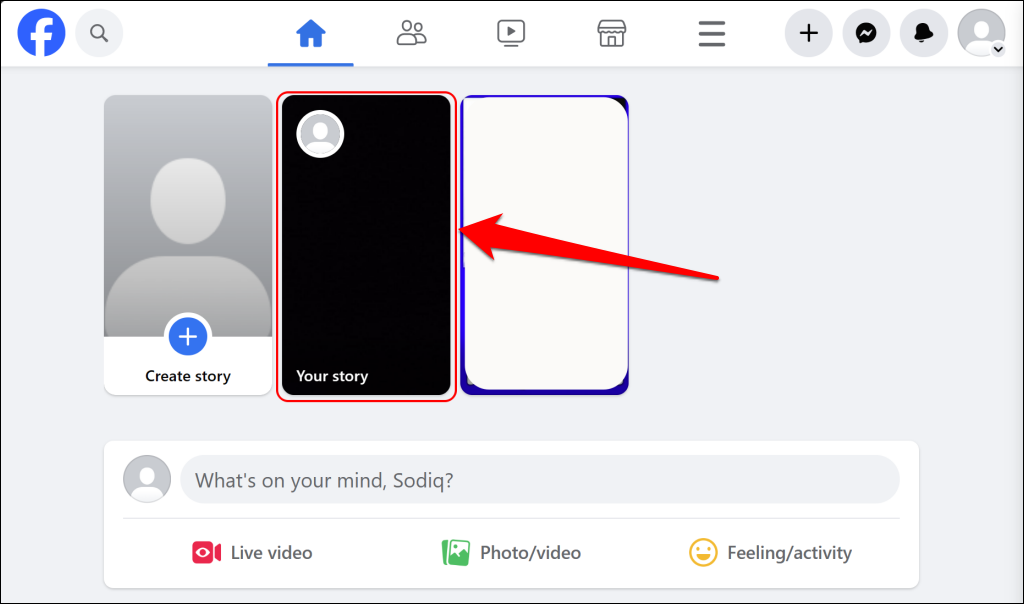
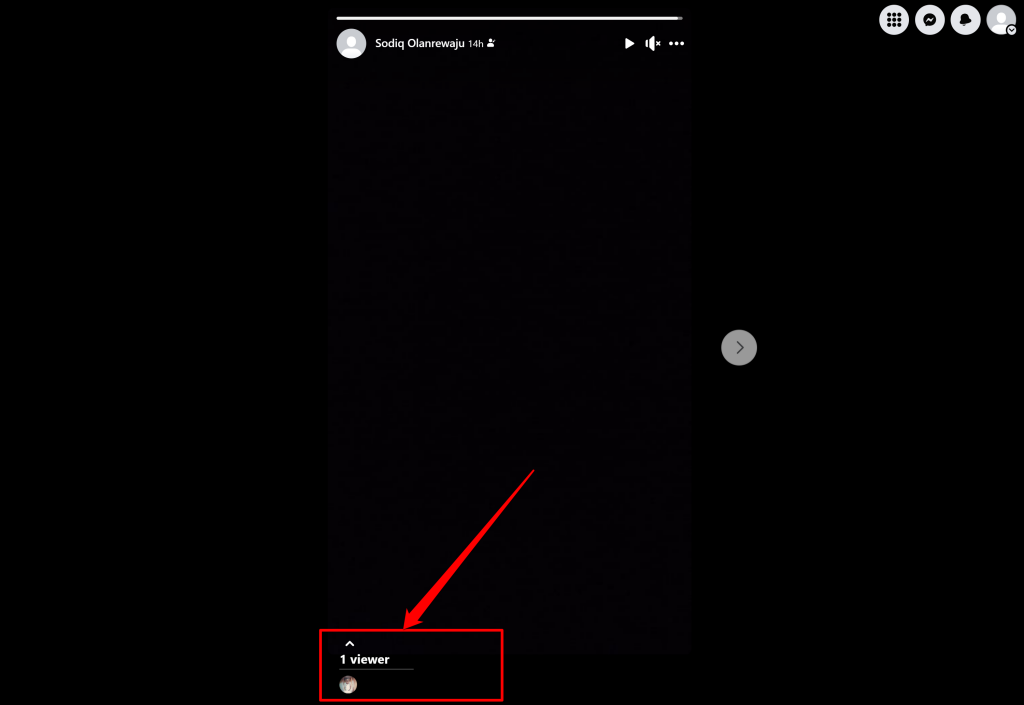
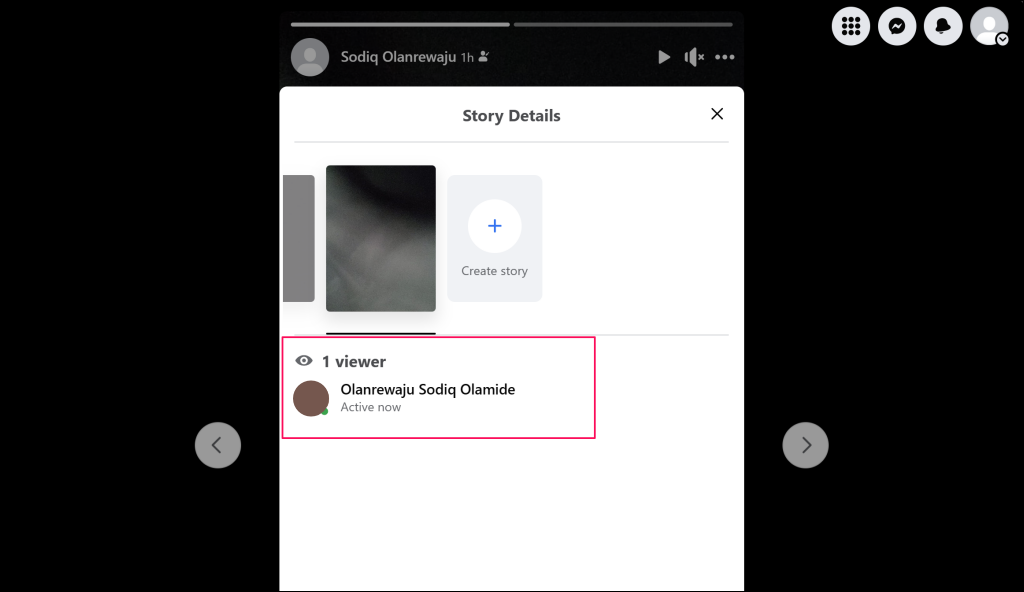
The procedure for checking your Facebook story viewers on a web browser and mobile app are similar. Sign in to your Facebook account on a web browser and follow these steps.
How to Setup Who Can See Your Facebook Story
Facebook lets you control who sees your activity online, including stories. The story privacy options available on Facebook are listed below.
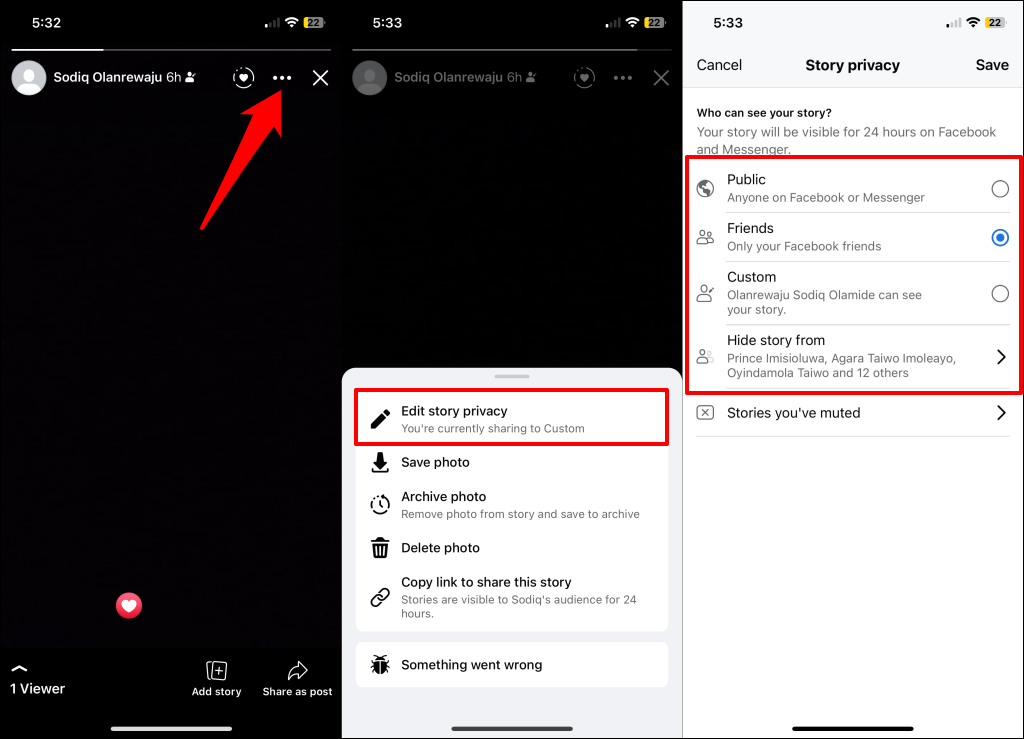
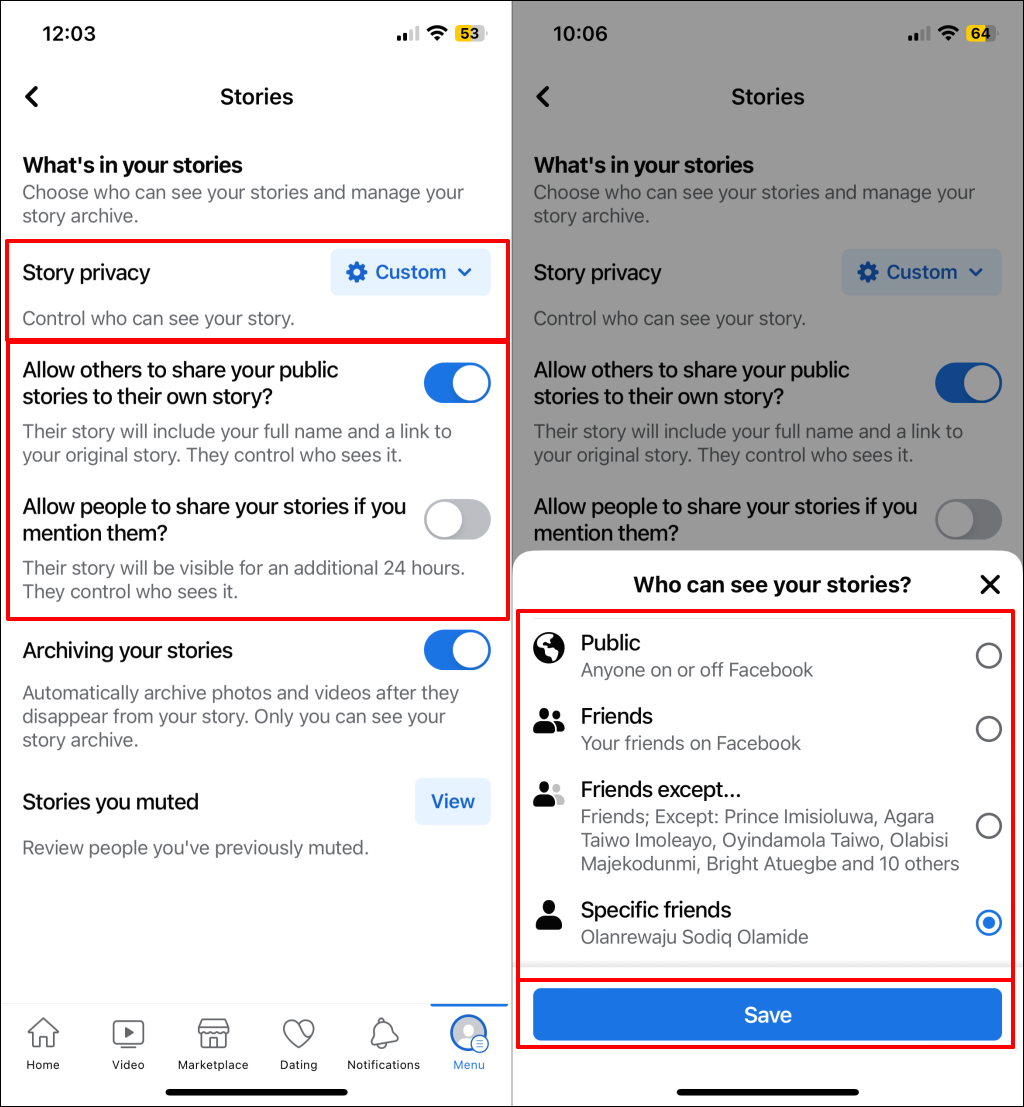
Public: Choose this privacy setting if you want your story to be viewable by anyone with a Facebook account. Friends: This option makes your stories visible only to your Facebook friends. Custom: Want to share stories with specific friends? Choose the custom privacy setting and select friends with whom you want to share your stories. Hide story from: This custom privacy option hides your Facebook stories from specific people. Select “Hide story from” and choose the people you want to block from viewing your story.
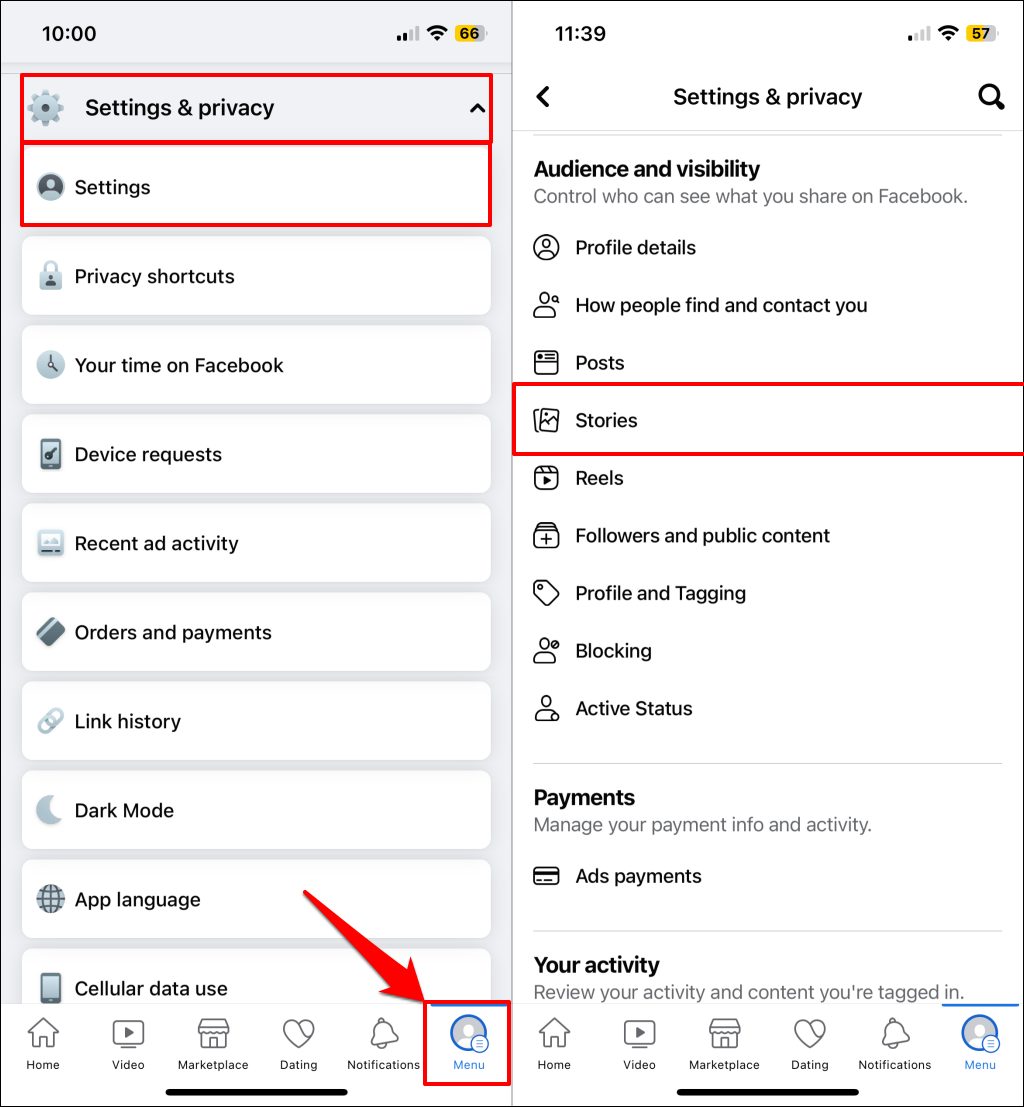
Changing your story privacy follows similar steps in the Facebook application for Android and iOS. You can change your story privacy option from an active story or in the app settings menu.
Change Facebook Story Privacy — Method 1
Change Facebook Story Privacy — Method 2
Who Are the ‘Other Viewers’ of Your Facebook Story?
Anyone on Facebook can view stories you share with the public. However, Facebook doesn’t always reveal the identities of all public viewers, especially if they aren’t your (Facebook) friends. Instead, Facebook masks their identity as “Others.” Random Facebook users, followers you don’t follow back, and people who view your Facebook story anonymously are also classified as “Others.” Third-party apps connected to your Facebook account can view your public account activities, including posts and stories. If these apps view Facebook Stories anonymously, their identity is masked as “Others.” Later in this article, we’ll show you how an anonymous Facebook Story viewer sees your stories without leaving a trace.
How to Check the “Other Viewers” of Your Facebook Story?
As earlier mentioned, Facebook masks the identities of these “other” viewers, and there’s currently no way to know who they are. Hopefully, Facebook will someday provide the identities and profiles of these unknown viewers.
Can You View Facebook Stories Anonymously?
There are a few ways to view Facebook stories anonymously without leaving a trace. These methods aren’t 100% foolproof, and Facebook may update the story feature to block these workarounds. Use the tricks below to become an anonymous Facebook story viewer.
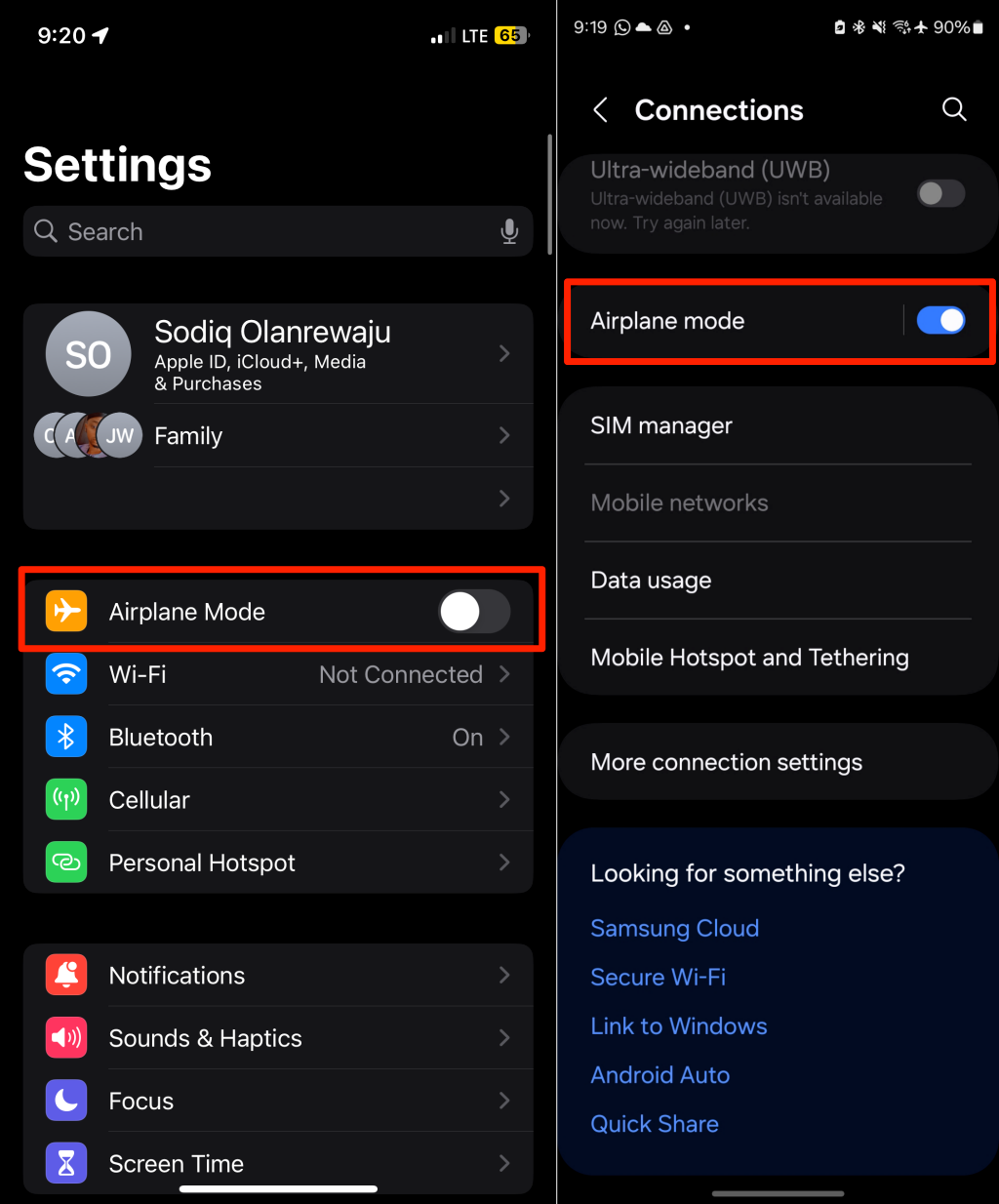
View Facebook Story Anonymously Using Airplane Mode
Putting your phone in airplane mode stops the Facebook app from sending information to its servers. That lets you view Facebook stories anonymously without being on people’s story viewers list. Note: If you turn airplane mode off before closing the Facebook app, it’ll communicate with Facebook’s servers and the Facebook user that you viewed a story. If some stories don’t load, turn airplane mode off and let them load before trying to access them without the internet.
View Someone’s Story Using the Half-Swipe Technique
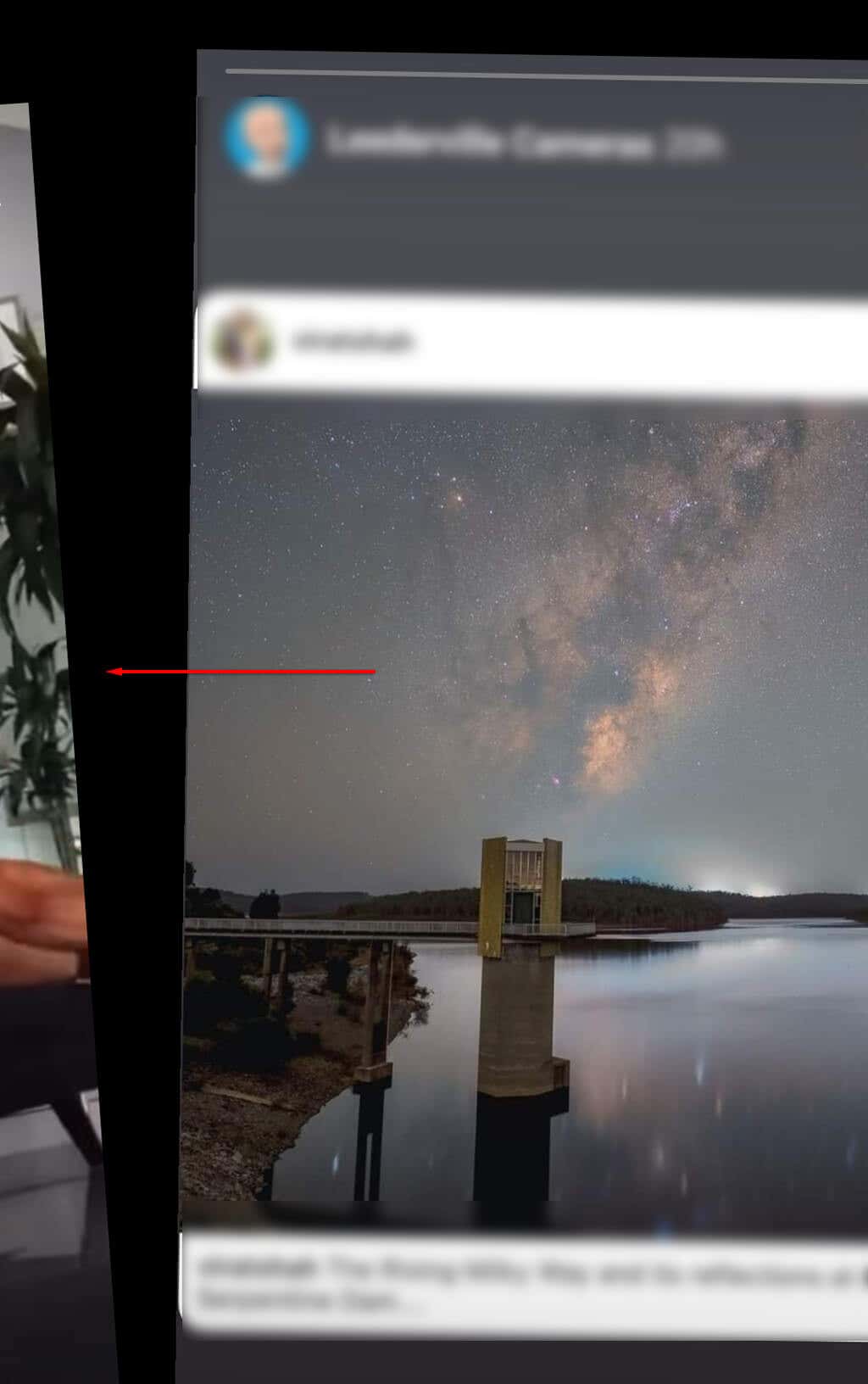
Another way to view Facebook stories anonymously is to half-swipe the previous story. This will let you see the story without registering that you viewed it. While this method works well for text or image-based stories, a downside is that you cannot watch video stories. Follow these steps to view people’s Facebook stories anonymously using the half-swipe technique. The downside of this technique is that you may not see the whole story. You can only view a portion of the story that half-swiping allows.
Use an Alternative Account
The third and final way to view someone’s stories without their knowledge is by using a different account. This works for people who share their Facebook stories publicly. If the person shares with friends only, you can’t view their stories using an anonymous or alternate account—unless you add them and they accept your friend request.
Take Control of Your Stories
Many Facebook users prefer sharing fleeting thoughts, pictures, moments, and daily activities as stories. Organizations and brands also use stories to advertise and interact with their Facebook audiences. The privacy and visibility options put you in the driving seat, allowing you to control people who can (or cannot) view your Facebook stories.